

XID Bursts
XID Bursts
The XID Bursts page helps cloud provider (NCP) users investigate related GPU XID messages as one incident. An XID message is an NVIDIA driver error report that provides diagnostic information about a GPU problem. For background on XID messages, see the NVIDIA Xid Errors documentation.
An XID burst is a related sequence of GPU XID messages on a node, grouped until there has been more than three minutes of silence between messages and analyzed together as one incident. A single fault in the GPU subsystem can cause the GPU driver to report a burst of XID messages. Rather than analyzing each XID in isolation, examining the full set collectively often provides more accurate insight into the underlying issue. Burst classification uses the full set of XIDs to help identify the appropriate recommended actions.
The XID Bursts page is available in the Fleet Intelligence user interface for NCP users. Tenant users can access XID Burst data through the Fleet Intelligence API.
The XID burst UI for tenant users of Fleet Intelligence will be available soon.
Review XID bursts
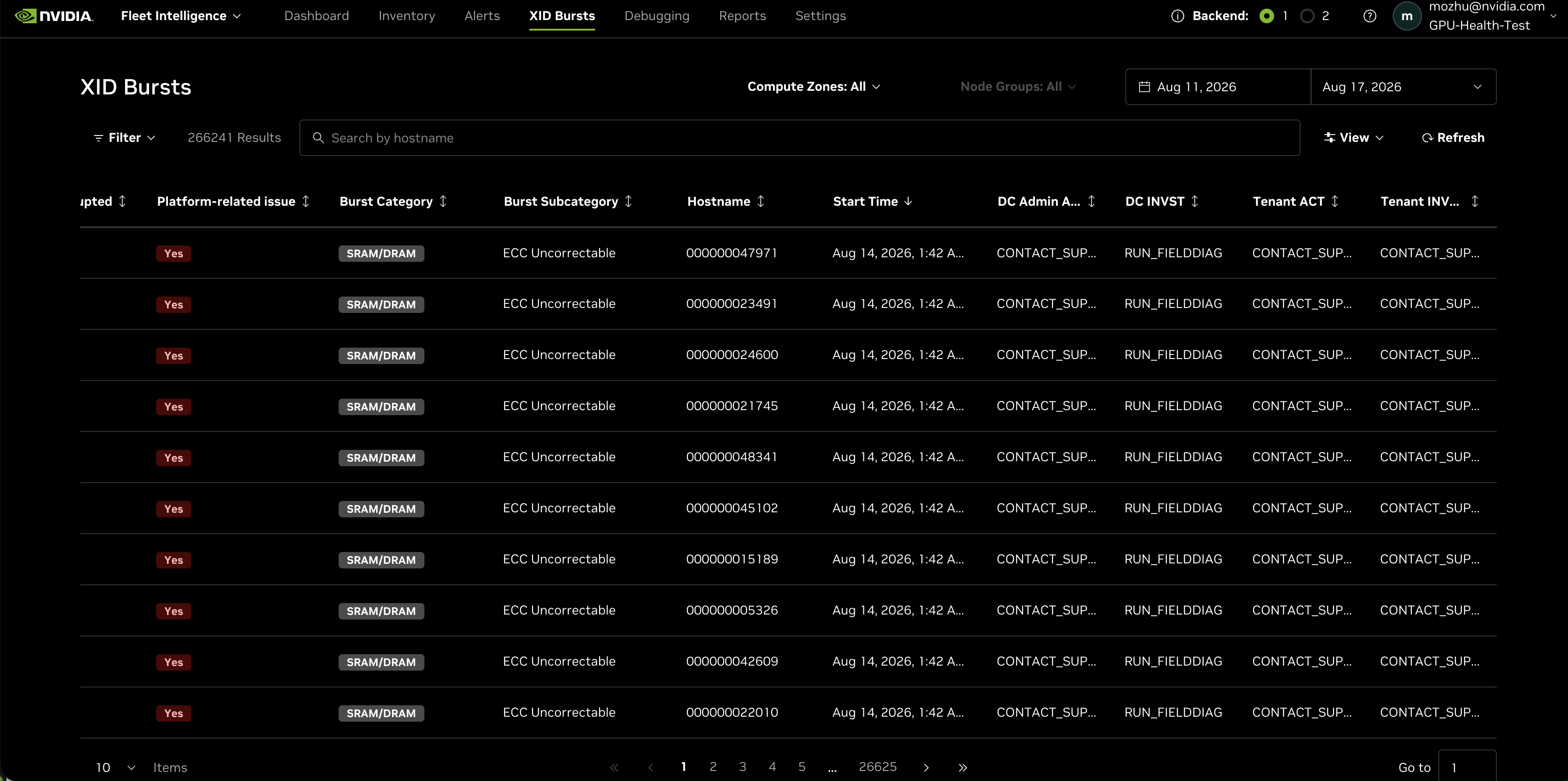
To open the page, select XID Bursts in the Fleet Intelligence navigation. The table shows bursts in the selected date range. By default, the most recent bursts appear first.
Use the date picker to set the time range. You can also limit the results to a Compute Zone or Node Group.
Each row represents one burst. The default columns include the XIDs in the burst, job-disruption status, platform-related issue status, burst category and subcategory, hostname, start time, and recommended actions.
The action columns use these abbreviations:
- DC Admin ACT — immediate action for the data center administrator (NCP/cloud providers).
- DC INVST — investigatory action for the data center administrator (NCP/cloud providers).
- Tenant ACT — immediate action for the tenant.
- Tenant INVST — investigatory action for the tenant.
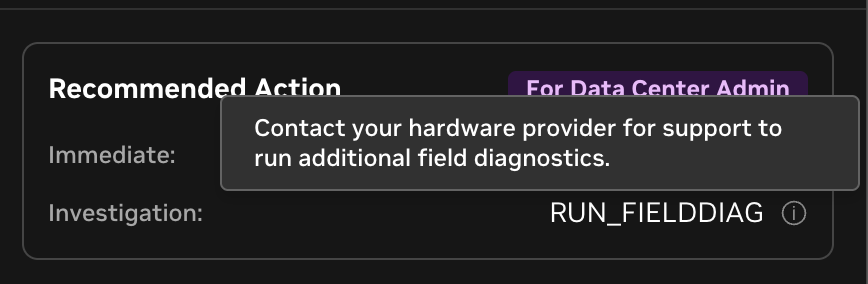
Recommended actions are analyzer-derived guidance. Hover over the information icon next to an action to see its human-readable description.
Filter and search results
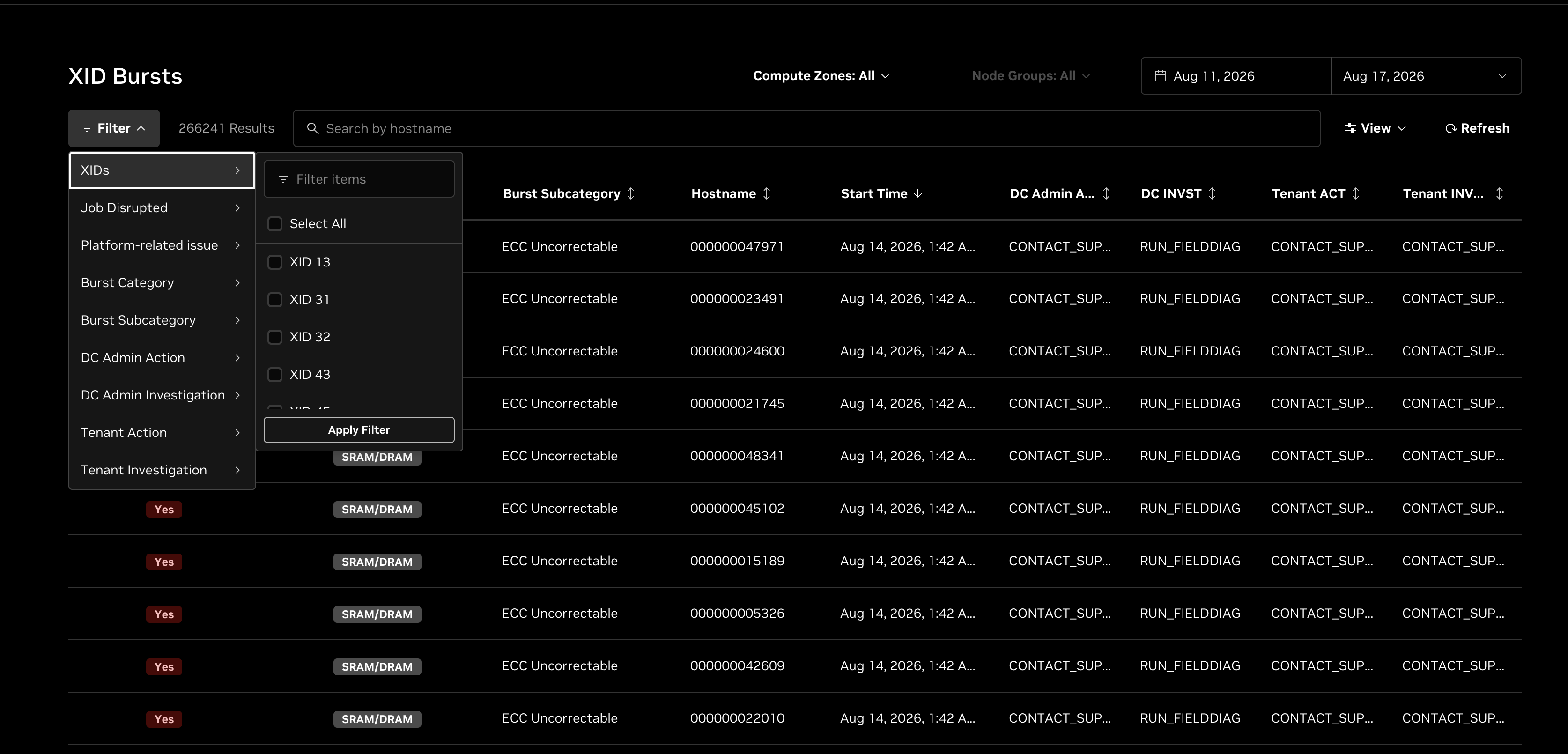
Select Filter to filter bursts by available properties, including XIDs, job disruption, platform-related issue, burst category, burst subcategory, and recommended actions. Select Apply Filter to update the table. Applied filters appear above the results; select Clear Filters to remove them.
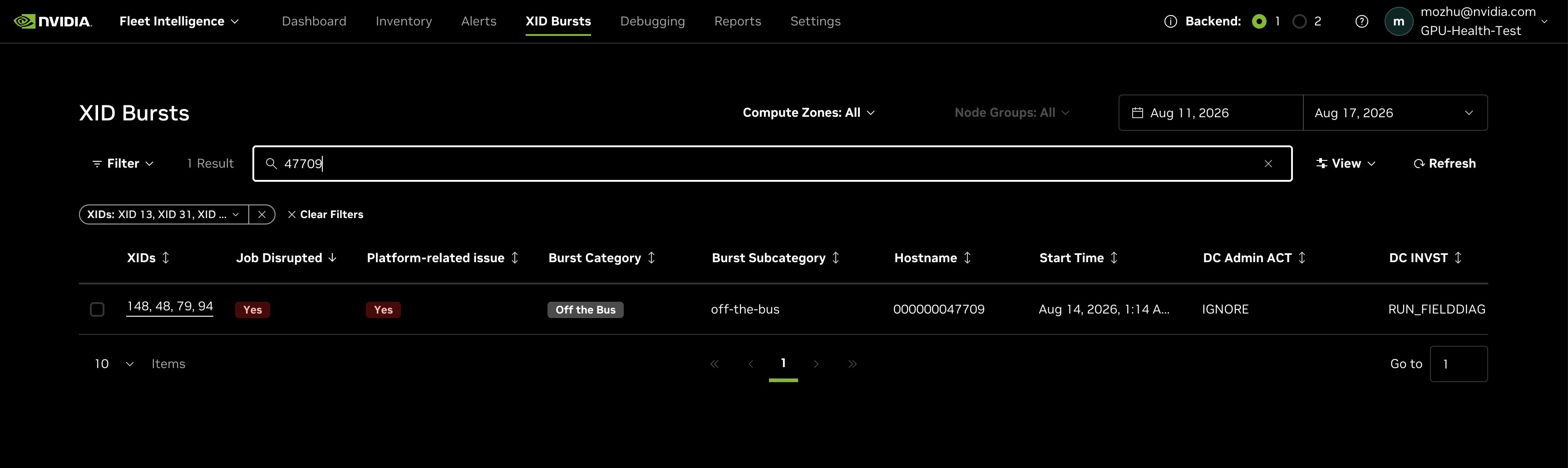
Use the hostname search field to find bursts for hosts whose names contain the entered text. Searches are not case-sensitive.
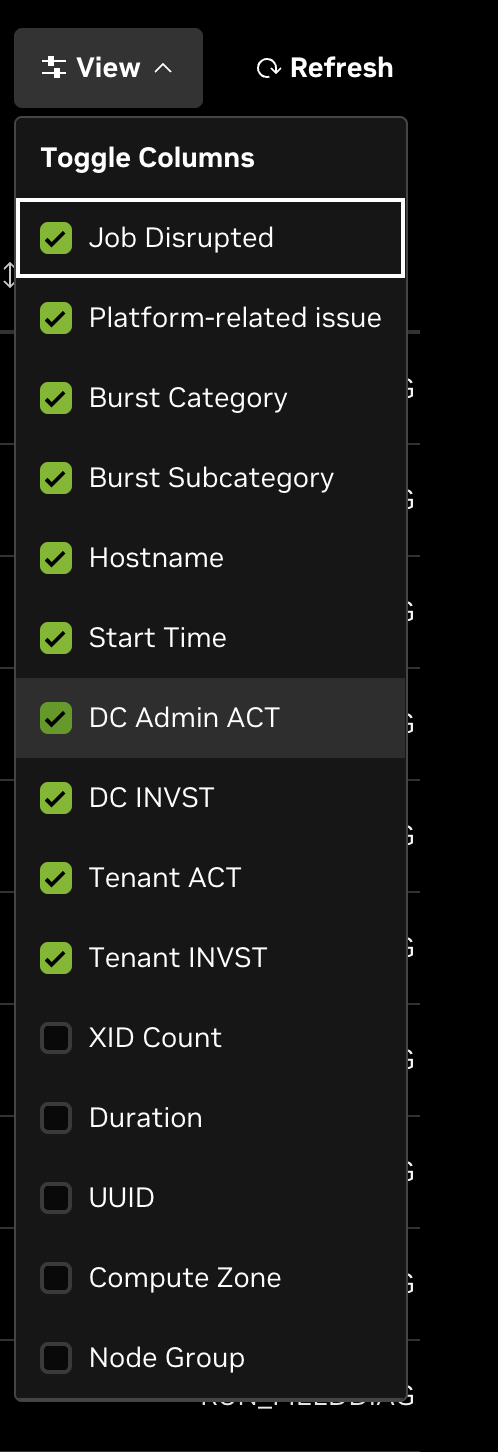
Choose table columns
Select View to show or hide table columns. In addition to the default columns, you can display the XID count, burst duration, UUID, compute zone, and node group. Select a column heading to sort the results. Select Refresh to reload the table.
View burst details
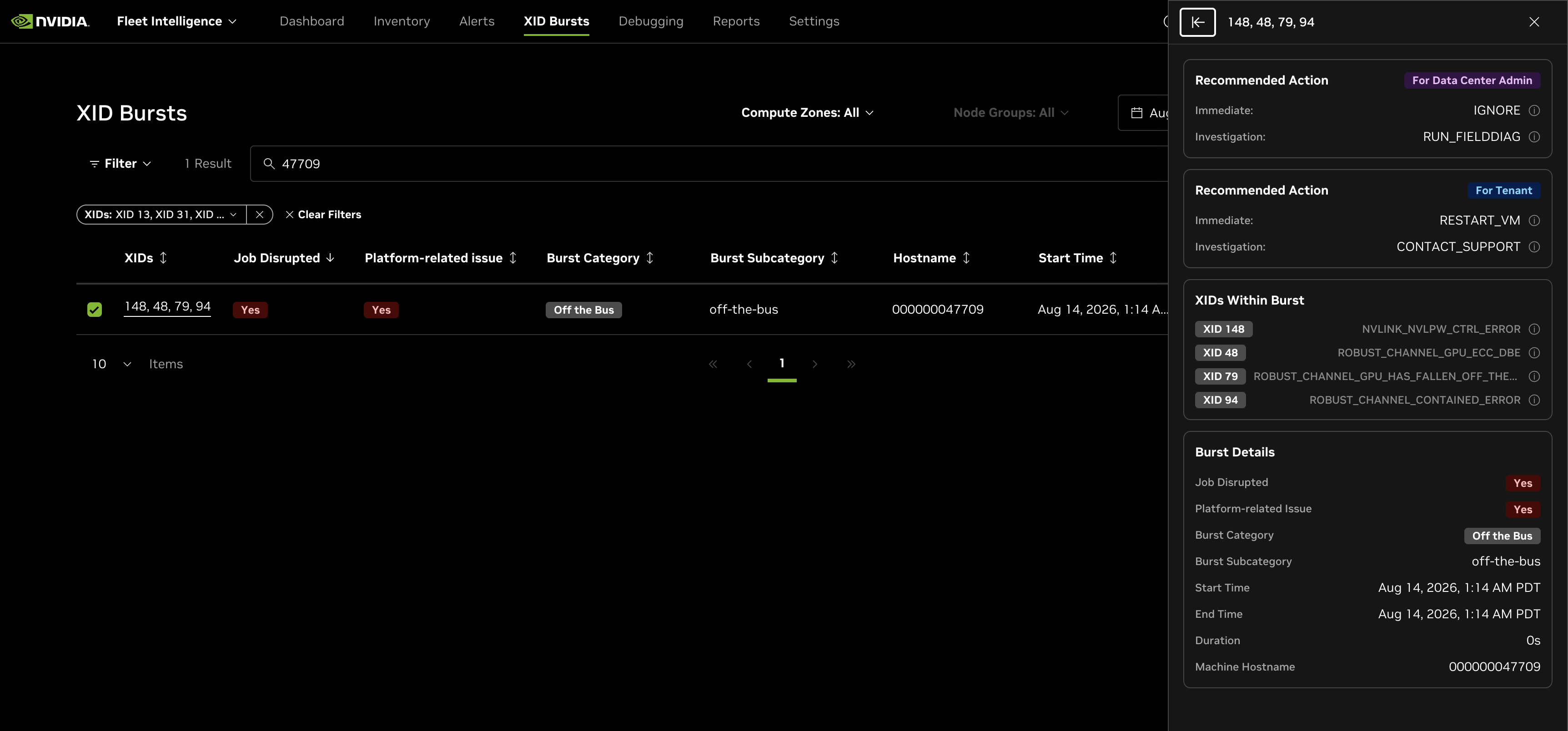
Select the underlined XID list in a row to open the burst details panel. The panel shows recommended actions for the data center administrator and tenant, the XIDs within the burst, and burst details such as disruption status, category, subcategory, start and end time, duration, and machine hostname.
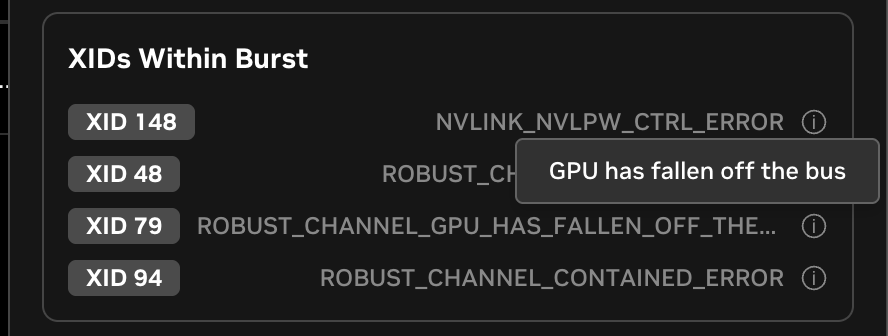
Hover over the information icon beside an XID to see its human-readable description.
API access
Both NCP and tenant callers can use the Fleet Intelligence API to retrieve XID Burst data:
GET /v1/xid/burstslists bursts in a required time range.GET /v1/xid/bursts/optionsreturns available XID Burst filter values.GET /v1/xid/bursts/{burstId}returns the details for one burst.
Tenant API responses include job-disruption status, XID numbers and mnemonics, and tenant recommended actions. NCP API responses include those fields plus burst category and subcategory, platform-related issue status, XID descriptions, and data-center-administrator recommended actions.
List results use zero-based pagination. The default page size is 20 and the maximum page size is 100. See the API Explorer for the complete request, filter, and response reference.