

IGX Thor Developer Kit Mini System Overview#
Applies to NVIDIA IGX Thor Developer Kit Mini and IGX Thor T5000 module.
This system overview document describes the main components and interfaces of the NVIDIA IGX Thor Developer Kit Mini.
To find the detailed IGX Thor hardware documents, visit IGX Download Center and select IGX Thor from the Product filter.
NVIDIA IGX Thor Developer Kit Mini#
Main Components#
The NVIDIA IGX Thor Developer Kit Mini contains the following main components:
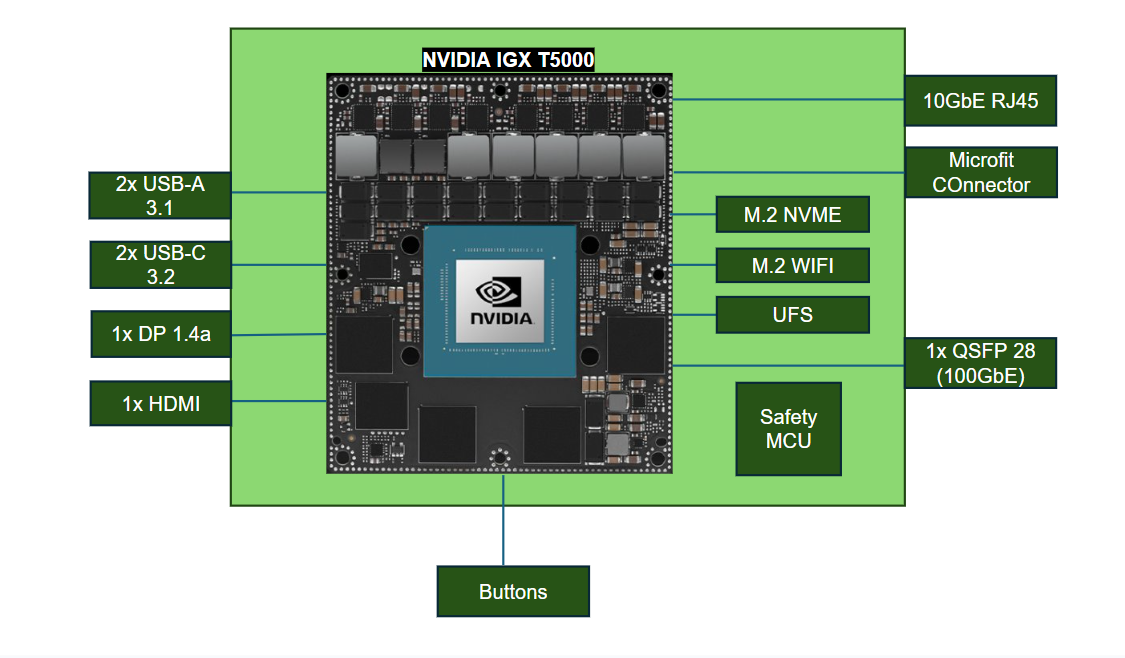
NVIDIA IGX T5000 Module, including:
2560-core NVIDIA Blackwell iGPU
14-core ARM Neoverse®-V3AE 64-bit CPU
Safety MCU
1 TB NVMe and Primary Storage, and UFS as secondary storage
Realtek WiFI/BT Module
IO Side Layout#
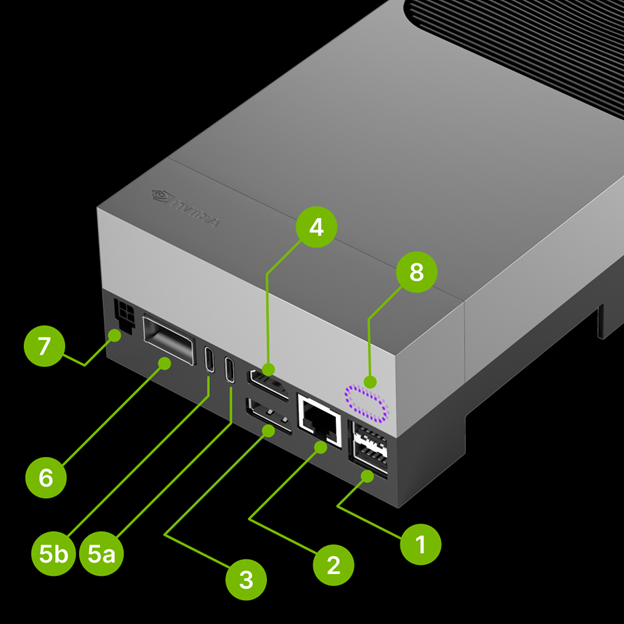
Mark |
Name |
Note |
|---|---|---|
1 |
2x USB Type-A Ports |
USB 3.2 Gen 2 (10 Gigabits per Second (Gbps)) |
2 |
RJ45 Ethernet Port |
5 Gbps |
3 |
DisplayPort output |
|
4 |
HDMI Output |
|
5a |
USB-C Port with Force-Recovery Mode functionality |
|
5b |
USB-C Port |
|
6 |
QSFP28 Cage |
4x 25 Gbps per port |
7 |
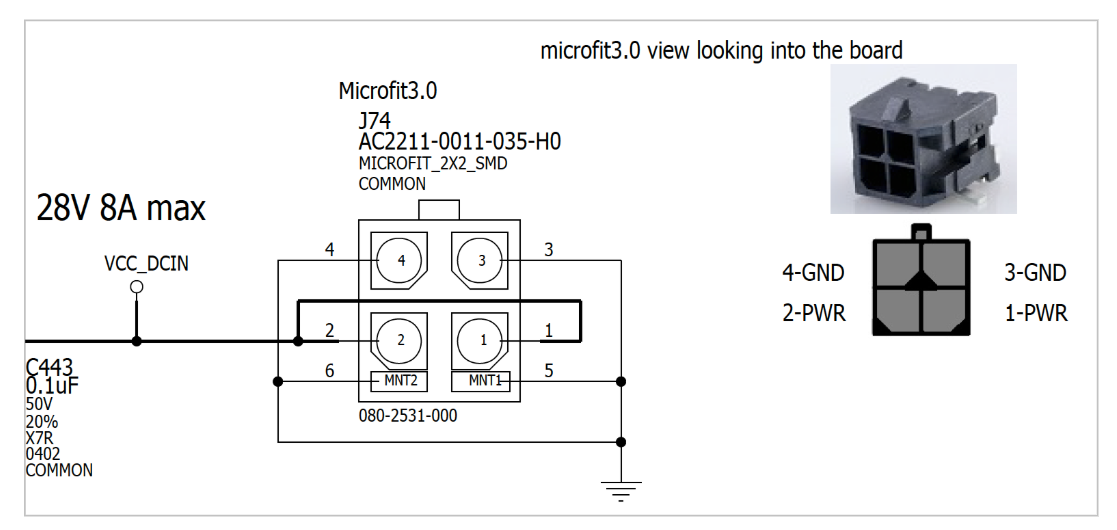
Micro-fit power input |
9-28V DC input (Up to 8A) |
8 |
Debug USB-C port |
Behind the lid cover |
Caution
It’s strongly recommended to use the bundled USB-C power supply for stable operation.
Attention
If you are using an Ubuntu host PC to externally flash the IGX Thor Developer Kit Mini (Linux_for_Tegra flash script), you need to connect a USB from your PC into USB-C port next to the HDMI connector (5a) and thus connect the USB-C power supply into the other USB-C port (5b).
If you don’t see APX device show up on lsusb commands ran on your PC even when you put the IGX Thor Developer Kit Mini into the Force Recovery Mode (RCM), check whether the USB-C cable connection for flashing is going into the right USB-C port.
Micro-fit Power Connector Specification#
Button Side Layout#
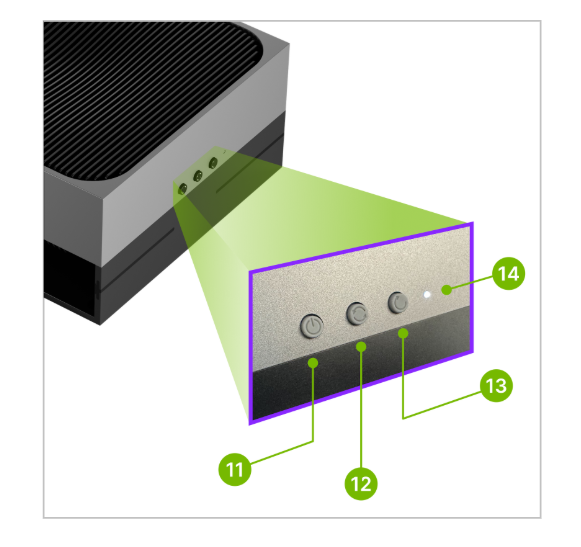
Mark |
Name |
Note |
|---|---|---|
11 |
Power button |
|
12 |
Force Recovery button |
|
13 |
Reset button |
|
14 |
White LED |
Force Recovery Mode#
To enter Force Recovery Mode, use the following instructions:
Press and hold the Force Recovery button (12 , the middle button).
While the Force Recovery button is pressed, briefly press the Reset button (13 , the right button).
Release the Force Recovery button.
The board will reboot into Force Recovery Mode.