

IGX Thor Developer Kit System Overview#
Applies to NVIDIA IGX Thor Developer Kit and IGX Thor T7000 board kit.
This system overview document describes the main components and interfaces of the NVIDIA IGX Thor Developer Kit.
To find the detailed IGX Thor hardware documents, visit IGX Download Center and select IGX Thor from the Product filter.
NVIDIA IGX Thor Developer Kit#
Main Components#
The NVIDIA IGX Thor Developer Kit contains the following main components:
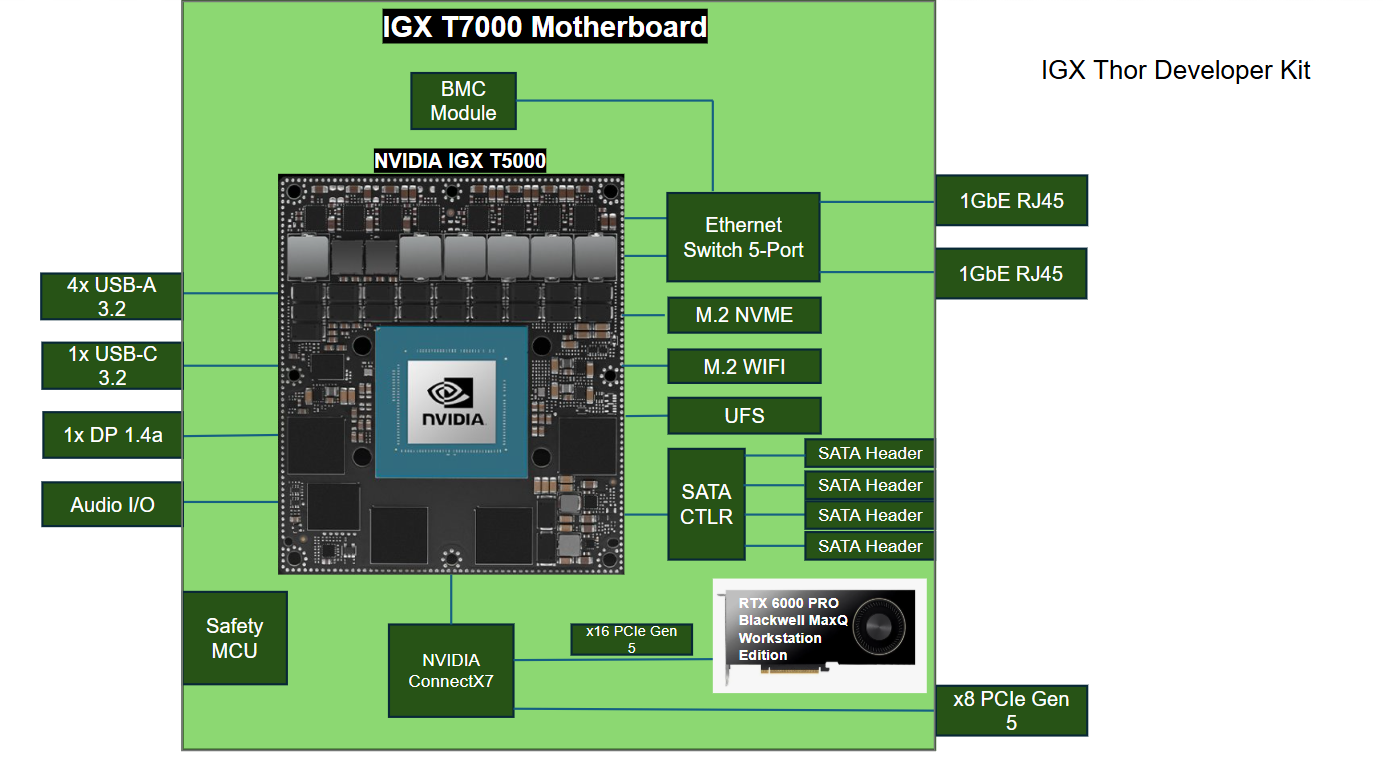
NVIDIA BMC Module
Safety MCU
NVIDIA IGX T7000 Module, including:
2560-Core NVIDIA Blackwell iGPU
14-core Arm® Neoverse®-V3AE 64-bit CPU
1000 GB NVMe SSD
Realtek WiFi / BT Module
NVIDIA ConnectX-7, including:
32 lanes of up to PCIe Gen5 w/ integrated PCIe Switch
QSFP112 400 GBE Ethernet (2x 200GbE each)
Populated Discrete GPU - NVIDIA RTX 6000 PRO Blackwell MaxQ Workstation Edition
Front Side Layout#
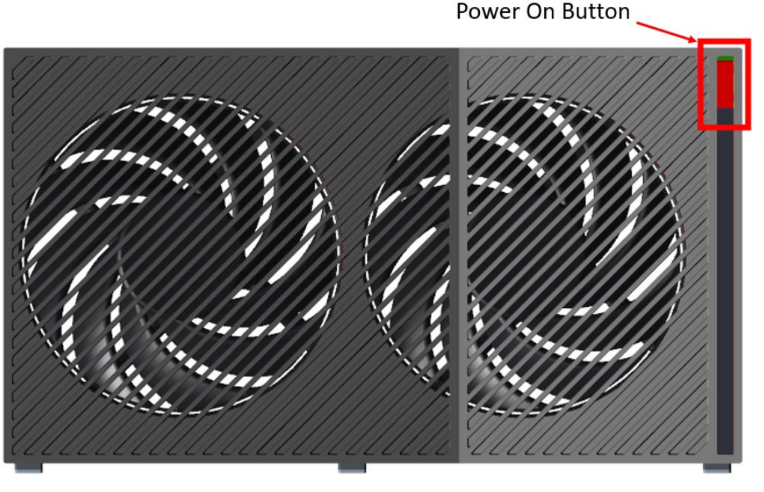
The following image shows the front view of the Developer Kit.
uATX Power Supply#
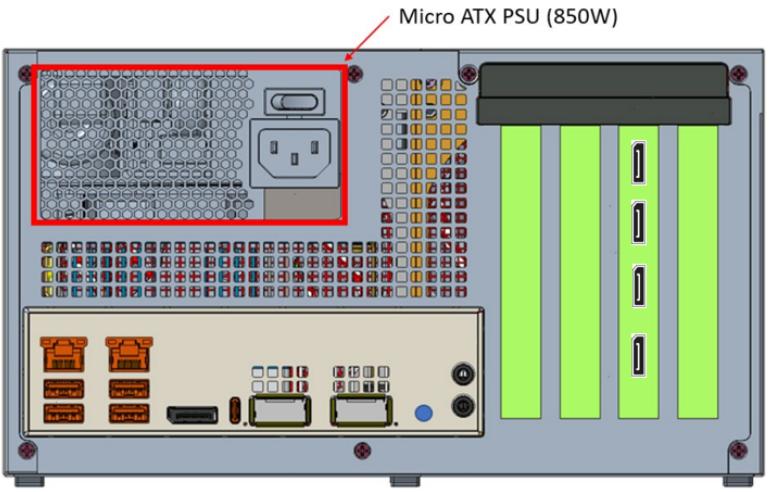
The uATX power supply is located on the back panel of the Developer Kit.
External Interfaces#
The following image shows the bottom left panel of the Developer Kit.
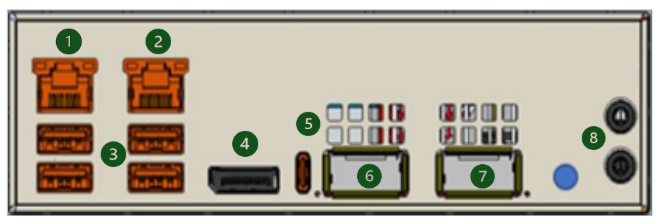
The labels in the above image correspond to the following:
1 GbE RJ46
1 GbE RJ45
4x USB-A
Display Port 1.4a
USB-C
200 Gbe QSFP
200 Gbe QSFP
Install Additional Cards#
Observe the following precautions:
Only connect or disconnect a PCIe card (e.g., miniSAS or dGPU) when the system is powered down.
Apply extra care when plugging and removing PCIe cards to avoid stress, such as wearing, bending, or breaking, on the PCIe connectors.
Follow these instructions to install additional PCIe cards:
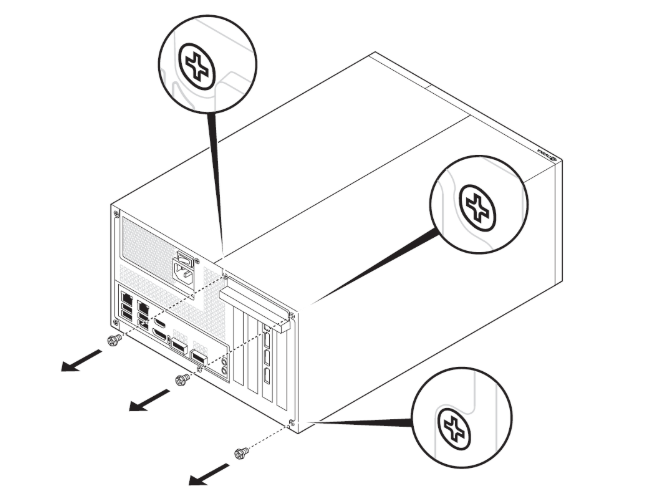
Remove the cover as shown in the following image. Remove the three screws on the right side when facing the back panel.
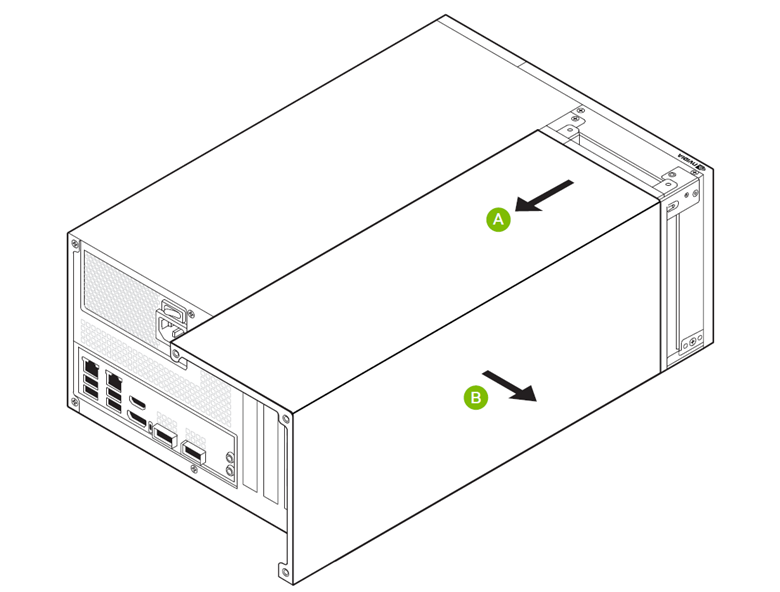
Remove the cover in the direction of A and B, as shown in the following image. The movement in the direction of A should be around 0.5 inch, or less than 1.5 cm.
After the cover is removed, remove the screws on top of slot 13 before installing the card in the PCIe slot-13. You can now access the IO of the PCIe card from the developer kit back panel.
Note
NVIDIA IGX Thor Developer Kit includes a pre-installed NVIDIA RTX 6000 PRO Blackwell MaxQ Workstation Edition.