

Configuring Rendering Settings
Isaac Lab offers 3 preset rendering modes: performance, balanced, and quality. You can select a mode via a command line argument or from within a script, and customize settings as needed. Adjust and fine-tune rendering to achieve the ideal balance for your workflow.
Selecting a Rendering Mode
Rendering modes can be selected in 2 ways.
- using the
rendering_modeinput class argument in~sim.RenderCfg
- using the
--rendering_modeCLI argument, which takes precedence over therendering_modeargument in~sim.RenderCfg.
Note, the rendering_mode defaults to balanced.
However, in the case where the launcher argument --enable_cameras is not set, then
the default rendering_mode is not applied and, instead, the default kit rendering settings are used.
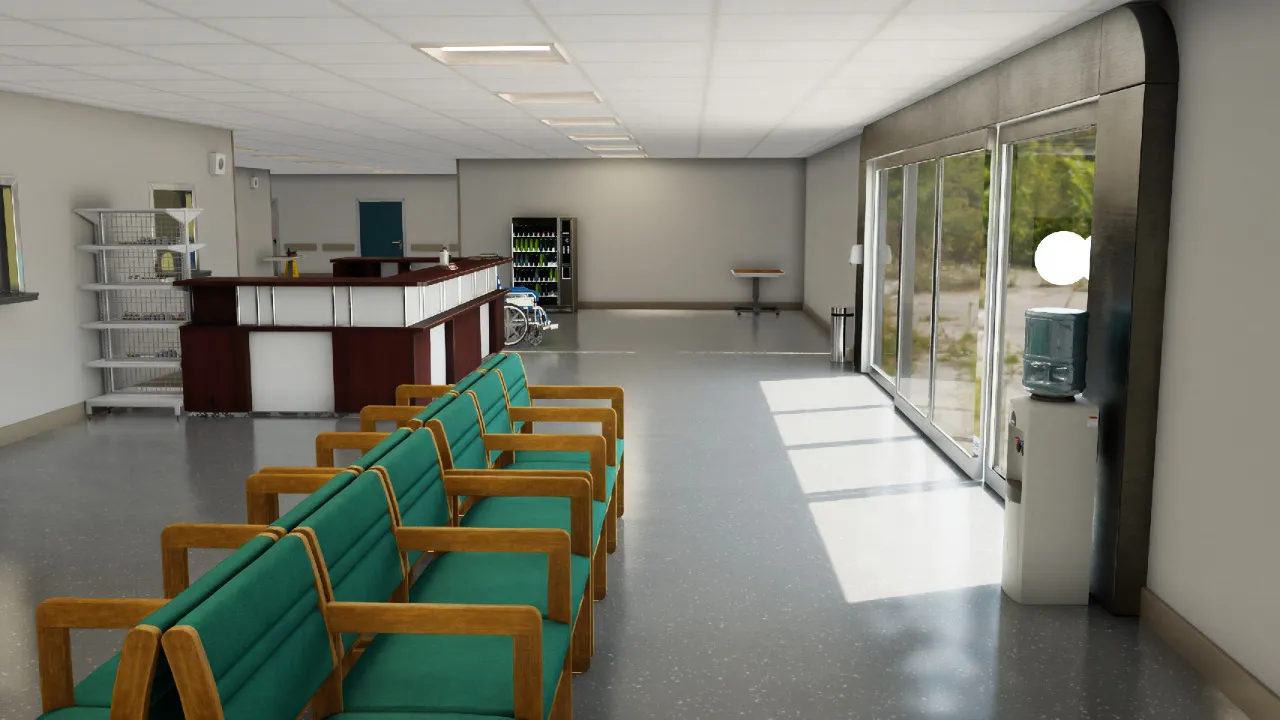
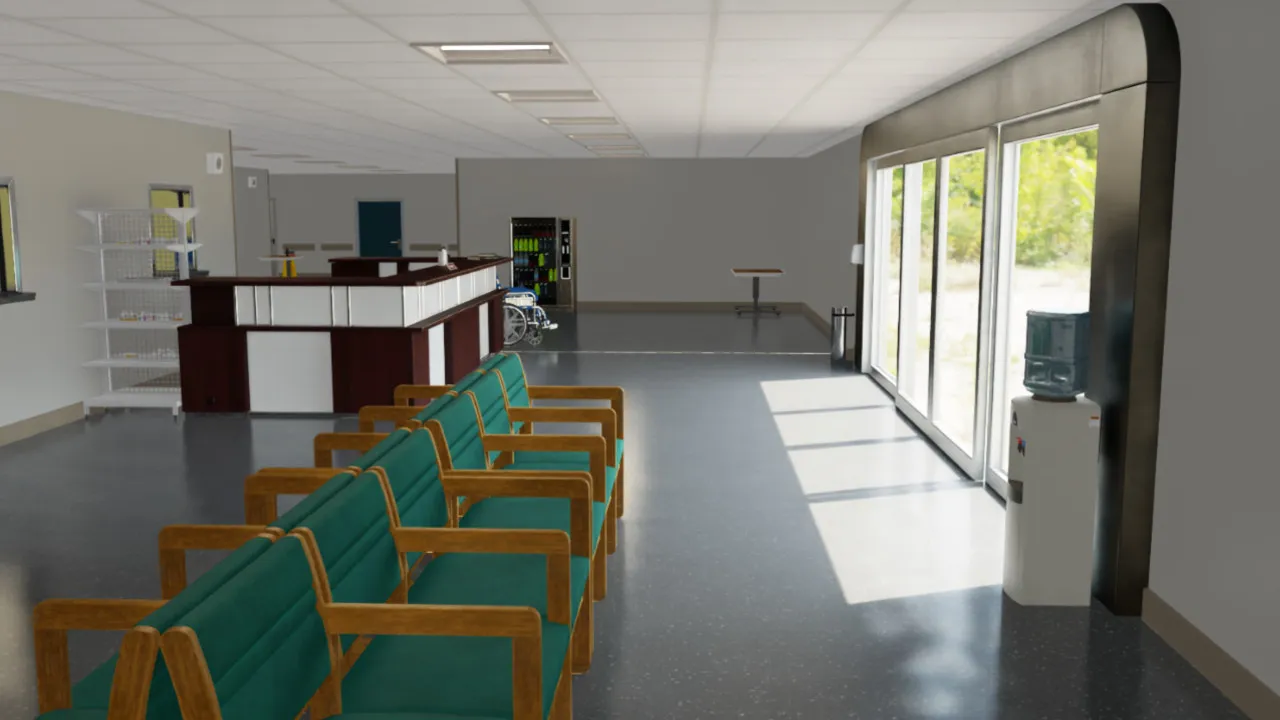
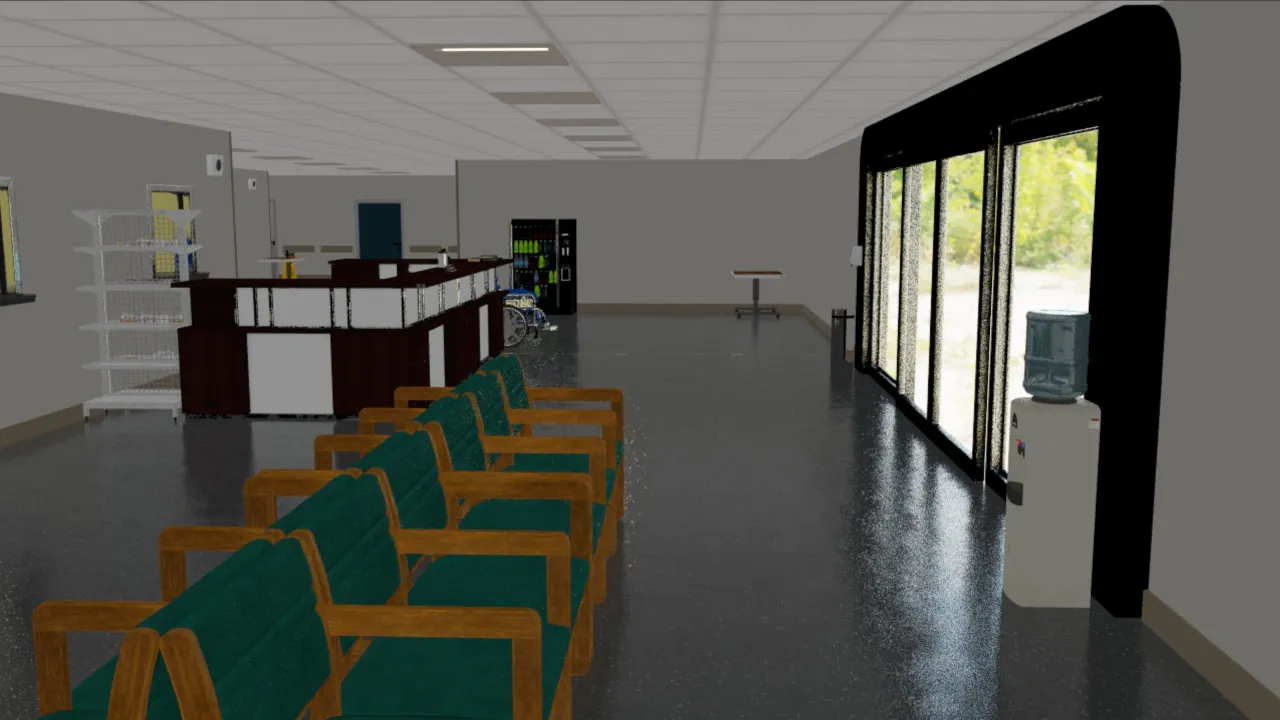
Example renders from the set_rendering_mode.py script.
To help assess rendering, the example scene includes some reflections, translucency, direct and ambient lighting, and several material types.
- Quality Mode
- Balanced Mode
- Performance Mode
Overwriting Specific Rendering Settings
Preset rendering settings can be overwritten via the ~sim.RenderCfg class.
There are 2 ways to provide settings that overwrite presets.
~sim.RenderCfgsupports overwriting specific settings via user-friendly setting names that map to underlying RTX settings. For example:
List of user-friendly settings.
-
For more control,
~sim.RenderCfgallows you to overwrite any RTX setting by using thecarb_settingsargument.Examples of RTX settings can be found from within the repo, in the render mode preset files located in
apps/rendering_modes.In addition, the RTX documentation can be found here - https://docs.omniverse.nvidia.com/materials-and-rendering/latest/rtx-renderer.html.
An example usage of
carb_settings.
Current Limitations
For performance reasons, we default to using DLSS for denoising, which generally provides better performance.
This may result in renders of lower quality, which may be especially evident at lower resolutions.
Due to this, we recommend using per-tile or per-camera resolution of at least 100 x 100.
For renders at lower resolutions, we advice setting the antialiasing_mode attribute in ~sim.RenderCfg to
DLAA, and also potentially enabling enable_dl_denoiser. Both of these settings should help improve render
quality, but also comes at a cost of performance. Additional rendering parameters can also be specified in ~sim.RenderCfg.