

Configuring Custom Attributes#
Now that we have assembled our production line from individual machine assets, let’s enhance our organization system by adding custom attributes. Custom attributes can serve as digital “tags” that make our assemblies easier to search, organize, and automate workflows around. This becomes especially valuable as our digital twin projects scale to include multiple production lines, cells, and factory areas.
Two Example Attributes for Production Line Organization#
Your team will want to add Attributes that align to your catalog and workflow. Let’s make two here.
ProductionLine_ID (String Attribute)
What it is: A unique identifier that categorizes each assembly into a specific production line or manufacturing cell.
Select your production line assembly in the Stage panel
In the Properties panel, click + Add > Attribute
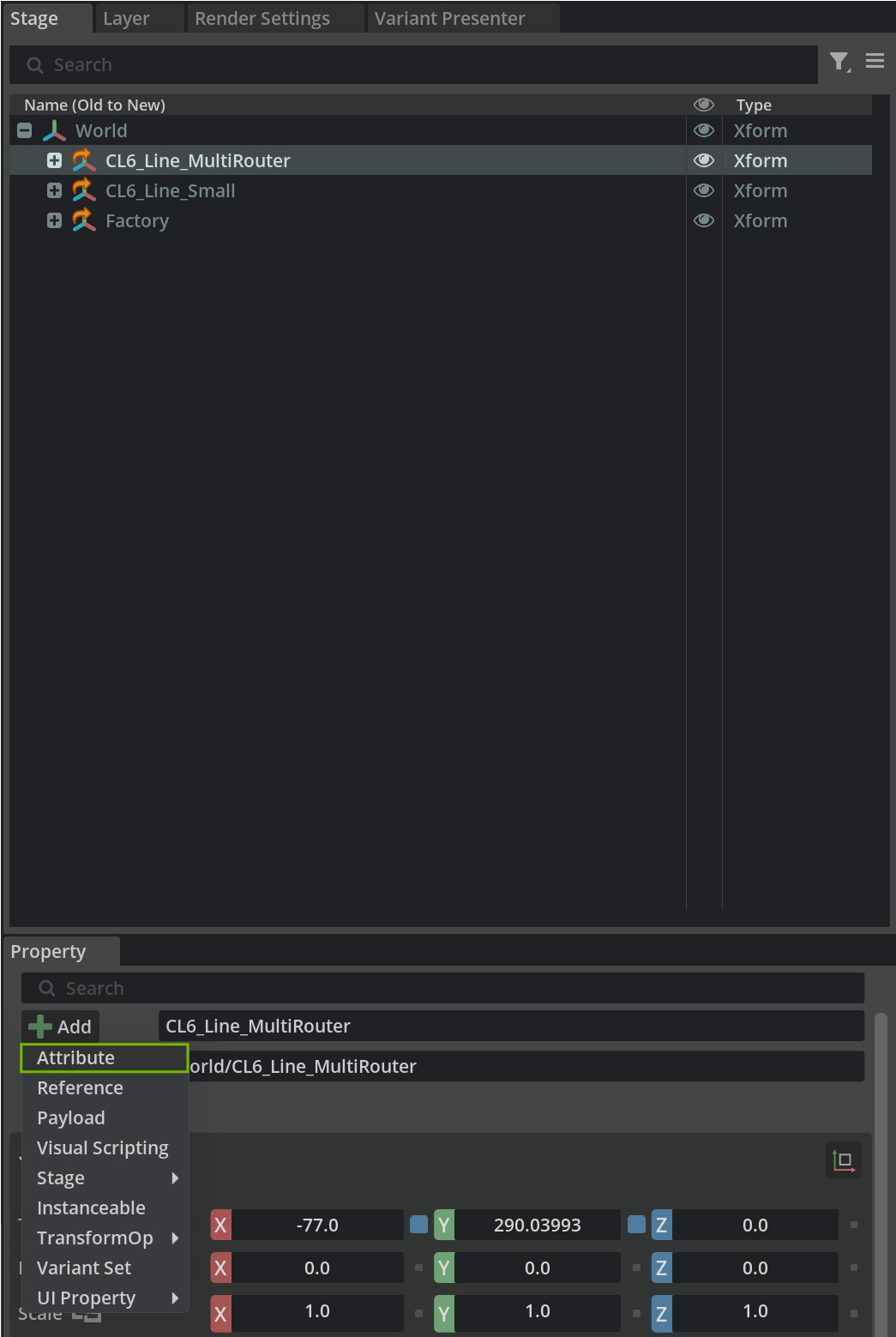
Set Name to ProductionLine_ID
Set Type to string
Enter a meaningful value like PL_001_ElectronicsAssembly or Cell_A_PCB_Production
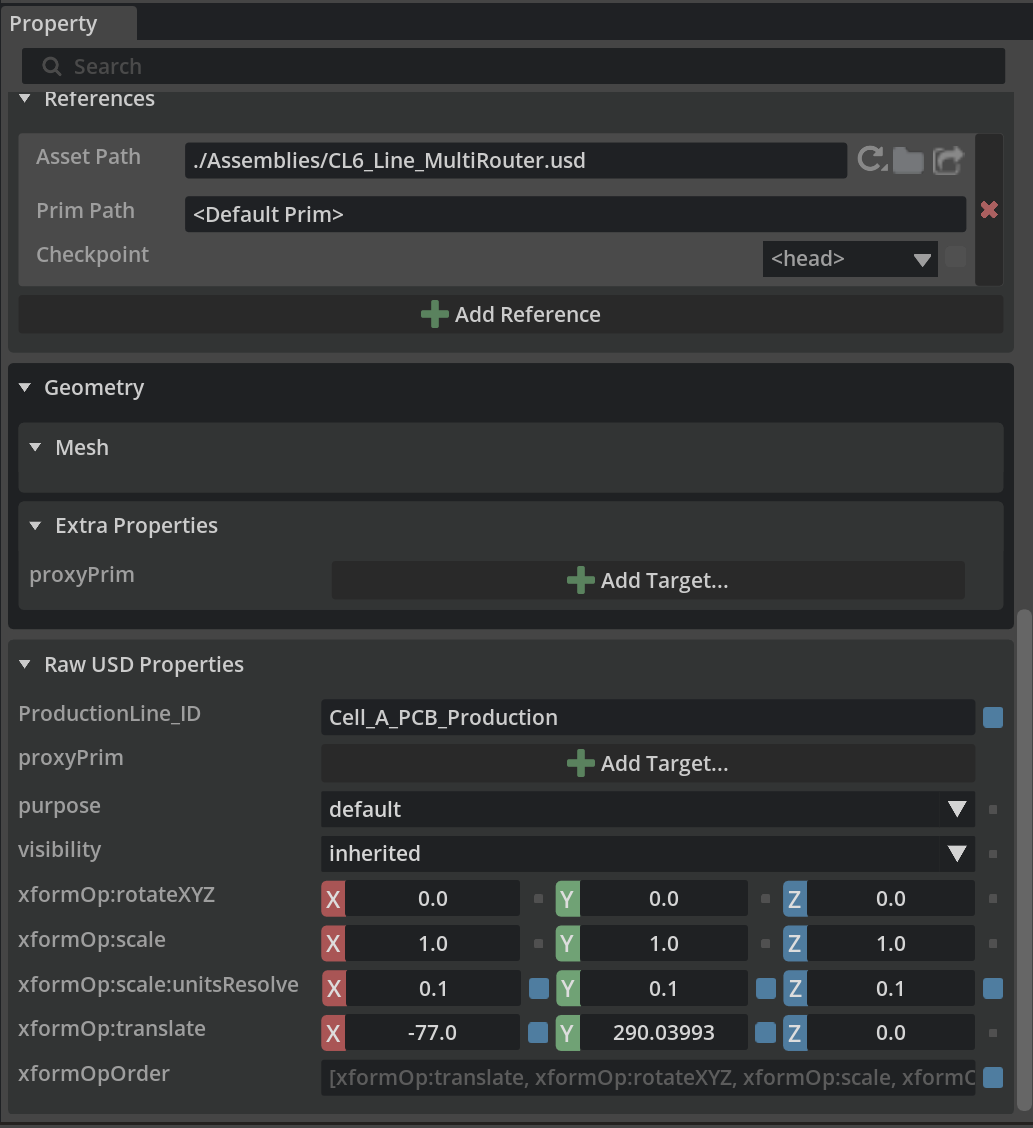
Why This is Advantageous
Scripts can quickly find all assets belonging to a specific production line
When reorganizing factory layouts, you can instantly identify which machines belong together
Capacity_UnitsPerHour (Integer Attribute)
What it is: The theoretical or actual production capacity of the assembly in units per hour.
How to Add:
With your assembly selected, click + Add Attribute
Set Name to Capacity_UnitsPerHour
Set Type to int
Enter the production capacity value (e.g., 450 for 450 units per hour)
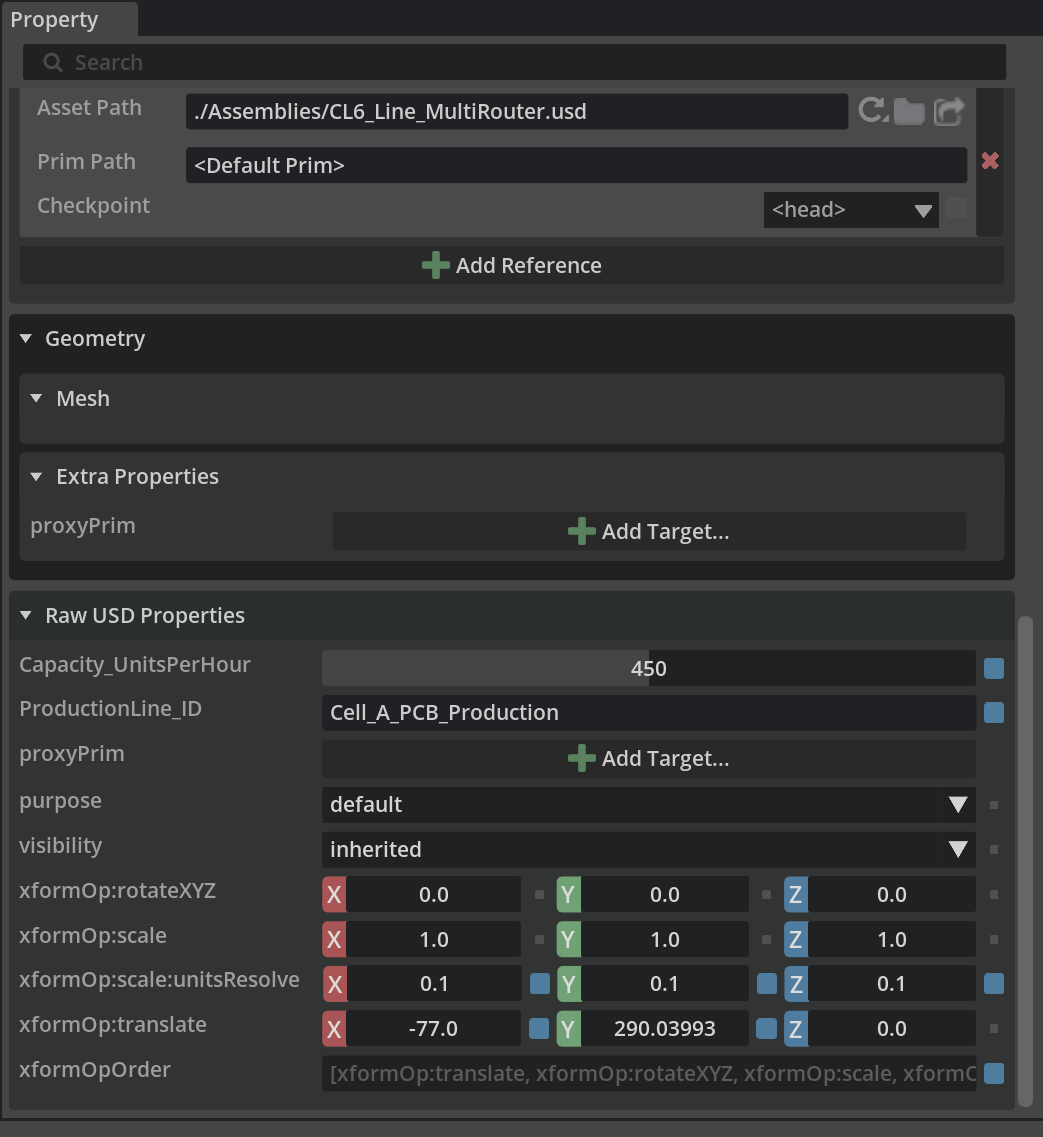
Why This is Advantageous
Quickly identify which production lines are capacity constraints
Calculate ROI for additional equipment based on current capacity data
Feed real capacity data into production scheduling simulations
Compare actual throughput against theoretical capacity
Implementing the Attributes with Python#
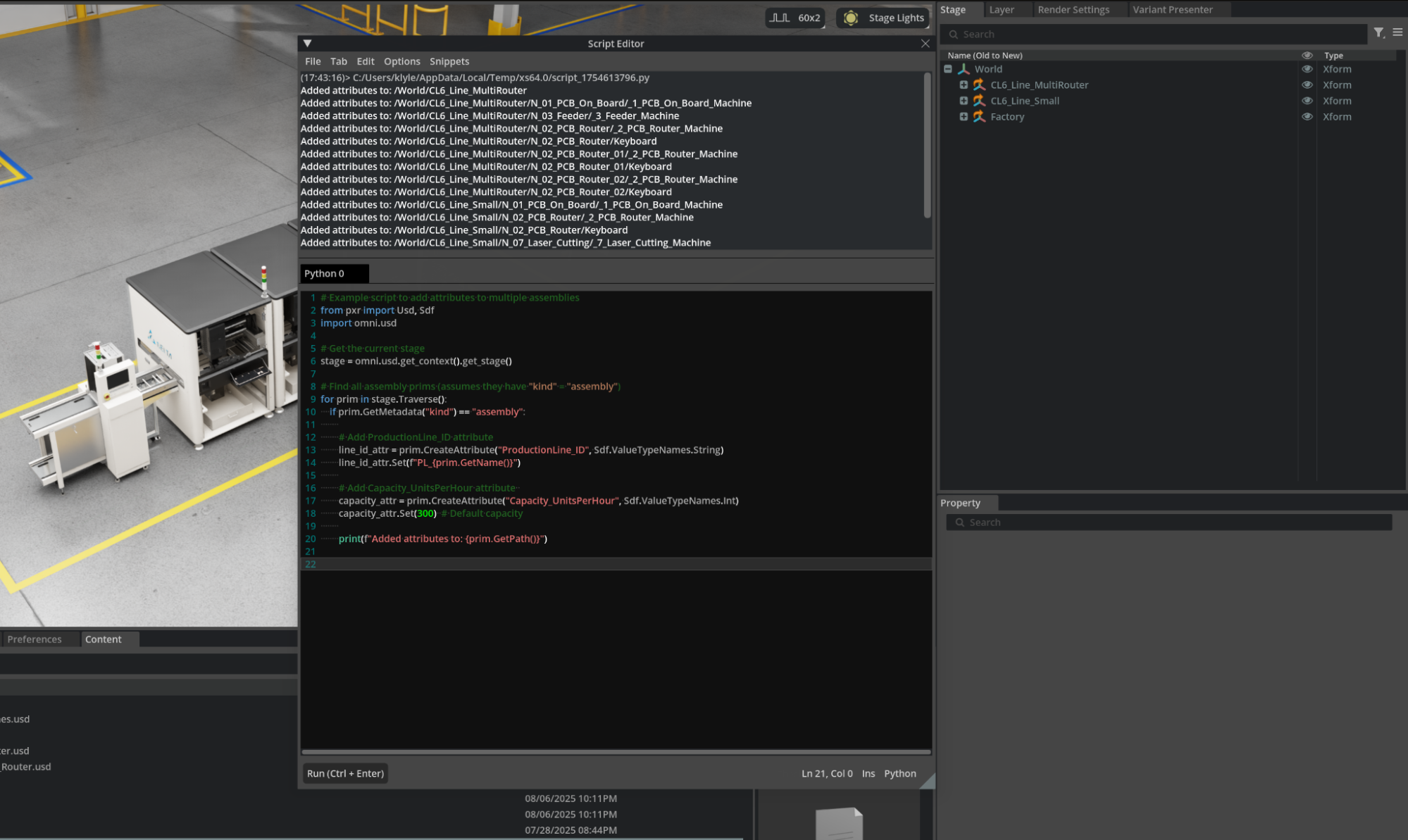
For larger projects with many assemblies, you can automate attribute creation using Python scripts:
 1# Example script to add attributes to multiple assemblies
 2from pxr import Usd, Sdf
 3import omni.usd
 4
 5# Get the current stage
 6stage = omni.usd.get_context().get_stage()
 7
 8# Find all assembly prims (assumes they have "kind" = "assembly")
 9for prim in stage.Traverse():
10    if prim.GetMetadata("kind") == "assembly":
11
12        # Add ProductionLine_ID attribute
13        line_id_attr = prim.CreateAttribute("ProductionLine_ID", Sdf.ValueTypeNames.String)
14        line_id_attr.Set(f"PL_{prim.GetName()}")
15
16        # Add Capacity_UnitsPerHour attribute
17        capacity_attr = prim.CreateAttribute("Capacity_UnitsPerHour", Sdf.ValueTypeNames.Int)
18        capacity_attr.Set(300)# Default capacity
19
20        print(f"Added attributes to: {prim.GetPath()}")
21
22
Advanced Use Cases Examples#
These attributes enable powerful downstream workflows:
Automated Reporting
Generate capacity reports by querying all assemblies with Capacity_UnitsPerHour
Create production line dashboards grouped by ProductionLine_ID
Facility Optimization
Scripts can calculate total facility capacity by summing individual line capacities
Identify underutilized lines for rebalancing workloads
Integration with Manufacturing Systems
PLM systems can reference these IDs to link digital twins with real production data
MES systems can use capacity data for intelligent work order routing
Collaborative Workflows
Teams can filter views to show only their assigned production lines
Maintenance schedules can be organized by production line groupings
Best Practices for Custom Attributes#
Use consistent naming conventions (e.g., ProductionLine_ID, instead prodline_id)
Choose appropriate data types (string for IDs, integers for counts, floats for measurements)
Document attribute meanings in project README files
Validate attribute values to ensure data quality
Consider future scalability when designing attribute schemas
By implementing these attributes systematically across our digital twin assemblies, we create a foundation for intelligent automation, better organization, and seamless integration with broader manufacturing systems. As our virtual factory grows, these metadata investments will pay dividends in operational efficiency and data-driven decision making.