

Critical Considerations for Workflows#
Asset Location Strategy
While NVIDIA Asset Browser content is convenient, avoid direct dependencies on cloud-hosted assets for production scenes
Create a dedicated Props and Equipment subfolder within your Assets directory
This ensures all team members have consistent access regardless of network connectivity
Modularity and Portability
Reference, don’t copy – Always use references to maintain single source of truth
Keep asset hierarchies shallow and logical for easier management
Use relative file paths to maintain portability when sharing projects
Document any external dependencies in your project README
Organizing Asset Groups with Scopes#
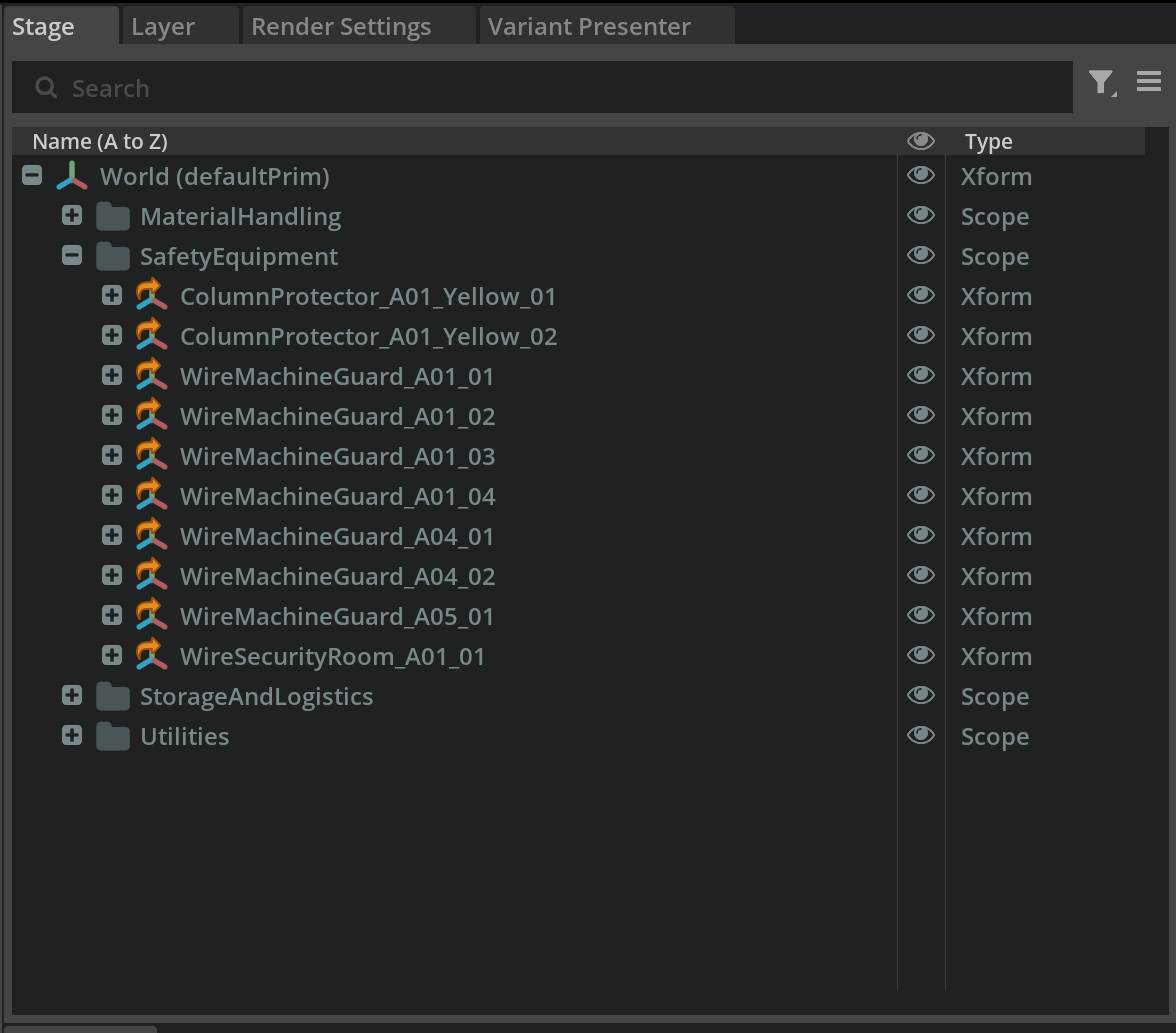
Create Logical Groupings - Examples
In the Stage panel, right-click on World and create Scope prims:
StorageAndLogistics – for pallets, containers, racks
SafetyEquipment – for barriers, signage, emergency equipment
MaterialHandling – for conveyors, forklifts, automated systems
Utilities – for lighting, power distribution, ventilation
Assign Assets to Appropriate Scopes
Drag and drop referenced assets under their logical scope parents
This creates a clear hierarchy that’s easy to navigate and manage
Team Collaboration Workflow Example#
Layer Management for Teams
Assign layer ownership – different team members can work on different sublayers
Communicate changes – use version control or shared documentation for major modifications