
Using Precision Tools for Accurate Machine Placement#
When assembling a production line in Omniverse, precise placement and orientation of machine assets are crucial for creating a functional and realistic virtual factory. Omniverse provides several built-in tools to help us achieve exact alignment, spacing, and orientation as we lay out each component.
Grid Snapping#
Enable Grid Snapping to ensure that each machine or asset “snaps” to the grid lines in the viewport as you move or rotate them.
To activate, locate the snapping controls and right-click Grid in the Snap Options
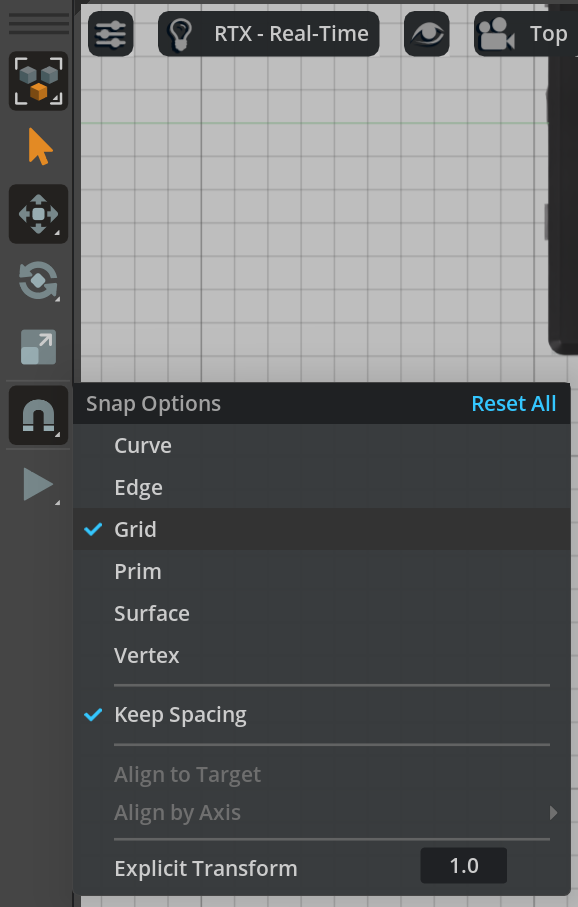
This feature helps maintain uniform spacing and prevents accidental misalignment, especially when placing assets in a row or grid pattern.
Transform Widget#
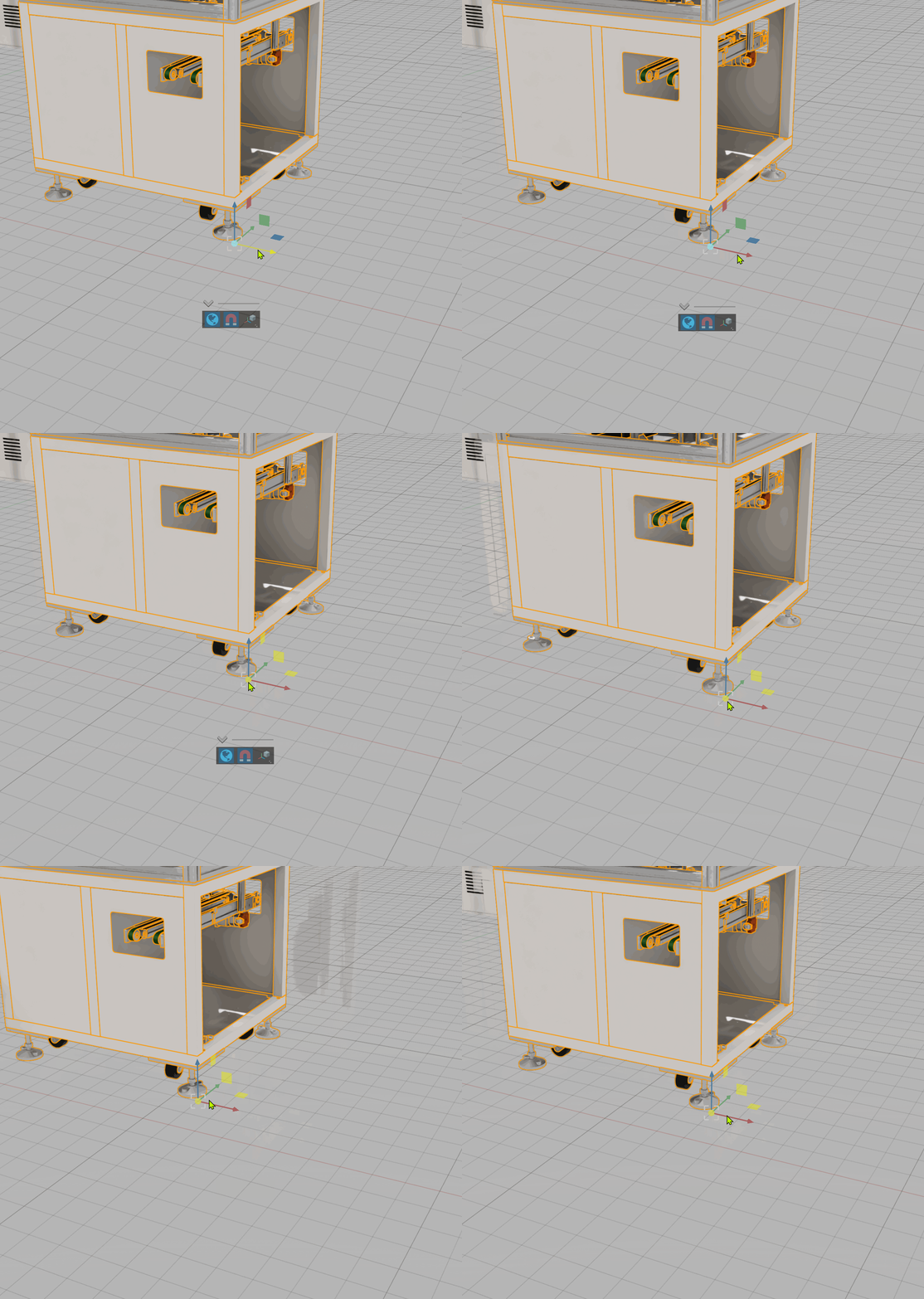
The Transform Widget is an on-screen control that appears when an object is selected.
Use the arrows to move the asset along a specific axis.
The rotation rings allow for precise angular adjustments.
Scaling handles are available if you need to adjust asset size, but for production line assembly, scaling is rarely necessary since assets should have been validated at real-world scale.
Drag the arrows or rings to interactively position or rotate machines, snapping automatically to grid intervals if snapping is enabled.
Property Panel for Direct Entry#
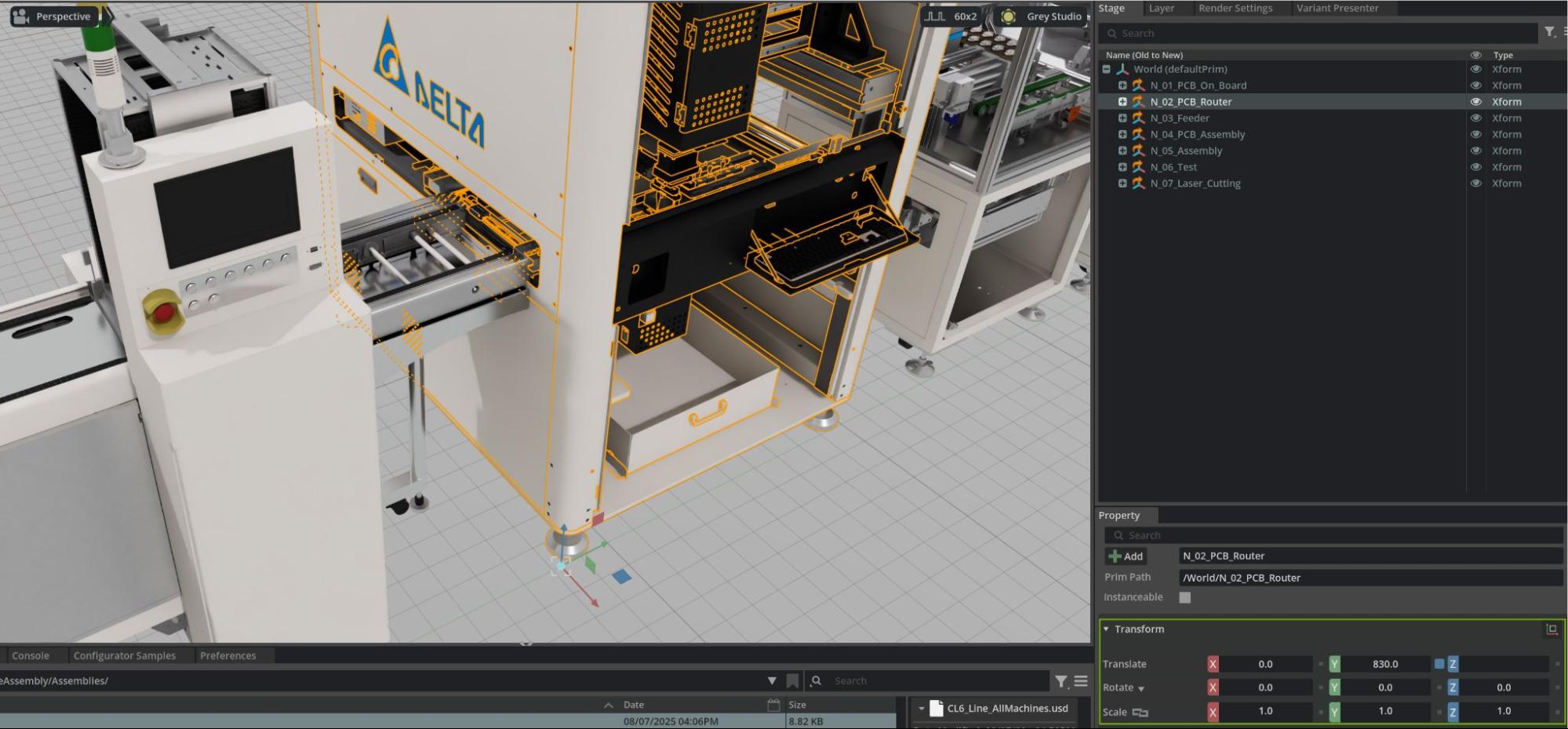
For maximum precision, you can input exact position and rotation values directly in the Properties panel:
Select the asset (prim) in the Stage panel.
In the Property panel, find the Transform section.
Enter specific values for Translate (X, Y, Z) to move the asset to an exact coordinate.
Use Rotate (X, Y, Z) fields to orient machines at precise angles (such as 0°, 90°, 180°, or custom rotations needed for your production flow).
This approach is essential when following facility layout blueprints, recreating real-world spacing, or aligning machines relative to known coordinates or reference points.
Combining Tools for Efficiency#
Use a combination of grid snapping and the transform widget for fast, visual placement.
Refine critical placements using the Property panel to enter or adjust coordinates for exact alignment.
Remember to verify machine spacing and orientation in both top-down and 3D views to catch any placement errors.
Why Precision Matters#
Precise placement ensures:
Machines are properly aligned for simulated material flow (e.g., conveyors, robots).
Maintenance access and safety zones are respected.
Digital twins match the intended real-world layout, enabling accurate measurements, simulations, or downstream automation.
Tip
Toggle snapping, transform widgets, and manual entry as needed throughout the assembly process for a balance of speed and accuracy, you can always make incremental adjustments as you refine your digital factory scene.
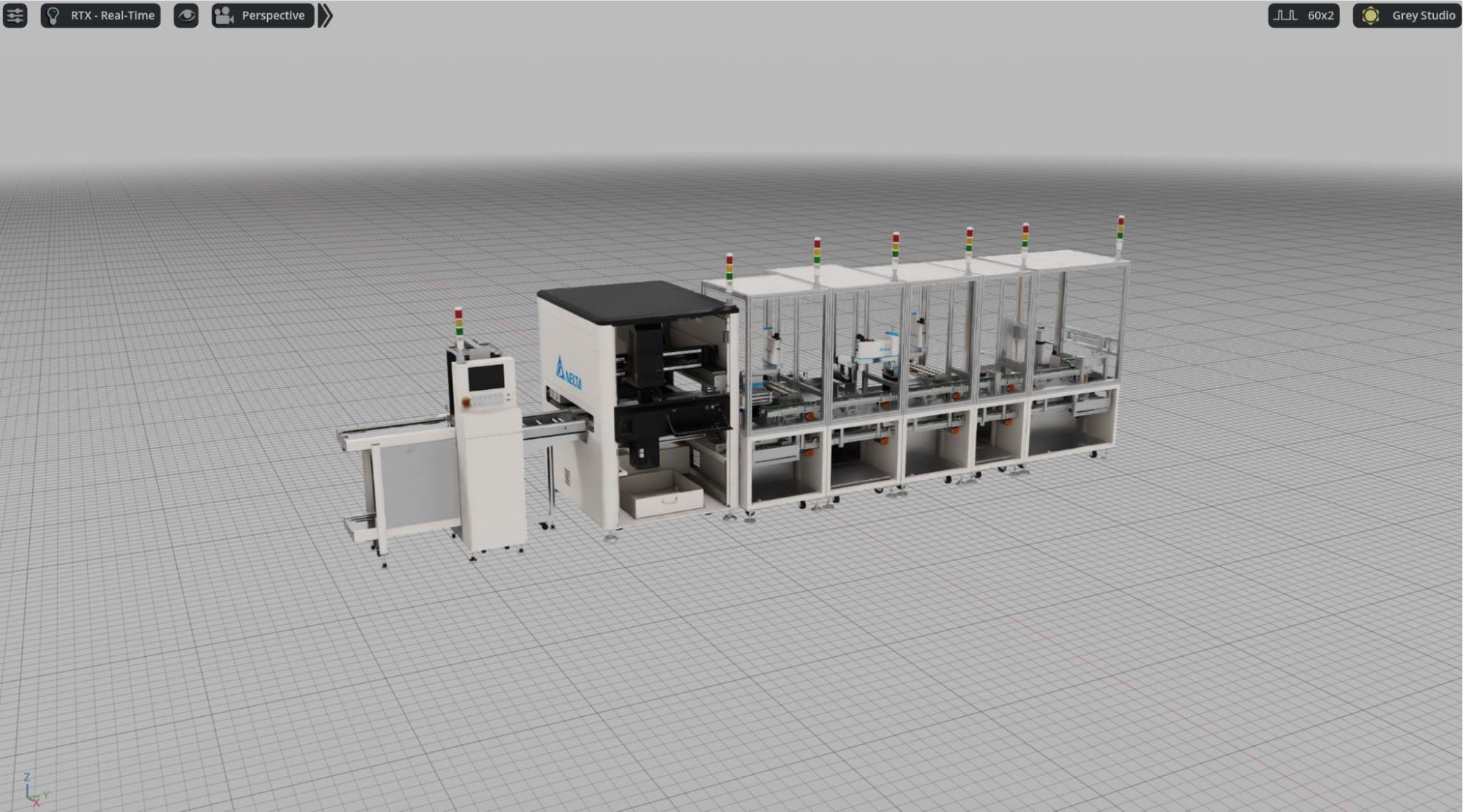
The Benefits of The Systematic Approach#
This assembly process demonstrates the power of the systematic preparation we’ve done:
Scalable This production line can be duplicated or modified for different factory configurations
Maintainable Updates to individual machines automatically flow through to assembly scenes
Collaborative Multiple team members can work on different aspects simultaneously