For AI agents: a documentation index is available at the root level at /llms.txt and /llms-full.txt. Append /llms.txt to any URL for a page-level index, or .md for the markdown version of any page.
  • Welcome
    • Overview
    • Release Notes
  • Installation and Configuration
    • System Requirements
    • Installation
    • Services and Utilities
    • Executor Resource Manager
    • Configuration Parameters
    • Security
    • Distributed Configuration
  • Loading and Exporting Data
    • Supported Data Sources
    • Command Line
  • SQL
    • Data Definition (DDL)
    • Data Manipulation (DML)
  • HeavyImmerse
    • Introduction to HeavyImmerse
    • Admin Portal
    • Control Panel
    • Working with Dashboards
    • Measures and Dimensions
    • Using Parameters
    • Using Filters
    • Using Cross-link
    • Color Consistency
    • Chart Animation
    • Multilayer Charts
    • SQL Editor
    • Customization
    • Joins (Beta)
    • Chart Types
    • Deprecated Charts
    • HeavyIQ SQL Notebook
  • HeavyIQ Conversational Analytics
    • HeavyIQ Overview
    • HeavyIQ Model Overview (HeavyLM)
  • HeavyRF
    • Introduction to HeavyRF
    • Getting Started
    • HeavyRF Table Functions
  • HeavyConnect
    • HeavyConnect Release Overview
    • Getting Started
    • Best Practices
    • Examples
    • Command Reference
    • Parquet Data Wrapper Reference
    • ODBC Data Wrapper Reference
    • Raster Data Wrapper Reference
  • HeavyML (BETA)
    • HeavyML Overview
    • Clustering Algorithms
    • Regression Algorithms
    • Principal Components Analysis
  • Python / Data Science
    • Data Science Foundation
    • JupyterLab Installation and Configuration
    • Using HEAVY.AI with JupyterLab
    • Python User-Defined Functions (UDFs) with RBC
    • Ibis
    • Interactive Data Exploration with Altair
    • Additional Examples
  • APIs and Interfaces
    • heavysql
    • Thrift
    • JDBC
    • ODBC
    • Vega
    • RJDBC
    • SQuirreL SQL
    • heavyai-connector
  • Tutorials and Demos
    • Loading Data
    • Using Heavy Immerse
    • Hello World
    • Creating a Kafka Streaming Application
    • Getting Started with Open Source
    • Try Vega
  • Troubleshooting and Special Topics
    • Vulkan Renderer
    • Optimizing
    • Known Issues and Limitations
    • Logs and Monitoring
    • Archived Release Notes
NVIDIANVIDIA
Developer-friendly docs for your API
Privacy Policy | Your Privacy Choices | Terms of Service | Accessibility | Corporate Policies | Product Security | Contact

Copyright © 2026, NVIDIA Corporation.

LogoLogoDocumentation
On this page
  • Request Logs and Monitoring
  • System Resources Dashboard
  • User Roles and Permissions Dashboard
HeavyImmerse

Admin Portal

||View as Markdown|
Previous

Introduction to HeavyImmerse

Next

Control Panel

The Admin Portal is a collection of dashboards available in the included information_schema database in Heavy Immerse. The dashboards display point-in-time information of the HEAVY.AI platform resources and users of the system.

Access to system dashboards is controlled using Immerse privileges; only users with Admin privileges or users/roles with access to the information_schema database can access the system dashboards.

The information_schema database and Admin Portal dashboards and system tables are installed when you install or upgrade to HEAVY.AI 6.0. For more detailed information on the tables available in the Admin Portal, see System Tables.

With the Admin Portal, you can see:

  • Database monitoring and database and web server logs.
  • Real-time data reporting for the system.
  • Point-in-time resource metrics and user engagement dashboards.

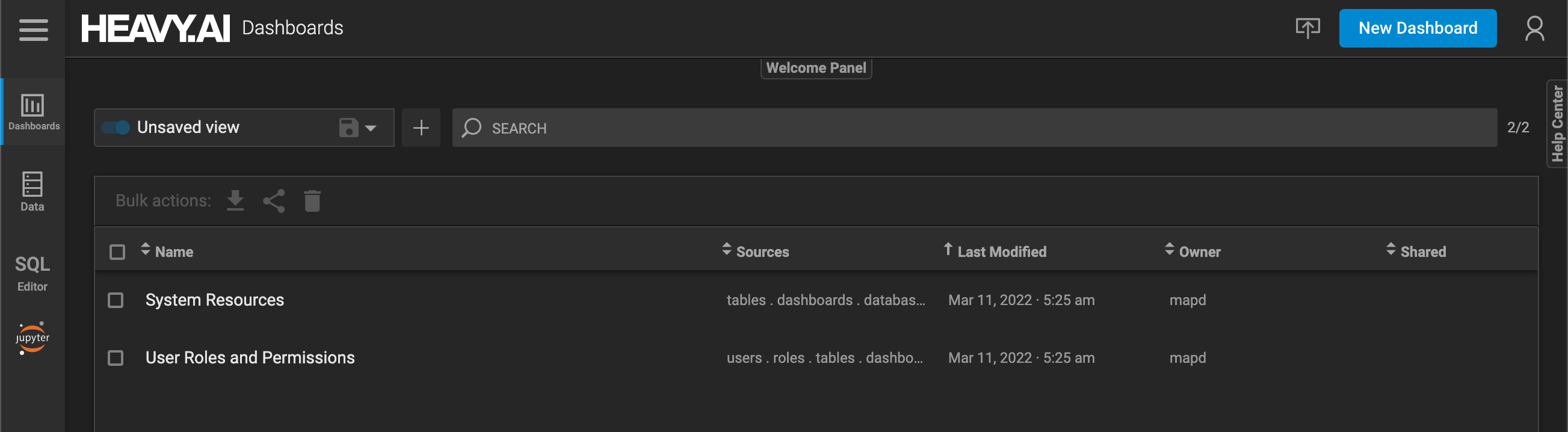
When you log in to the information_schema database, you see the Request Logs and Monitoring, System Resources, and User Roles and Permissions dashboards.
Request Logs and Monitoring

By default, the Request Logs and Monitoring dashboard does not appear in the Admin portal. To turn on the dashboard, set the enable-logs-system-tables parameter to TRUE in heavy.conf and restart the database.

The Request Logs and Monitoring dashboard includes the following charts on three tabs:

Database Monitoring
Database Logs
Web Server Logs
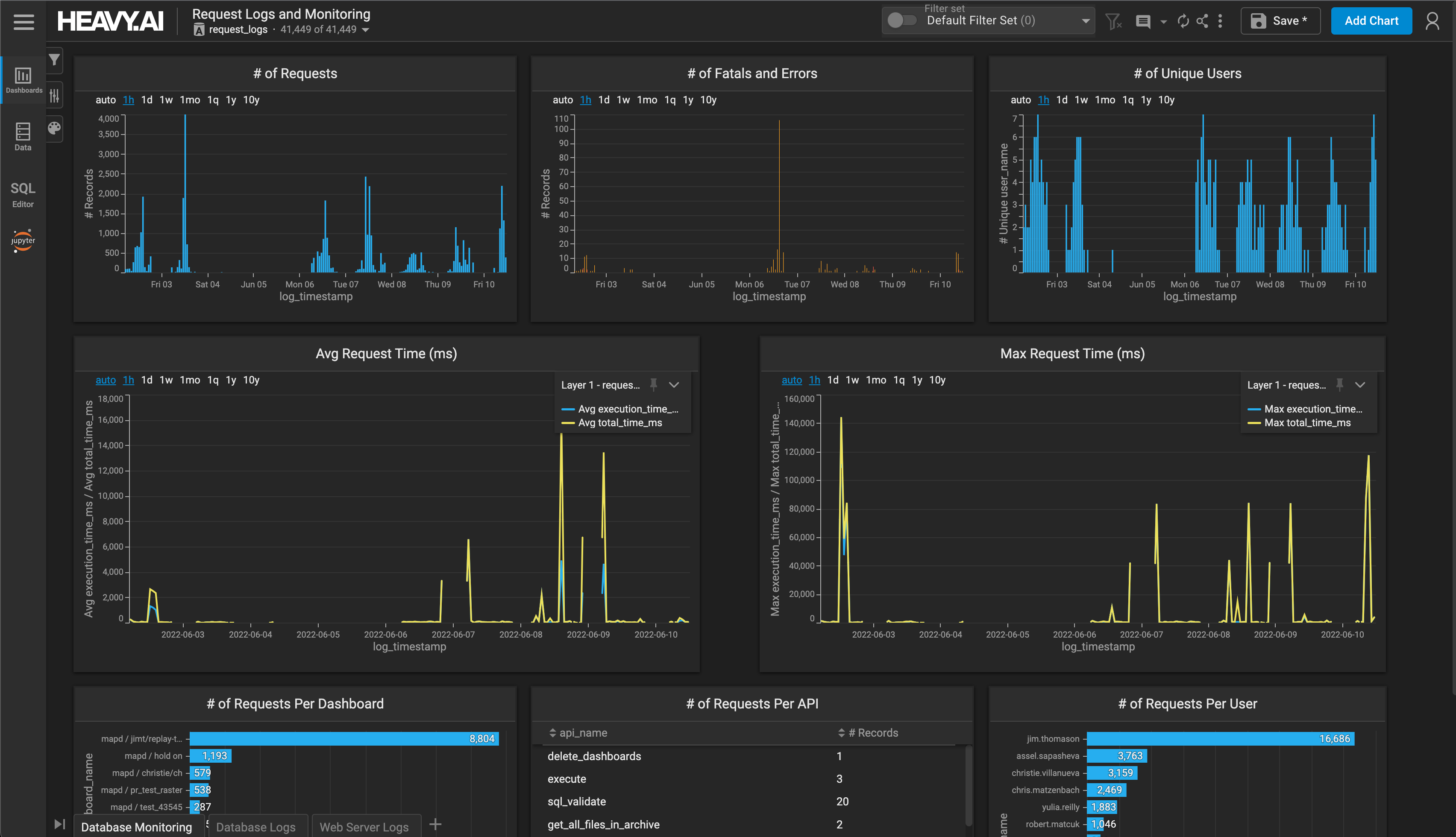
  • Number of Requests
  • Number of Fatals and Errors
  • Number of Unique Users
  • Avg Request Time (ms)
  • Max Request Time (ms)
  • Number of Requests per Dashboard
  • Number of Requests per API
  • Number of Requests per User

System Resources Dashboard

The System Resources dashboard includes the following charts on three tabs:

Database Catalog tab
Memory Utilization tab
Storage Utilization tab
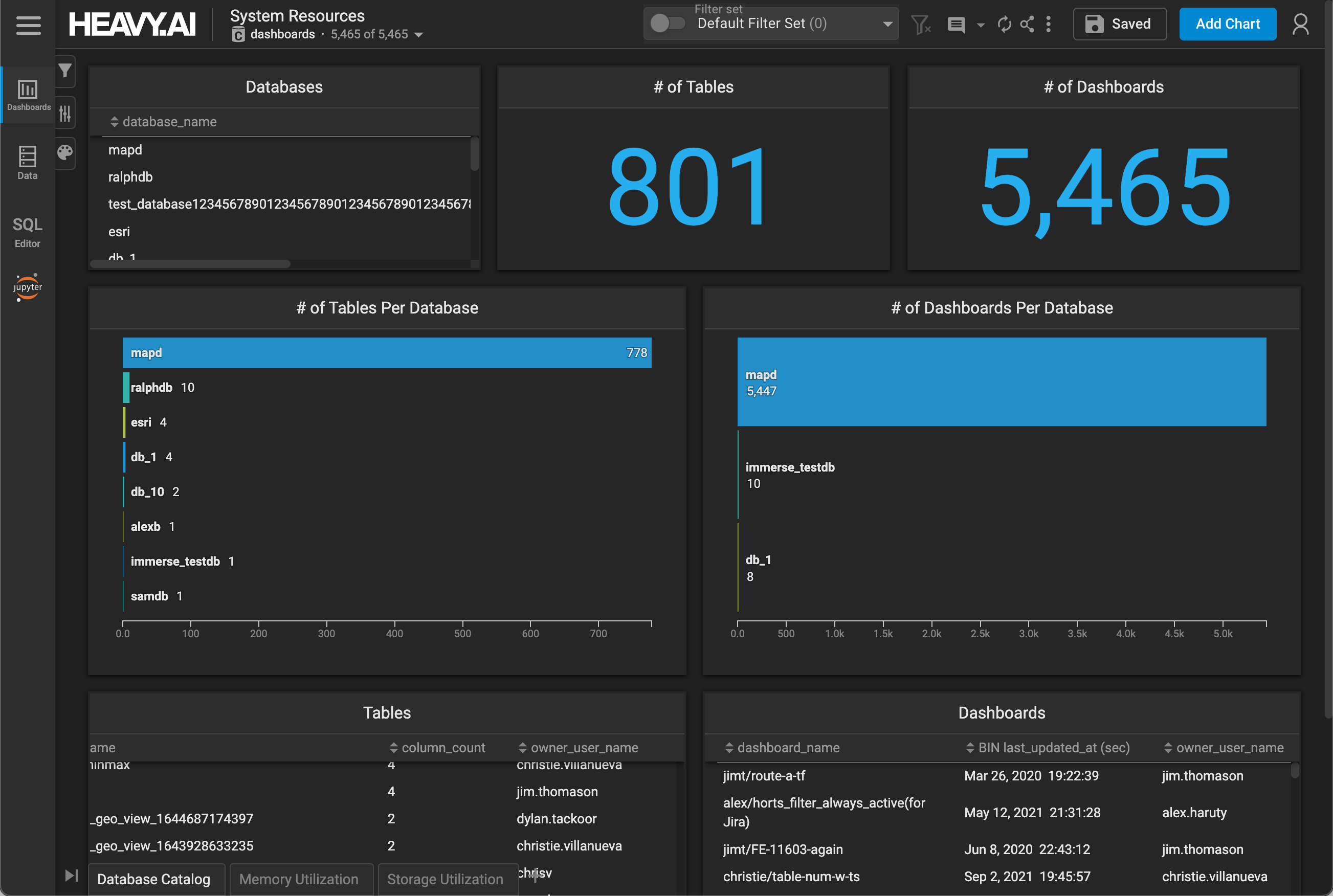
  • Databases - Names of all available databases
  • # of Tables - Total number of tables
  • # of Dashboards - Total number of dashboards
  • # of Tables Per Database
  • # of Dashboards Per Database
  • Tables - Sortable name, column count, and owner information for all tables.
  • Dashboards - Sortable name, last update time, and owner information for all databases.

User Roles and Permissions Dashboard
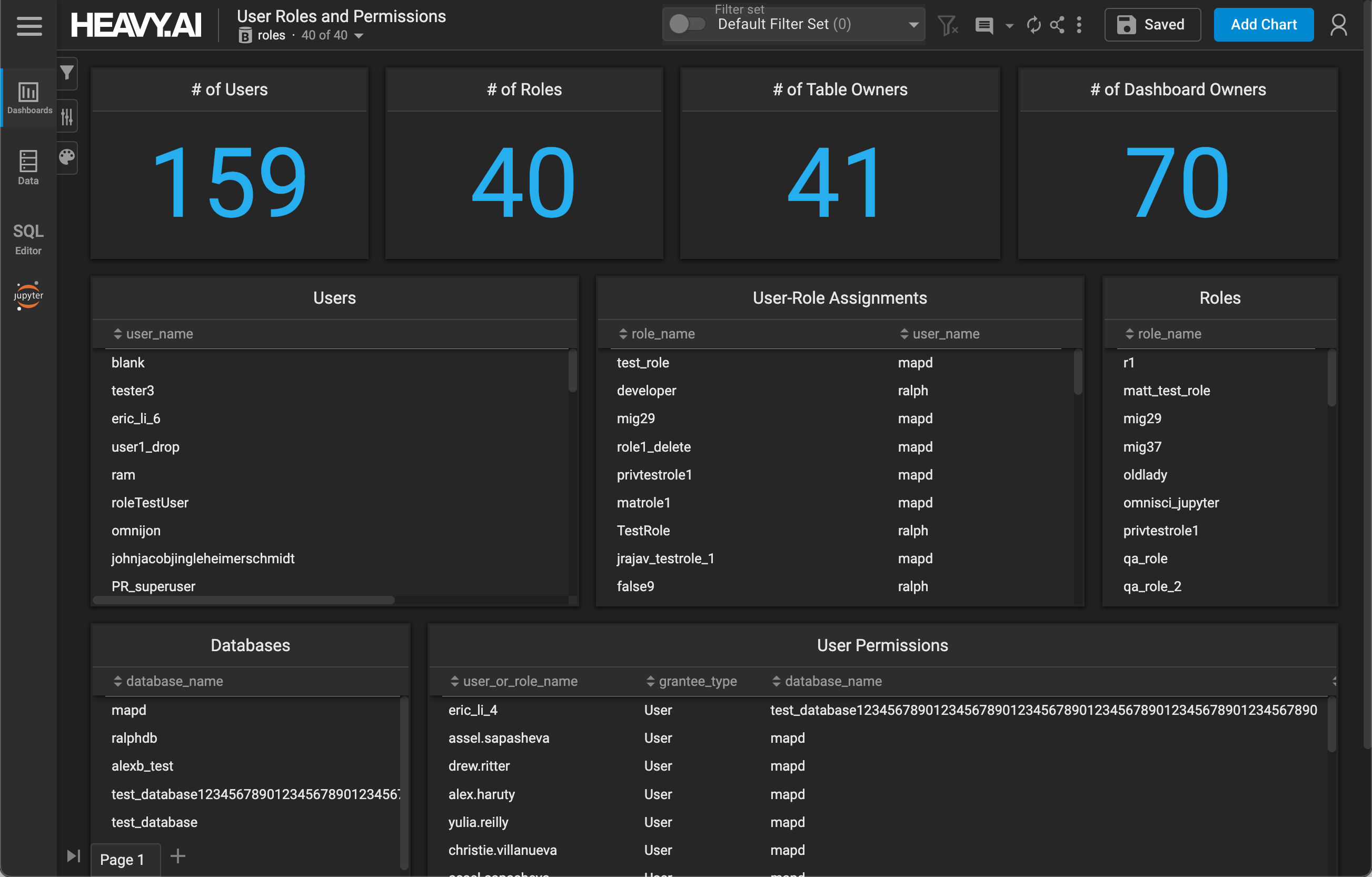
The User Roles and Permission Dashboard includes the following charts:

  • # of Users - Total number of users on the system
  • # of Roles - Total number of roles on the system
  • # of Table Owners - Total number of table owners on the system
  • # of Dashboard Owners - Total number of dashboard owners on the system
  • Users - Sortable list of users on the system
  • User-Role Assignments - Mapping of role names to user names, sortable by role or user
  • Roles - Sortable list of roles on the system
  • Databases - Sortable list of databases on the system
  • User Permissions - Mapping of user or role name, permission type, and database, sortable by any column.