For AI agents: a documentation index is available at the root level at /llms.txt and /llms-full.txt. Append /llms.txt to any URL for a page-level index, or .md for the markdown version of any page.
  • Getting Started
    • Welcome
    • Contributing
  • Concepts
    • Columns
    • Seed Datasets
    • Agent Rollout Ingestion
    • Custom Columns
    • Validators
    • Processors
    • Person Sampling
    • Traces
    • Architecture & Performance
    • Deployment Options
    • Security
  • Tutorials
    • Overview
    • The Basics
    • Structured Outputs, Jinja Expressions, and Conditional Generation
    • Seeding with an External Dataset
    • Providing Images as Context
    • Generating Images
    • Image-to-Image Editing
  • Recipes
    • Recipe Cards
  • Plugins
    • Overview
    • Example Plugin
    • FileSystemSeedReader Plugins
    • Discover
  • Code Reference
    • Overview
  • Dev Notes
    • Overview
    • Prompt Sensitivity
    • Retriever SDG Toolkit
    • Have It Your Way
    • VLM Long Document Understanding
    • Push Datasets to Hugging Face Hub
    • Text-to-SQL for Nemotron Super
    • Async All the Way Down
    • Owning the Model Stack
NVIDIANVIDIA
Developer-friendly docs for your API
Privacy Policy | Manage My Privacy | Do Not Sell or Share My Data | Terms of Service | Accessibility | Corporate Policies | Product Security | Contact

Copyright © 2026, NVIDIA Corporation.

LogoLogoNeMo Data Designer
On this page
  • What Is Prompt Sensitivity?
  • Goal
  • Pipeline Architecture: QA Preamble Generation
  • Step 1: Curated Seed Examples
  • Step 2: Six Dimensions of Diversity
  • Step 3: LLM Generation Columns
  • Step 4: Quality Judges
  • Step 5: Integration into Training Mixtures
  • Regex-Paired Format Templates: Enabling Both SFT and RL
  • Key Takeaways
  • Try For Yourself
Dev Notes

Mitigating Prompt Sensitivity: Manufacturing Robustness Through Diverse Preambles

||View as Markdown|
Previous

Dev Notes

Next

Retriever SDG Plugin

Dhruv NathawaniResearcher at NVIDIA

Models behave differently based on how a question is phrased - a “cynical senior dev” and a “curious student” get different answers to the same problem. Using NeMo Data Designer, we built a pipeline that generates hundreds of diverse prompt preambles with controlled variation across tone, strictness, verbosity, and answer format, then validates each one for compliance. These preambles feed into a YAML-driven training mixture pipeline that prepends diverse instructions to existing SFT data at scale. This approach is now used in Nemotron training mixtures to address the prompt-format brittleness observed in internal testing.
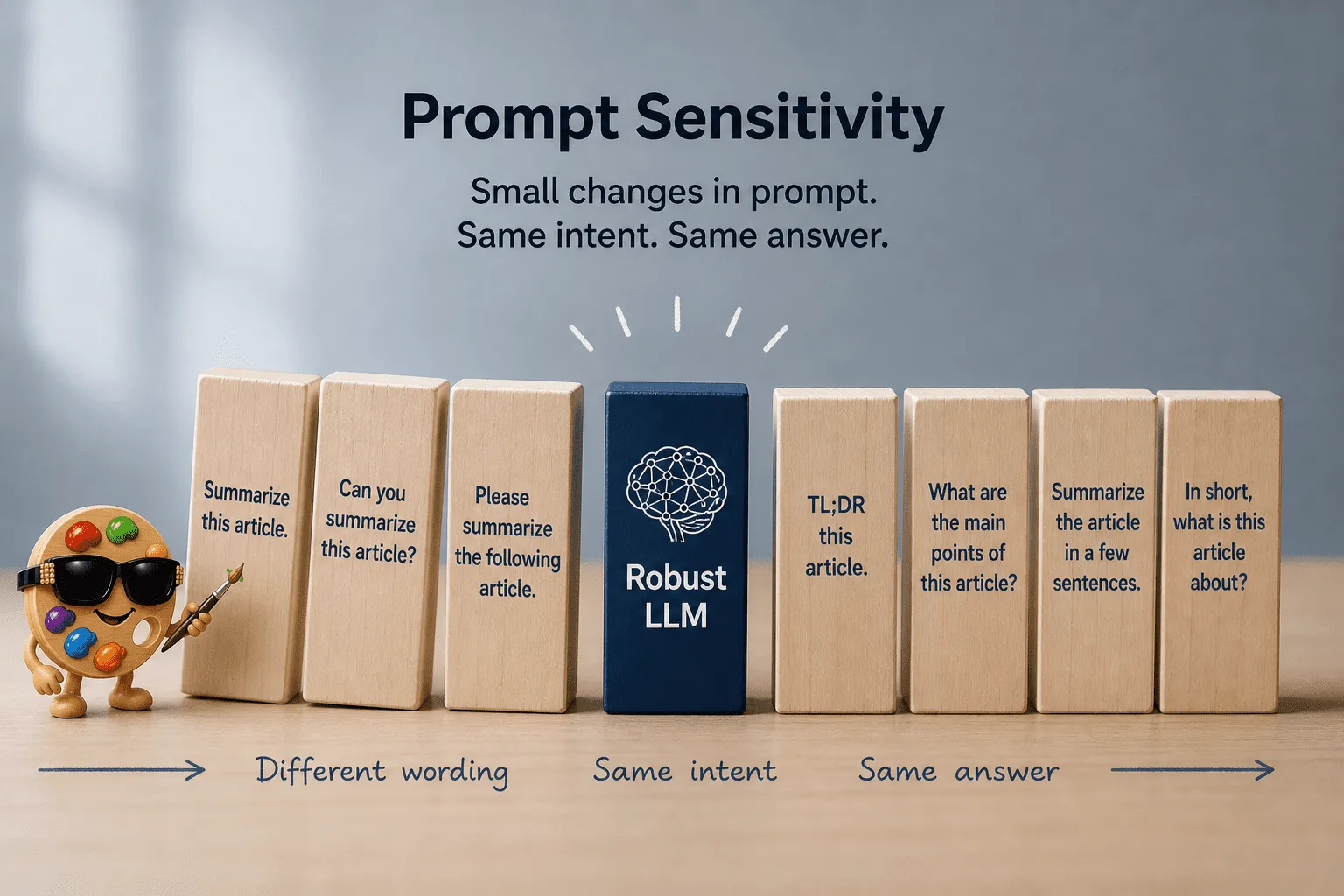
Prompt Sensitivity: small changes in prompt phrasing, same intent, same answer — the goal of a robust LLM


What Is Prompt Sensitivity?

A prompt to an LLM typically has three distinct components: the preamble (high-level instructions), the problem (the actual question or task), and the format instruction (how to structure the answer). Prompt sensitivity is the phenomenon where a model’s accuracy changes significantly based on how the preamble and format instruction are phrased, even when the underlying problem is identical.

ANATOMY OF A PROMPT + RESPONSE
================================
┌──────────────────────────────────────────────────────────────┐
│ PREAMBLE (variable — what we diversify) [GREEN] │
│ │
│ "Answer the following multiple choice question" │
├──────────────────────────────────────────────────────────────┤
│ PROBLEM (fixed — from the source dataset) [RED] │
│ │
│ What is the capital of France? │
│ A) London │
│ B) Berlin │
│ C) Paris │
│ D) Madrid │
├──────────────────────────────────────────────────────────────┤
│ FORMAT INSTRUCTION (variable — what we diversify) [GREEN] │
│ │
│ "The last line of your response should be \boxed{LETTER}" │
└──────────────────────────────────────────────┬───────────────┘
│
▼
┌──────────────────────────────────────────────────────────────┐
│ ROLLOUT / OUTPUT (model's response) │
│ │
│ <think> ... reasoning ... </think> │
│ │
│ \boxed{C} │
└──────────────────────────────────────────────────────────────┘

The preamble and format instruction (green) are the parts we can vary freely without changing the problem. The problem itself (red) comes from the source dataset and stays fixed. When models are trained on data with only one preamble style and one format instruction, they become brittle - they can solve the problem, but small wording changes cause them to misformat their response, triggering scoring failures.

When we evaluated early Nemotron checkpoints on internal STEM benchmarks with varied prompt phrasings, we observed accuracy swings of up to 15 percentage points depending solely on how the question was phrased:

"Select the best answer" → 82% accuracy
"Choose the correct option" → 78% accuracy
"Which of the following is true?" → 74% accuracy

Same questions. Same model. Same knowledge. Different scores. This is a well-documented phenomenon across the industry - models overfit to the prompt format seen during training.

The root cause is straightforward: the training data lacks prompt diversity. If every STEM MCQ in your SFT dataset starts with “Answer the following question and place your answer in \boxed{}”, the model learns that specific format perfectly but becomes brittle to anything else.

The fix is equally simple in principle - expose the model to the same problems with many different phrasings - but doing this manually at the scale of thousands of training examples is impractical. We need preambles that span a wide diversity space:

  • Sentence types: imperative (“Select the answer”), interrogative (“Which option is correct?”), declarative (“The correct answer is to be placed in…”)
  • Tones: formal, neutral, concise, encouraging, strict
  • Strictness levels: from “here’s a question” to “you MUST follow this exact format”
  • Verbosity: one-liners vs. detailed multi-sentence instructions
  • Answer formats: \boxed{}, \boxed{LETTER}, Answer: A/B/C/D, ((X)), <final_answer>X</final_answer>, and dozens more

Covering the full combinatorial space of these dimensions manually is intractable - and this is exactly the kind of structured diversity problem that synthetic data generation is designed to solve. Data Designer’s sampler-driven approach lets us define the diversity dimensions declaratively, and the framework handles the combinatorics at scale, generating thousands of validated preamble variations that no human annotator could match.


Goal

  • Reduce LLM sensitivity to prompt phrasing by generating diverse, high-quality prompts for both SFT and RL training data using Data Designer.
  • Improve model robustness and generalization across different instruction styles, tones, and structures.
  • Specifically target variations in preambles and format instructions while keeping the core problem unchanged.

Pipeline Architecture: QA Preamble Generation

The pipeline below shows one specific instantiation for generating diverse preambles for QA/MCQ datasets, designed to improve the prompt sensitivity of the question prompt. The same architecture can be adapted for Math, Code, or any domain where prompt diversity is needed.

PROMPT SENSITIVITY PIPELINE
==========================
(QA Preamble Generation)
┌─────────────────────────────────────────────────────────────────────────────────────┐
│ STEP 1: SEED EXAMPLES │
│ │
│ 10 regex-paired format templates × 5 preamble anchors = 50 seed rows │
│ Loaded via DataFrameSeedSource with SamplingStrategy.SHUFFLE │
└─────────────────────────────────────────┬───────────────────────────────────────────┘
│
▼
┌─────────────────────────────────────────────────────────────────────────────────────┐
│ STEP 2: DIVERSITY SAMPLERS │
│ │
│ sentence_type (3) tone (5) strictness_level (3) │
│ imperative formal low │
│ interrogative neutral medium │
│ declarative concise high │
│ encouraging │
│ strict verbosity_level (3) │
│ concise / standard / detailed │
│ domain_context (3) preamble_format_order (8) │
│ general P + F + {problem}, F + P + {problem}, │
│ STEM P + {problem} + F, F + {problem} + P, │
│ humanities {problem} + P + F, {problem} + F + P, │
│ PF + {problem}, {problem} + PF │
│ │
│ Combinatorial space: │
│ 3 × 5 × 3 × 3 × 3 × 8 = 3,240 │
└─────────────────────────────────────────┬───────────────────────────────────────────┘
│
▼
┌─────────────────────────────────────────────────────────────────────────────────────┐
│ STEP 3: LLM GENERATION COLUMNS │
│ │
│ Three LLMTextColumnConfigs conditioned on the samplers + seed rows: │
│ • preamble — generic instruction (no format requirements) │
│ • format_instruction — paraphrased from seed; must match output_regex │
│ • user_prompt — composed via preamble_format_order │
└─────────────────────────────────────────┬───────────────────────────────────────────┘
│
▼
┌─────────────────────────────────────────────────────────────────────────────────────┐
│ STEP 4: QUALITY JUDGES │
│ │
│ format_compliance (binary): does format_instruction enforce the format? │
│ regex_alignment (binary): does format_instruction align with output_regex? │
│ order_coherence (binary): does the assembled user_prompt read coherently? │
│ preamble_quality (0-3): does preamble match tone, verbosity, clarity? │
│ │
│ ~15-20% of generations fail at least one binary gate. │
│ Filter binary gates to 1 and preamble_quality ≥ 2. │
└─────────────────────────────────────────┬───────────────────────────────────────────┘
│
▼
┌─────────────────────────────────────────────────────────────────────────────────────┐
│ STEP 5: INTEGRATION INTO TRAINING MIXTURES │
│ │
│ YAML-driven mixture script that operates at production scale: │
│ ├─ Load base SFT dataset (STEM MCQ, Math, Code) │
│ ├─ Sample user_prompts from the generated pool │
│ ├─ Substitute {problem} with each record's question │
│ ├─ majority_percentage: 25% (canonical format) / 75% (diverse variations) │
│ └─ Pack sequences to 128k tokens for training │
└─────────────────────────────────────────────────────────────────────────────────────┘

The 6 samplers create a combinatorial diversity space of 3,240 unique combinations, multiplied by 50 seed rows from the format-template × preamble cross-product. Generating 1,000 records covers a broad slice of this space, ensuring the training data doesn’t cluster around a few dominant styles.


Step 1: Curated Seed Examples

The seed is the cross-product of two small hand-written sets: 10 regex-paired format templates (covered in the Regex-Paired Format Templates section below) and 5 generic preamble anchors. Together they form 50 seed rows. Templates carry the format-instruction seed plus its paired output_regex; preambles act as style anchors so the LLM knows what a generic instruction line looks like.

1import itertools
2import pandas as pd
3import data_designer.config as dd
4from data_designer.interface import DataDesigner
5
6# 10 regex-paired format templates (full list in the appendix)
7MCQ_FORMAT_TEMPLATES = [
8 {"format_key": "boxed_letter",
9 "seed_format_instruction": "Choose exactly one letter. Place your answer in \\boxed{LETTER} format.",
10 "output_regex": r"\\boxed\{([A-Za-z])\}"},
11 # ... 9 more
12]
13
14# 5 generic preamble anchors (no format requirements)
15SEED_PREAMBLES = [
16 "Choose the correct answer from the options below.",
17 "Read the question carefully and select the best option.",
18 "Answer the following multiple choice question.",
19 "Consider each option and pick the correct one.",
20 "Solve the problem and select the right choice.",
21]
22
23# Cross-product: every format template × every preamble = 50 seed rows
24seed_df = pd.DataFrame([
25 {**fmt, "seed_preamble": preamble}
26 for fmt, preamble in itertools.product(MCQ_FORMAT_TEMPLATES, SEED_PREAMBLES)
27])
28
29config = dd.DataDesignerConfigBuilder(model_configs=[
30 # qwen3-235b-a22b is hosted on build.nvidia.com under the "nvidia" provider
31 dd.ModelConfig(alias="gen", model="qwen/qwen3-235b-a22b", provider="nvidia"),
32])
33config.with_seed_dataset(
34 dd.DataFrameSeedSource(df=seed_df),
35 sampling_strategy=dd.SamplingStrategy.SHUFFLE,
36)

With SamplingStrategy.SHUFFLE, each generated record sees a random seed row (a (seed_format_instruction, output_regex, seed_preamble) triple) alongside its sampled style parameters.


Step 2: Six Dimensions of Diversity

Each sampler controls one axis of variation:

1config.add_column(dd.SamplerColumnConfig(
2 name="sentence_type",
3 sampler_type=dd.SamplerType.CATEGORY,
4 params=dd.CategorySamplerParams(values=["imperative", "interrogative", "declarative"]),
5))
6
7config.add_column(dd.SamplerColumnConfig(
8 name="tone",
9 sampler_type=dd.SamplerType.CATEGORY,
10 params=dd.CategorySamplerParams(values=["formal", "neutral", "concise", "encouraging", "strict"]),
11))
12
13config.add_column(dd.SamplerColumnConfig(
14 name="strictness_level",
15 sampler_type=dd.SamplerType.CATEGORY,
16 params=dd.CategorySamplerParams(values=["low", "medium", "high"]),
17))
18
19config.add_column(dd.SamplerColumnConfig(
20 name="verbosity_level",
21 sampler_type=dd.SamplerType.CATEGORY,
22 params=dd.CategorySamplerParams(values=["concise", "standard", "detailed"]),
23))
24
25config.add_column(dd.SamplerColumnConfig(
26 name="domain_context",
27 sampler_type=dd.SamplerType.CATEGORY,
28 params=dd.CategorySamplerParams(values=["general", "STEM", "humanities"]),
29))
30
31config.add_column(dd.SamplerColumnConfig(
32 name="preamble_format_order",
33 sampler_type=dd.SamplerType.CATEGORY,
34 params=dd.CategorySamplerParams(values=[
35 "P + F + {problem}", "F + P + {problem}",
36 "P + {problem} + F", "F + {problem} + P",
37 "{problem} + P + F", "{problem} + F + P",
38 "PF + {problem}", "{problem} + PF",
39 ]),
40))

The last sampler — preamble_format_order — controls how the preamble (P), format instruction (F), and {problem} placeholder get arranged in the final user prompt. It prevents the model from overfitting to a single positional layout.

This is the power of Data Designer’s sampler approach: you define the diversity dimensions — including positional order — and the framework handles the combinatorics.


Step 3: LLM Generation Columns

Three LLM text columns turn the sampled style parameters and seed rows into the actual training-ready prompts. Each column is a separate generation call, with each downstream column able to reference the values produced upstream.

preamble — a generic instruction line with no format requirements. The model conditions only on style samplers (sentence type, tone, strictness, verbosity, domain), so the same preamble can be paired with any answer format downstream:

1config.add_column(dd.LLMTextColumnConfig(
2 name="preamble",
3 model_alias="gen",
4 prompt=(
5 "You are writing a concise instruction line to accompany a "
6 "{{ domain_context }} question.\n"
7 "Keep it neutral and generic; do NOT include output formatting requirements.\n\n"
8 "Constraints:\n"
9 "- Sentence type: {{ sentence_type }}\n"
10 "- Tone: {{ tone }}\n"
11 "- Strictness: {{ strictness_level }}\n"
12 "- Verbosity: {{ verbosity_level }}\n\n"
13 "Seed (paraphrase; do not copy): \"{{ seed_preamble }}\"\n\n"
14 "Return ONLY the instruction line text."
15 ),
16))

format_instruction — paraphrases the seed seed_format_instruction while staying compatible with its paired output_regex. The regex is the contract: the instruction can be reworded freely, but the resulting model output must still match it for RL reward extraction.

user_prompt — composes preamble + format_instruction + {problem} (literal placeholder) in the order chosen by the preamble_format_order sampler. This is the final string that will be prepended to each training record at mixture time.

The separation matters: keeping preamble and format_instruction as distinct columns means each diversity dimension is varied independently, and the judges in the next step can score each component on its own terms. See the appendix for the full format_instruction and user_prompt configs.


Step 4: Quality Judges

Four LLM judges score each generated row across format and quality dimensions. Three binary gates catch hard failures; one rubric judge scores tone and clarity.

format_compliance (binary): Does format_instruction actually enforce the required output pattern?

1config.add_column(dd.LLMJudgeColumnConfig(
2 name="format_compliance",
3 model_alias="gen",
4 prompt=(
5 "Does this instruction enforce the format?\n\n"
6 "Instruction: {{ format_instruction }}\n"
7 "Regex: {{ output_regex }}"
8 ),
9 scores=[dd.Score(
10 name="format_match",
11 description="Format enforced?",
12 options={1: "Yes", 0: "No"},
13 )],
14))

regex_alignment (binary): Does format_instruction align with the paired output_regex from the seed template? This catches drift where the generated instruction sounds plausible but won’t be matched by the extraction regex at training/eval time.

order_coherence (binary): Does the assembled user_prompt read coherently in the sampled preamble_format_order? Some orderings (e.g. {problem} + PF) only work if the preamble and format instruction flow naturally after the question.

preamble_quality (0-3 rubric): Does the preamble match the requested tone, verbosity, and clarity?

1config.add_column(dd.LLMJudgeColumnConfig(
2 name="preamble_quality",
3 model_alias="gen",
4 prompt=(
5 "Evaluate this instruction line.\n\n"
6 "Instruction: {{ preamble }}\n"
7 "Tone: {{ tone }}\n"
8 "Verbosity: {{ verbosity_level }}"
9 ),
10 scores=[dd.Score(
11 name="quality",
12 description="Preamble quality",
13 options={3: "Excellent", 2: "Good", 1: "Fair", 0: "Poor"},
14 )],
15))

Roughly 15-20% of generations fail at least one binary gate. The downstream filter keeps rows that pass all three binary judges and score ≥ 2 on preamble_quality.


Step 5: Integration into Training Mixtures

The previous four steps produce a pool of validated prompts. They’re useful as a standalone artifact, but the actual goal is to use them as instruction variations on top of existing SFT data — without rebuilding that data from scratch.

This is what the mixture script does. It treats the DD-generated prompts as a diversity layer that gets applied at training-data assembly time:

  1. Compose the training mixture from existing JSONL shards. Production SFT data already exists as JSONL files (open STEM, HLE, internal MCQ collections, etc.). Each shard contributes a configured percentage of the final mixture, sampled with a fixed seed for reproducibility.

  2. Apply preamble variations on top. For each record, draw a Bernoulli flip against majority_percentage. On the majority side (25% in the example), prepend a single canonical preamble — the format the model is “officially” expected to handle. On the minority side (75%), sample a random preamble from the DD-generated pool. The model thus sees the canonical format often enough to lock it in, while being exposed to thousands of variations to keep it from overfitting to that one format.

  3. Detect MCQ-like records with regex heuristics. Non-MCQ records (free-response, code, math without options) shouldn’t get an MCQ preamble. The pipeline skips them by matching for \n(A), \n(B) patterns in the user turn or \boxed{} in the assistant turn.

  4. Pack sequences for training. Concatenate records up to max_seq_length (128k here) with shuffle_before and shuffle_after so packed sequences don’t memorize neighbor ordering.

Below is the YAML config that drives this:

1mixture:
2 target: 1000000
3 seed: 13
4 files:
5 - path: /path/to/openstem.jsonl
6 percent: 70.6
7 - path: /path/to/openstem_15p.jsonl
8 percent: 10.6
9 - path: /path/to/hle.jsonl
10 percent: 16.3
11 - path: /path/to/hle_15p.jsonl
12 percent: 2.5
13
14preamble:
15 augment: true
16 majority_preamble: |-
17 Answer the following multiple choice question. The last line of your
18 response should be in the following format: 'Answer: \boxed{A/B/C/D}'
19 (e.g. 'Answer: \boxed{A}').
20
21 {problem}
22 majority_percentage: 25.0
23 variations:
24 path: prompts/stem_prompts_1000.jsonl
25 field: preamble_text
26
27pack:
28 enabled: true
29 shuffle_before: true
30 shuffle_after: true
31 max_seq_length: 128000

The majority_percentage is the main knob to tune. Setting it too high (e.g., 90%) means the model rarely sees variations and prompt-format brittleness persists; setting it too low (e.g., 5%) starves the model of the canonical format it’s expected to perform well on. In internal testing, 25% canonical / 75% varied struck the right balance for QA mixtures — the canonical format stays sharp while format-robustness improves.

The end result of this step is a 1M-record packed training mixture where each problem appears with one of 1,000+ different instruction phrasings — assembled from existing data with no manual preamble authoring required.


Regex-Paired Format Templates: Enabling Both SFT and RL

The key design decision that makes this pipeline work for both SFT and RL is pairing every format instruction with an extraction regex. Each template defines a human-readable format instruction (which gets paraphrased by Data Designer for diversity) and a regex pattern (which stays fixed for automated answer extraction).

1- prompt: 'End your response with ''Correct Option: A/B/C/D/...''.'
2 output_regex: 'Correct Option:\s*([A-Za-z])'
3
4- prompt: 'Put the chosen letter inside double brackets: ((X)).'
5 output_regex: '\(\(([A-Za-z])\)\)'
6
7- prompt: 'Wrap your final answer letter in XML-style tags: <final_answer>X</final_answer>.'
8 output_regex: '<final_answer>\s*([A-Za-z])\s*</final_answer>'
9
10- prompt: 'Finish by enclosing the correct option letter in double asterisks (like **A**).'
11 output_regex: '\*\*([A-Za-z])\*\*'
12
13- prompt: 'Conclude by stating ''Correct Answer >> A/B/C/D/...''.'
14 output_regex: 'Correct Answer >> ([A-Za-z])'

The appendix ships 10 distinct format templates spanning \boxed{}, brackets, parentheses, XML tags, markdown bold, arrows, and plain text — easy to extend by adding more (prompt, output_regex) pairs. This dual-use design means:

  • For SFT: The paraphrased format instructions add diversity to the training data. The model sees the same problem with many different answer format requirements, building robustness.
  • For RL: The paired regex lets the reward function extract the answer from model output regardless of which format was requested. The RL environment (e.g., NeMo-Gym) uses the regex to verify correctness without brittle string matching.

The preamble (generic instruction) and format instruction (answer format) are generated as separate LLM columns, then composed into a final user_prompt with the {problem} placeholder arranged in one of 8 placement orders (P + F + {problem}, {problem} + P + F, etc.). This separation lets you vary each dimension independently and prevents positional overfitting.


Key Takeaways

  1. Samplers make diversity systematic. Six categorical samplers (3-8 values each) create a 3,240-combination space, multiplied by 50 seed rows from the format-template × preamble cross-product. No human annotator covers that surface area consistently.

  2. Seed examples are style anchors, not templates. The LLM needs to see what a preamble is, but the samplers control what each preamble says. Without seeds, the LLM guesses at the format; without samplers, it converges to a narrow style.

  3. Format compliance is a hard gate. A format_instruction that drifts from its paired output_regex will confuse the model during training and break extraction at eval time. Binary judges (format_compliance + regex_alignment) catch this — LLMs generate misaligned formats ~15-20% of the time.

  4. The value is in the pipeline, not the individual records. Any single preamble is easy to write by hand. The value is generating 1,000+ diverse, validated preambles automatically and integrating them into million-record training mixtures with controlled majority/variation ratios.

  5. Regex-paired templates unify SFT and RL. The same format templates serve double duty: paraphrased instructions add SFT diversity, while the paired regex enables RL reward parsing. One pipeline, both training paradigms.

  6. Majority percentage controls the tradeoff. Setting majority_percentage: 25 means the model sees the canonical format 25% of the time and diverse variations 75% of the time. This ratio was tuned empirically - too much diversity degrades canonical-format performance; too little doesn’t build robustness.


Try For Yourself

Full source: prompt sensitivity pipeline
1import itertools
2import pandas as pd
3import data_designer.config as dd
4from data_designer.interface import DataDesigner
5
6# --- Format templates with paired regexes ---
7MCQ_FORMAT_TEMPLATES = [
8 {"format_key": "boxed_letter",
9 "seed_format_instruction": "Choose exactly one letter. Place your answer in \\boxed{LETTER} format.",
10 "output_regex": r"\\boxed\{([A-Za-z])\}"},
11 {"format_key": "correct_option",
12 "seed_format_instruction": "End your response with 'Correct Option: A/B/C/D/...'.",
13 "output_regex": r"Correct Option:\s*([A-Za-z])"},
14 {"format_key": "double_brackets",
15 "seed_format_instruction": "Put the chosen letter inside double brackets: ((X)).",
16 "output_regex": r"\(\(([A-Za-z])\)\)"},
17 {"format_key": "xml_tags",
18 "seed_format_instruction": "Wrap your final answer letter in XML-style tags: <final_answer>X</final_answer>.",
19 "output_regex": r"<final_answer>\s*([A-Za-z])\s*</final_answer>"},
20 {"format_key": "double_asterisks",
21 "seed_format_instruction": "Finish by enclosing the correct option letter in double asterisks (like **A**).",
22 "output_regex": r"\*\*([A-Za-z])\*\*"},
23 {"format_key": "square_brackets",
24 "seed_format_instruction": "Give the letter choice at the end: [Answer: X] where X is the correct letter.",
25 "output_regex": r"\[Answer:\s*([A-Za-z])\]"},
26 {"format_key": "angle_brackets",
27 "seed_format_instruction": "Provide the correct option enclosed in angle brackets: <A>.",
28 "output_regex": r"<([A-Z])>"},
29 {"format_key": "correct_answer_arrow",
30 "seed_format_instruction": "Conclude by stating 'Correct Answer >> A/B/C/D/...'.",
31 "output_regex": r"Correct Answer >> ([A-Za-z])"},
32 {"format_key": "curly_braces",
33 "seed_format_instruction": "End your answer by writing the correct option: 'Answer Choice: {X}'.",
34 "output_regex": r"Answer Choice:\s*\{([A-Za-z])\}"},
35 {"format_key": "selected_option",
36 "seed_format_instruction": "Provide the selected option: Selected Option -> X.",
37 "output_regex": r"Selected Option\s*->\s*([A-Za-z])"},
38]
39
40SEED_PREAMBLES = [
41 "Choose the correct answer from the options below.",
42 "Read the question carefully and select the best option.",
43 "Answer the following multiple choice question.",
44 "Consider each option and pick the correct one.",
45 "Solve the problem and select the right choice.",
46]
47
48# Cross-product seed data
49seed_df = pd.DataFrame([
50 {**fmt, "seed_preamble": preamble}
51 for fmt, preamble in itertools.product(
52 pd.DataFrame(MCQ_FORMAT_TEMPLATES).to_dict(orient="records"),
53 SEED_PREAMBLES,
54 )
55])
56
57# --- Model + config ---
58config = dd.DataDesignerConfigBuilder(model_configs=[
59 dd.ModelConfig(alias="gen", model="qwen/qwen3-235b-a22b", provider="nvidia"),
60])
61config.with_seed_dataset(
62 dd.DataFrameSeedSource(df=seed_df),
63 sampling_strategy=dd.SamplingStrategy.SHUFFLE,
64)
65
66# --- Samplers ---
67for name, values in [
68 ("sentence_type", ["imperative", "interrogative", "declarative"]),
69 ("tone", ["formal", "neutral", "concise", "encouraging", "strict"]),
70 ("strictness_level", ["low", "medium", "high"]),
71 ("verbosity_level", ["concise", "standard", "detailed"]),
72 ("domain_context", ["general", "STEM", "humanities"]),
73 ("preamble_format_order", [
74 "P + F + {problem}", "F + P + {problem}",
75 "P + {problem} + F", "F + {problem} + P",
76 "{problem} + P + F", "{problem} + F + P",
77 "PF + {problem}", "{problem} + PF",
78 ]),
79]:
80 config.add_column(dd.SamplerColumnConfig(
81 name=name,
82 sampler_type=dd.SamplerType.CATEGORY,
83 params=dd.CategorySamplerParams(values=values),
84 ))
85
86# --- LLM columns ---
87config.add_column(dd.LLMTextColumnConfig(
88 name="preamble",
89 model_alias="gen",
90 prompt=(
91 "You are writing a concise instruction line to accompany a "
92 "{{ domain_context }} question.\n"
93 "Keep it neutral and generic; do NOT include output formatting requirements.\n\n"
94 "Constraints:\n"
95 "- Sentence type: {{ sentence_type }}\n"
96 "- Tone: {{ tone }}\n"
97 "- Strictness: {{ strictness_level }}\n"
98 "- Verbosity: {{ verbosity_level }}\n\n"
99 "Seed (paraphrase; do not copy): \"{{ seed_preamble }}\"\n\n"
100 "Return ONLY the instruction line text."
101 ),
102))
103
104config.add_column(dd.LLMTextColumnConfig(
105 name="format_instruction",
106 model_alias="gen",
107 prompt=(
108 "You are writing a concise format instruction for a multiple-choice question.\n"
109 "The format must be compatible with this output pattern:\n\n"
110 "- Output regex: {{ output_regex }}\n\n"
111 "Constraints:\n"
112 "- Tone: {{ tone }}\n"
113 "- The answer must appear at the end of the response.\n\n"
114 "Seed (paraphrase; keep meaning): \"{{ seed_format_instruction }}\"\n\n"
115 "Return ONLY the format instruction."
116 ),
117))
118
119config.add_column(dd.LLMTextColumnConfig(
120 name="user_prompt",
121 model_alias="gen",
122 prompt=(
123 "Concatenate these components in the specified order:\n\n"
124 "- P (Preamble): {{ preamble }}\n"
125 "- F (Format Instruction): {{ format_instruction }}\n"
126 "- {problem}: Placeholder (keep as literal text)\n\n"
127 "Order: {{ preamble_format_order }}\n\n"
128 "Rules: arrange per order, merge if 'PF', newline before/after {problem}, "
129 "no labels like 'P:' or 'F:'.\n\n"
130 "Return ONLY the assembled prompt text."
131 ),
132))
133
134# --- Judges ---
135config.add_column(dd.LLMJudgeColumnConfig(
136 name="format_compliance",
137 model_alias="gen",
138 prompt="Does this instruction enforce the format?\n\nInstruction: {{ format_instruction }}\nRegex: {{ output_regex }}",
139 scores=[dd.Score(name="format_match", description="Format enforced?",
140 options={1: "Yes", 0: "No"})],
141))
142
143config.add_column(dd.LLMJudgeColumnConfig(
144 name="regex_alignment",
145 model_alias="gen",
146 prompt="Does the instruction align with this regex?\n\nRegex: {{ output_regex }}\nInstruction: {{ format_instruction }}",
147 scores=[dd.Score(name="aligned", description="Regex aligned?",
148 options={1: "Aligned", 0: "Not aligned"})],
149))
150
151config.add_column(dd.LLMJudgeColumnConfig(
152 name="order_coherence",
153 model_alias="gen",
154 prompt="Is this user prompt coherent?\n\nUser prompt: {{ user_prompt }}",
155 scores=[dd.Score(name="coherent", description="Ordering coherent?",
156 options={1: "Coherent", 0: "Incoherent"})],
157))
158
159config.add_column(dd.LLMJudgeColumnConfig(
160 name="preamble_quality",
161 model_alias="gen",
162 prompt="Evaluate this instruction line.\n\nInstruction: {{ preamble }}\nTone: {{ tone }}\nVerbosity: {{ verbosity_level }}",
163 scores=[dd.Score(name="quality", description="Preamble quality",
164 options={3: "Excellent", 2: "Good", 1: "Fair", 0: "Poor"})],
165))
166
167# --- Run ---
168data_designer = DataDesigner()
169results = data_designer.create(
170 config_builder=config,
171 num_records=1000,
172 dataset_name="prompt-sensitivity-mcq",
173)

Key Resources:

  1. NeMo Data Designer on GitHub

Want to learn more about NeMo Data Designer? Check out our documentation and start building your own synthetic data pipelines today.