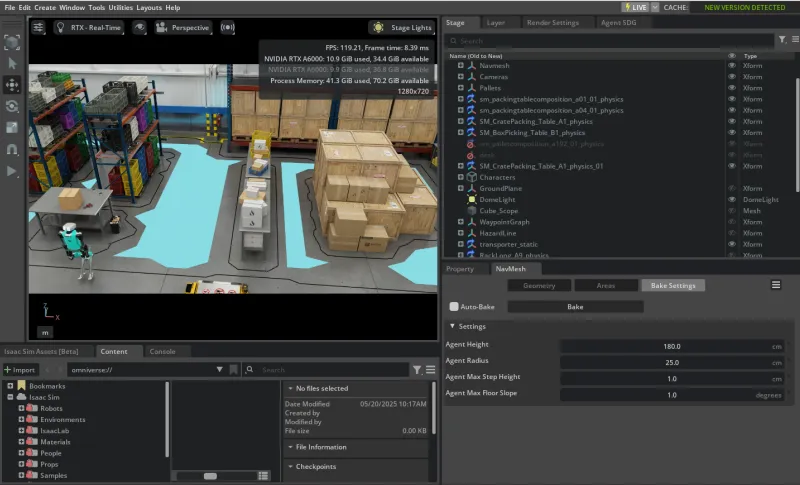
NavMesh Setup
Building NavMesh is a must-have step to enable subsequent tasks, such as Camera Placement and Camera Calibration. More details can be found in the Navigation Mesh.
NavMesh Volume Creation
Check if there is a NavMeshVolume in your asset scene to cover the navigable area.
-
If there is a NavMeshVolume, you can jump to the Bake NavMesh section.
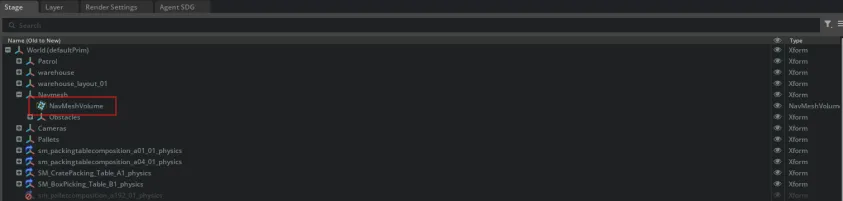
-
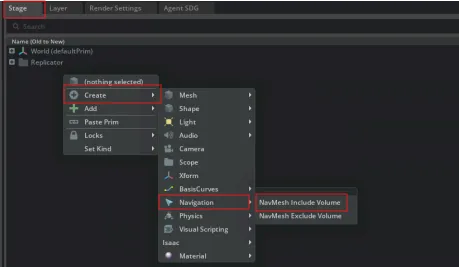
If there is no NavMeshVolume, go to Stage > Right Click > Create > Navigation > NavMesh Include Volume.
Set the NavMeshVolume to cover the navigable area.
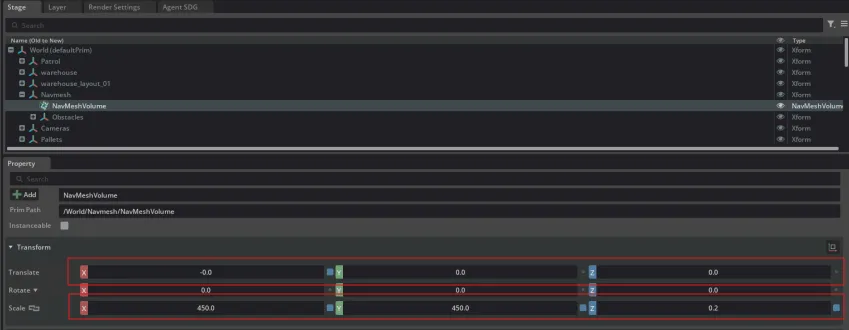
It is recommended to set the height of NavMeshVolume taller than agents (e.g., characters and humanoids) in your scene, but lower than the ceiling.
NavMesh Baking
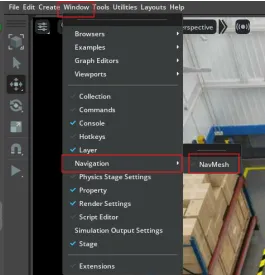
Open the NavMesh extension by going to Window > Navigation > NavMesh.
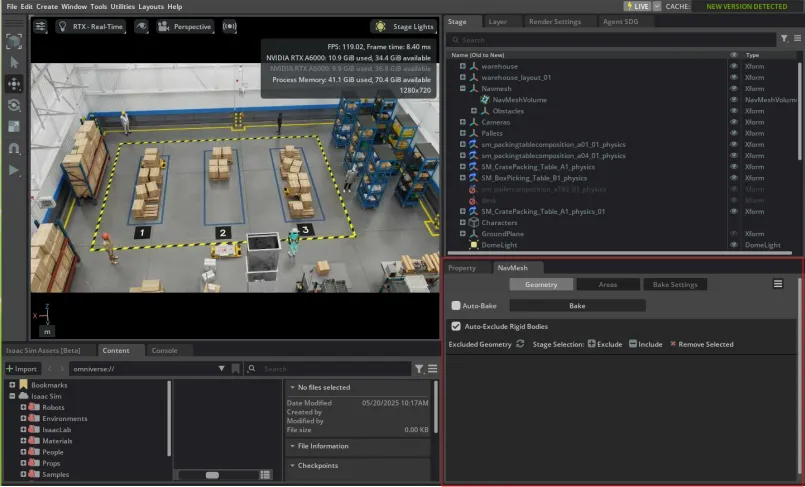
The NavMesh panel is shown below.
Go to Bake Settings and check whether the parameters are within a reasonable range for your scene.
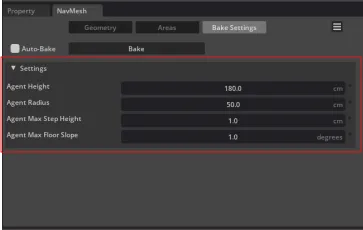
The default settings are as follows: Agent Height: 180, Agent Radius: 25, Agent Max Step Height: 1, and Agent Max Floor Slope: 1.
Click Bake to build the NavMesh.