

Agents
The Warehouse Blueprint incorporates an agentic AI system that provides natural language interaction capabilities for querying warehouse safety incidents, generating reports, and retrieving visual information from warehouse cameras.
The suggested agent to use is NVIDIA Nemotron 3.5 Lightning 30B A3B (nvidia/nemotron-3.5-lightning-30b-a3b) for natural language understanding and query routing, and NVIDIA Cosmos3 Nano Reasoner (nvidia/cosmos3-nano-reasoner) for video understanding and analyzing warehouse safety incidents.
For detailed information on all components, APIs, and customization options, refer to the VSS Agents.
Agent Architecture
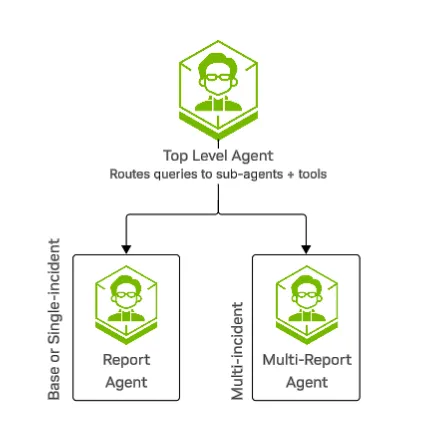
The agent system uses a two-tier hierarchy:
-
Top Agent: LLM-powered routing agent that interprets queries, decides which tools or sub-agents to invoke, maintains conversation context, and streams reasoning traces.
-
Sub-Agents: Specialized agents for different types of reporting tasks:
- Report Agent: Handles detailed, comprehensive reports for single incidents. Retrieves incident data, performs video analysis using VLMs, and generates structured markdown reports with incident details, location information, people and vehicles involved.
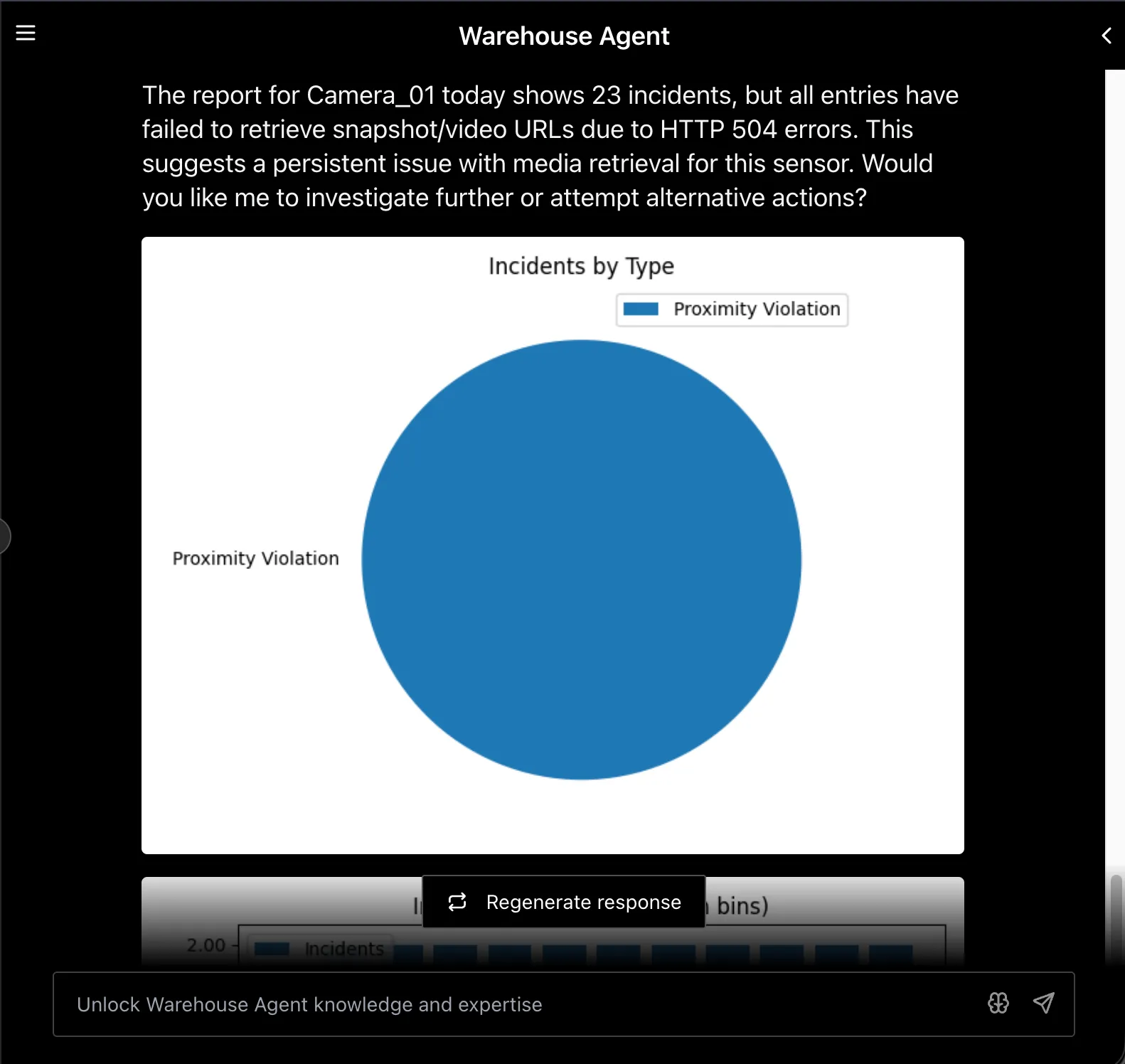
- Multi-Report Agent: Handles listing and summarizing multiple incidents. Supports filtering by time range, sensor, and incident count. Provides incident summaries with optional chart generation for visualizing incident trends.
For detailed agent architecture information, see Agent Overview
Tools
The Top Agent has direct access to a small set of tools and routes more complex requests to the Report and Multi-Report sub-agents, which in turn use the Video Analytics, Video Storage, and Report Generation tools listed below. For the canonical tool reference, see Video-Analytics-MCP Server.
Top Agent Tools
Video Analytics Tools
Video Storage Tools
Report Generation Tools
Sub-Agents
Supported Queries
The agent understands temporal expressions such as “last 10 minutes”, “yesterday”, and “past hour”.
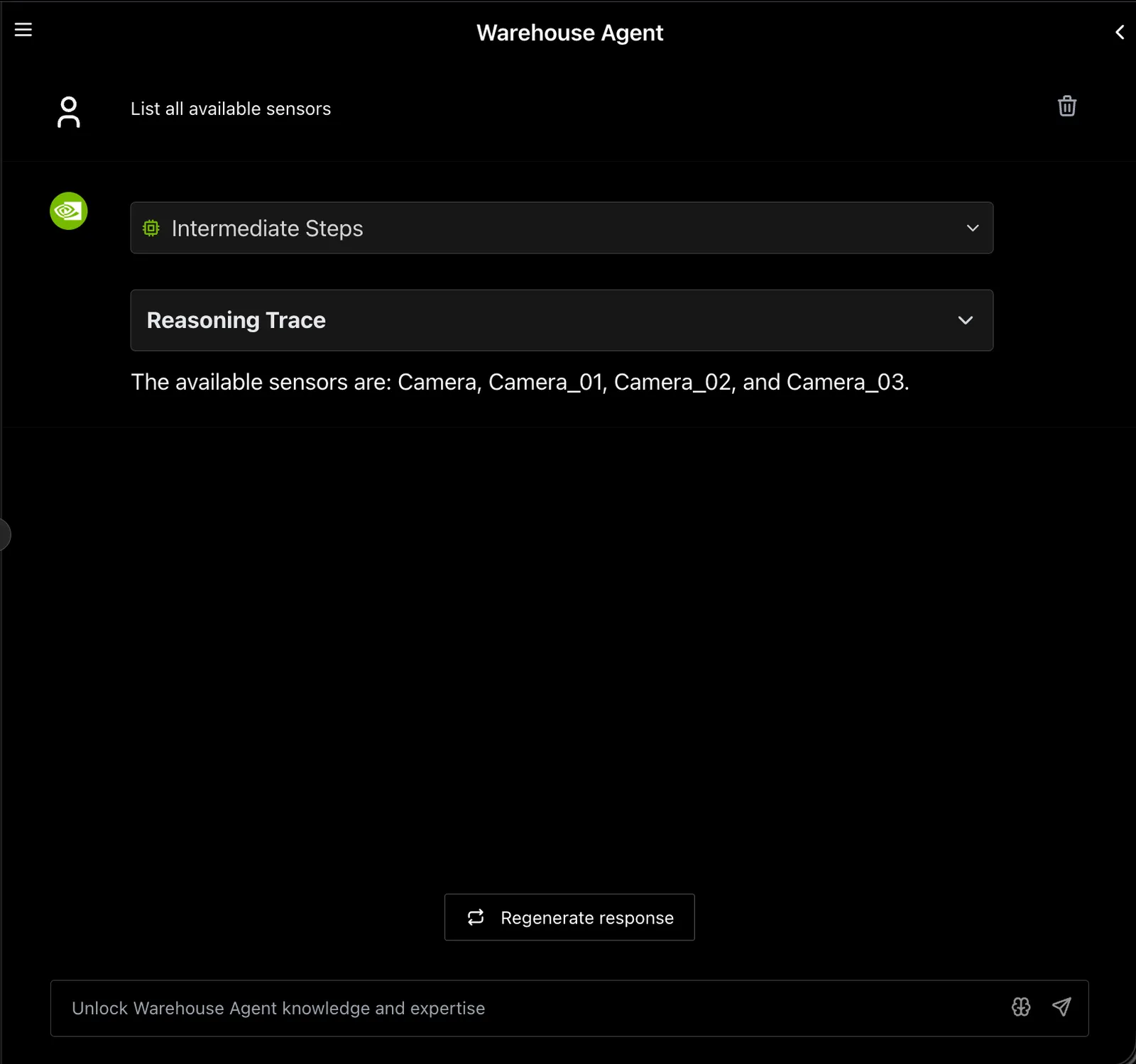
Camera_01 is an example. Ask List all available sensors to discover your sensor names.
Example: Sensor Discovery
Example: Incident Report with Chart
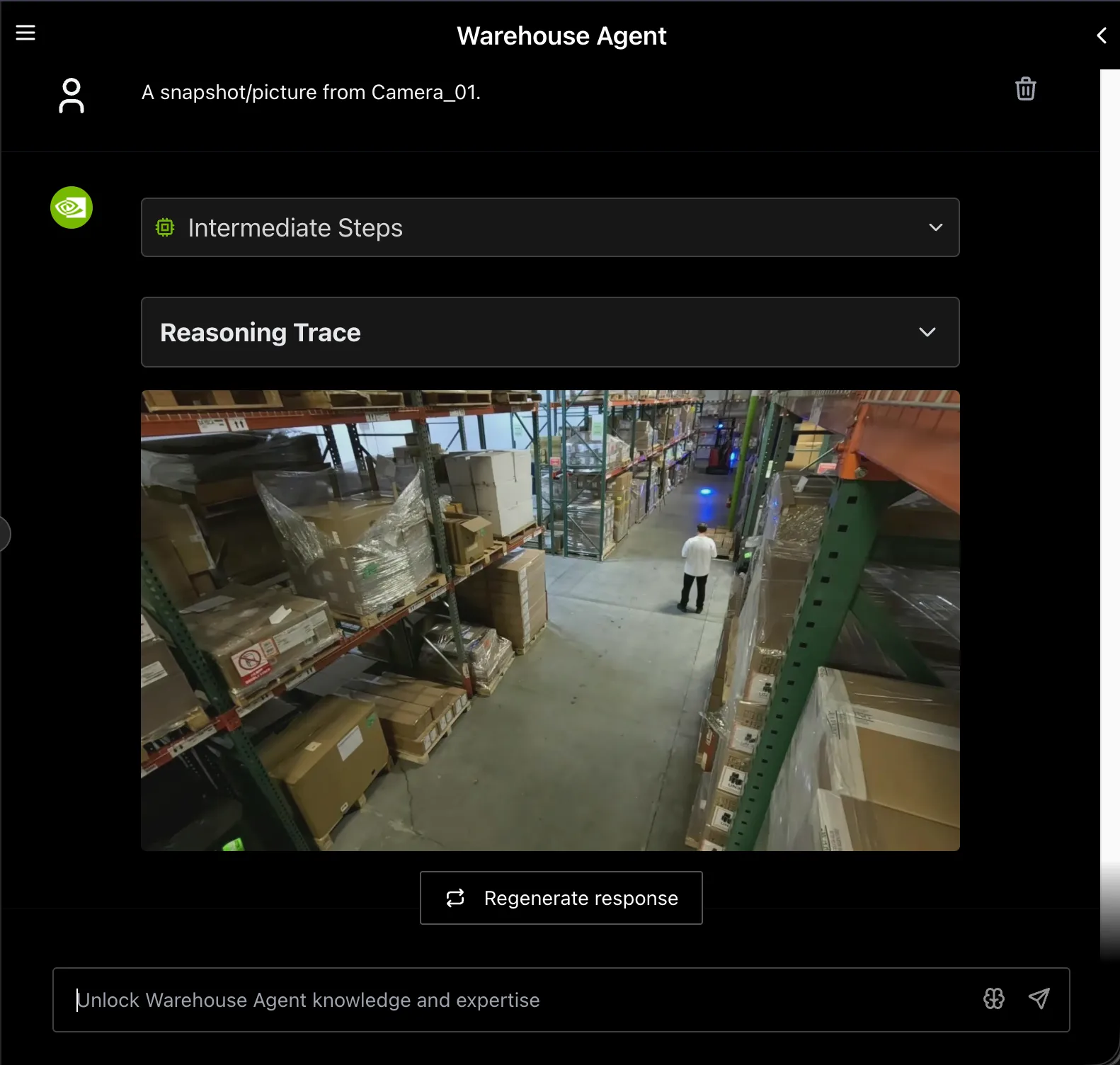
Example: Camera Snapshot
Warehouse Agent Configuration
Configuration File Location
The warehouse agent configuration file is located at deploy/docker/industry-profiles/warehouse-operations/vss-agent/configs/config.yml. For detailed configuration options and YAML structure, see Agent Configuration.
Models Used
Key Warehouse-Specific Settings
The warehouse profile configures the following key components:
- Routing prompt: Optimized for warehouse video surveillance incident reporting
- VLM prompts: Tuned to analyze incidents, location conditions (lighting, floor, blockages), people (worker/driver/pedestrian), and vehicles (forklift/transporter)
- Report template: Warehouse incident report format
For the complete configuration reference including all tools, agents, environment variables, and YAML examples, see Agent Configuration.
For information about other available profiles (Smart Cities, Developer), see Agent Profiles.
Customization
The agent configuration is designed to be flexible and extensible. Key customization areas for the warehouse deployment include:
- Prompt Customization: Modify
workflow.promptto adjust routing logic for warehouse-specific query patterns - VLM Prompt Engineering: Tune
vlm_promptsintemplate_report_genfor different warehouse scenarios - Report Templates: Create custom markdown templates in the templates directory for warehouse-specific report formats
For comprehensive customization guidance including adding custom functions and MCP servers, see Agent Customization.
Agent Skills
In addition to the in-product VSS Agent described above, a deployed Warehouse Blueprint can be operated from a coding agent (Claude Code, Codex, NemoClaw) using Agent Skills. The following Skills are particularly relevant to the Warehouse Blueprint:
vss-build-vision-ai— select, validate, deploy, debug, and tear down a supported Warehouse variant using a self-contained resolved Docker Compose build.vss-deploy-detection-tracking-2d— operate the RTVI-CV perception microservice for thewarehouse-2dandwarehouse-3duse cases.vss-deploy-detection-tracking-3d— deploy and operate the standalone RTVI-CV-3D / MV3DT stack for sample data, custom videos, or RTSP streams. See the MV3DT Agent Skills walkthrough for sample prompts and expected agent steps.vss-query-analytics— query incidents, sensors, and FOV metrics from Elasticsearch via the VA-MCP server (the same data the Warehouse Agent uses).vss-setup-behavior-analytics— deploy thevss-behavior-analyticsservice standalone with custom configurations or calibration.vss-manage-video-io-storage— manage video and stream operations, recording timelines, clip extraction, and snapshots through VIOS.vss-generate-video-calibration— calibrate multi-camera datasets with Auto Calibration.
For the full agent skills catalog and installation instructions, see Agent Skills.
Agent Evaluation
The VSS Agent includes a comprehensive evaluation framework for assessing agent performance across different dimensions including report quality, question-answering accuracy, and trajectory quality.
For detailed information on configuring evaluators, creating evaluation datasets, and interpreting results, see Agent Evaluation.
Observability
Warehouse agents support distributed tracing via Phoenix through NeMo Agent Toolkit (NAT) telemetry export.
To enable Phoenix telemetry, configure telemetry in the agent configuration file (see Agent Configuration) and set PHOENIX_ENDPOINT in your environment.
Once telemetry is enabled and your agent is running, access the Phoenix UI at http://<HOST_IP>:7777/phoenix (projects view is typically under /projects).
For a walkthrough of the Phoenix UI (projects view, traces list, and sample trace anatomy), see Observability.
Additional references:
Known Limitations
For information on warehouse blueprint known limitations, please refer to the Known Limitations section.
For information on general VSS Agent known issues, please refer to the VSS Agent Known Issues section.