

Event History
The NVIDIA Run:ai control plane provides the audit log API and event history table in the NVIDIA Run:ai UI. Both reflect the same information regarding changes to business objects: clusters, projects and assets etc.
Note
Only system administrator users with tenant-wide permissions can access Audit log.
Event History Table
The Event history table can be found under Event history in the NVIDIA Run:ai UI.
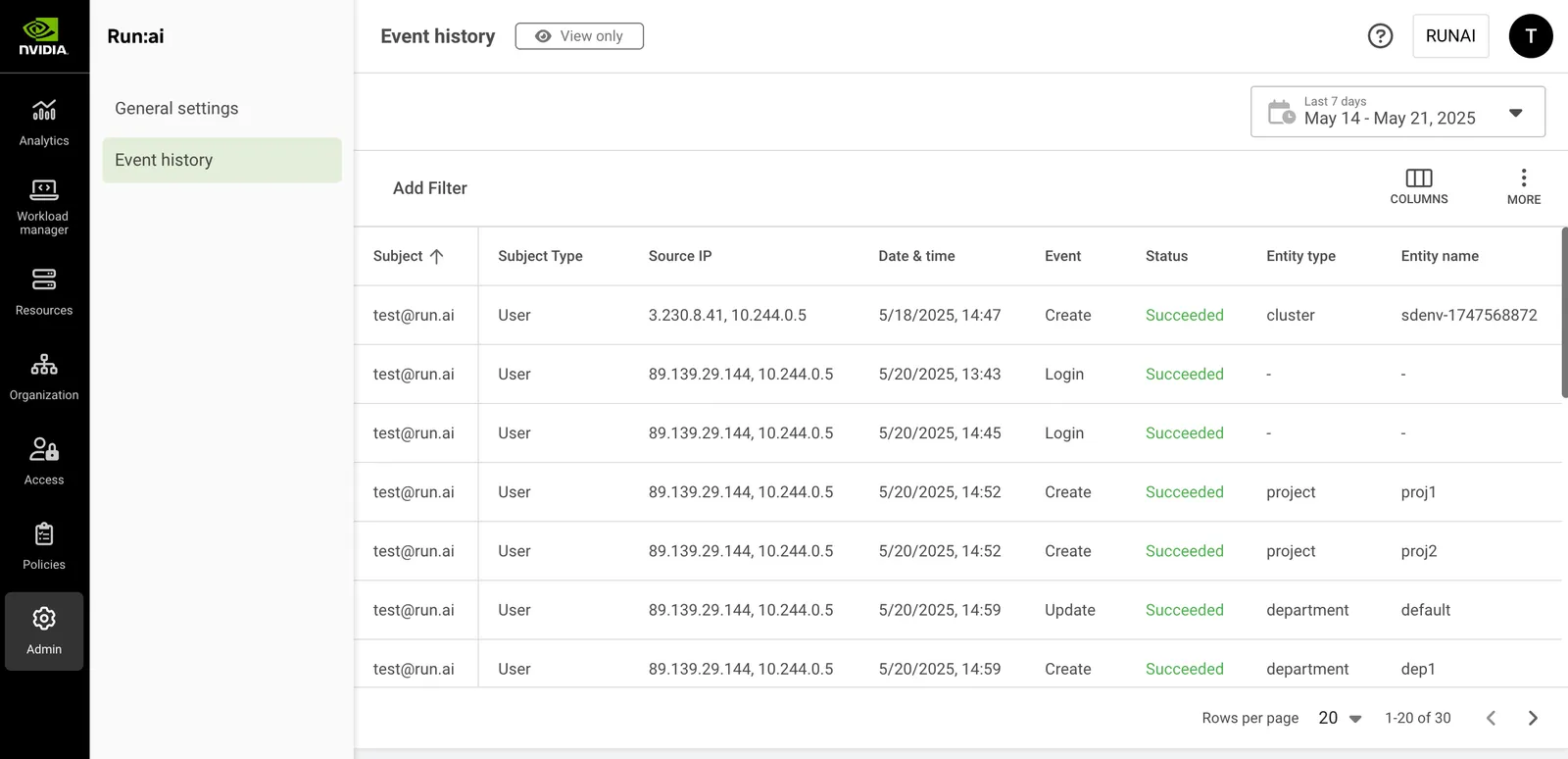
The Event history table consists of the following columns:
Customizing the Table View
- Filter - Click ADD FILTER, select the column to filter by, and enter the filter values
- Search - Click SEARCH and type the value to search by
- Sort - Click each column header to sort by
- Column selection - Click COLUMNS and select the columns to display in the table
- Download table - Click MORE and then Click Download as CSV or Download as JSON
Using the Event History Date Selector
The Event history table saves events for the last 90 days. However, the table itself presents up to the last 30 days of information due to the potentially very high number of operations that might be logged during this period.
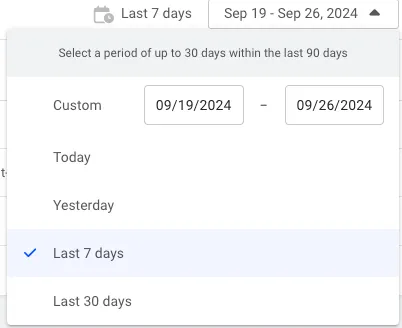
To view older events, or to refine your search for more specific results or fewer results, use the time selector and change the period you search for.
You can also refine your search by clicking and using ADD FILTER accordingly.
Using API
Go to the Audit log API reference to view the available actions.
Since the amount of data is not trivial, the API is based on paging. It retrieves a specified number of items for each API call. You can get more data by using subsequent calls.
Limitations
Submissions of workloads are not audited. As a result, the system does not track or log details of workload submissions, such as timestamps or user activity.