

Agents#
The Warehouse Blueprint incorporates an agentic AI system that provides natural language interaction capabilities for querying warehouse safety incidents, generating reports, and retrieving visual information from warehouse cameras.
The agent uses NVIDIA Nemotron Nano 9B v2 (nvidia/nvidia-nemotron-nano-9b-v2) for natural language understanding and query routing, and NVIDIA Cosmos Reason2 8B (nvidia/cosmos-reason2-8b) for video understanding and analyzing warehouse safety incidents.
For detailed information on all components, APIs, and customization options, refer to the VSS Agents.
Agent Architecture#
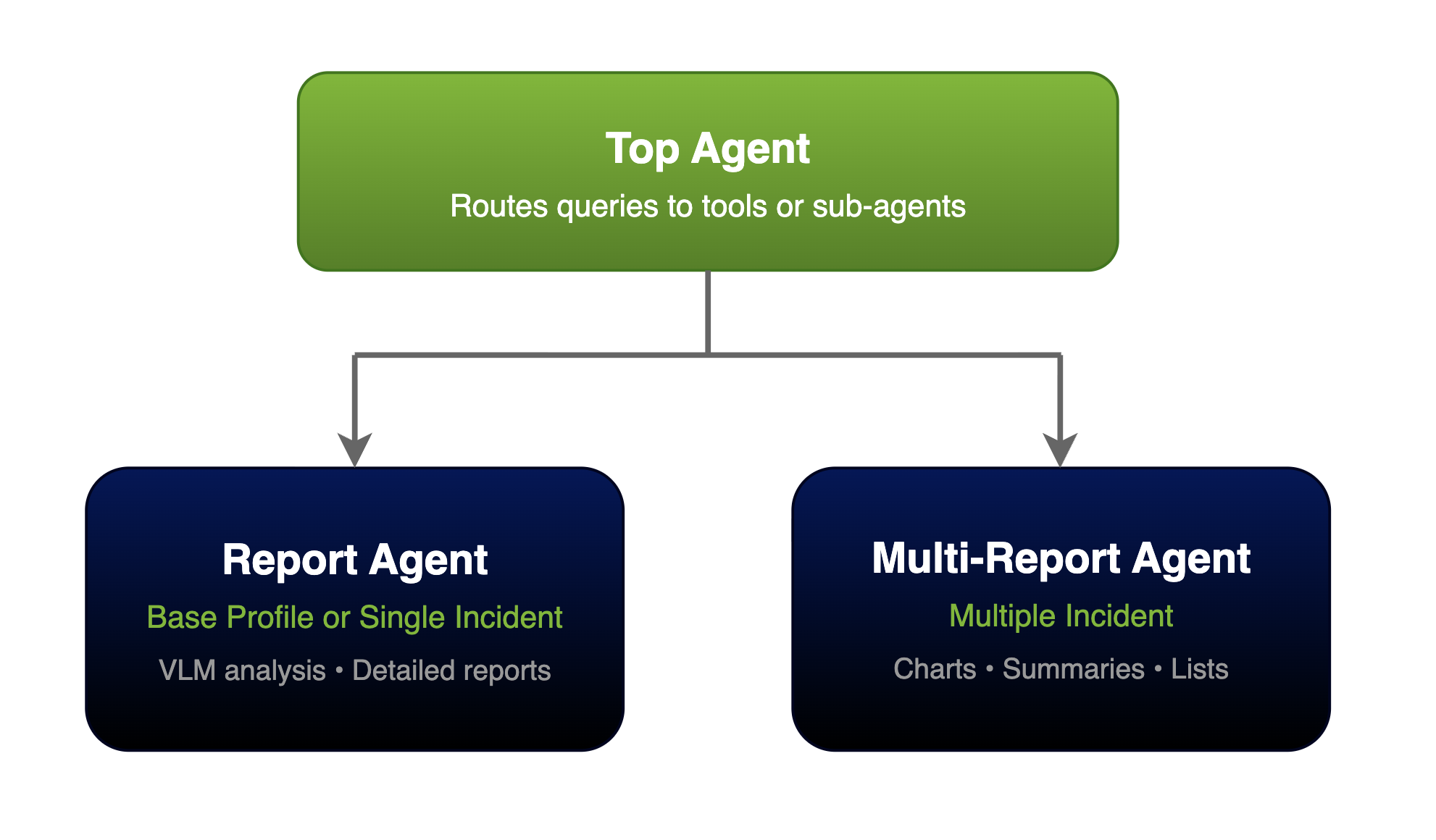
The agent system uses a two-tier hierarchy:
Top Agent: LLM-powered routing agent that interprets queries, decides which tools or sub-agents to invoke, maintains conversation context, and streams reasoning traces.
Sub-Agents: Specialized agents for different types of reporting tasks:
Report Agent: Handles detailed, comprehensive reports for single incidents. Retrieves incident data, performs video analysis using VLMs, and generates structured markdown reports with incident details, location information, people and vehicles involved.
Multi-Report Agent: Handles listing and summarizing multiple incidents. Supports filtering by time range, sensor, and incident count. Provides incident summaries with optional chart generation for visualizing incident trends.
For detailed agent architecture information, see Agent Overview
Tools#
Video Analytics Tools
Tool |
Description |
|---|---|
|
Retrieves multiple incidents from Video Analytics service |
|
Retrieves a specific incident by ID |
|
Gets field-of-view occupancy histogram data |
|
Lists all available sensors/cameras |
Video Storage Tools
Tool |
Description |
|---|---|
|
Retrieves video URLs for incident playback |
|
Gets list of sensors from Video Storage service |
|
Gets video storage URLs |
|
Gets replay picture URLs |
|
Gets live picture URLs |
Report Generation Tools
Tool |
Description |
|---|---|
|
Uses VLM to analyze video frames and extract incident information |
|
Generates structured incident reports using templates and VLM |
|
Creates visualization charts for reports |
|
Formats multiple incidents for summary reports |
|
Provides occupancy statistics with histogram visualizations |
Supported Queries#
Query Type |
Examples |
|---|---|
Sensor Discovery |
|
Snapshots |
|
Incident Listing |
|
Reports |
|
Occupancy Metrics |
|
Multi-Step |
|
The agent understands temporal expressions such as “last 10 minutes”, “yesterday”, and “past hour”.
Note
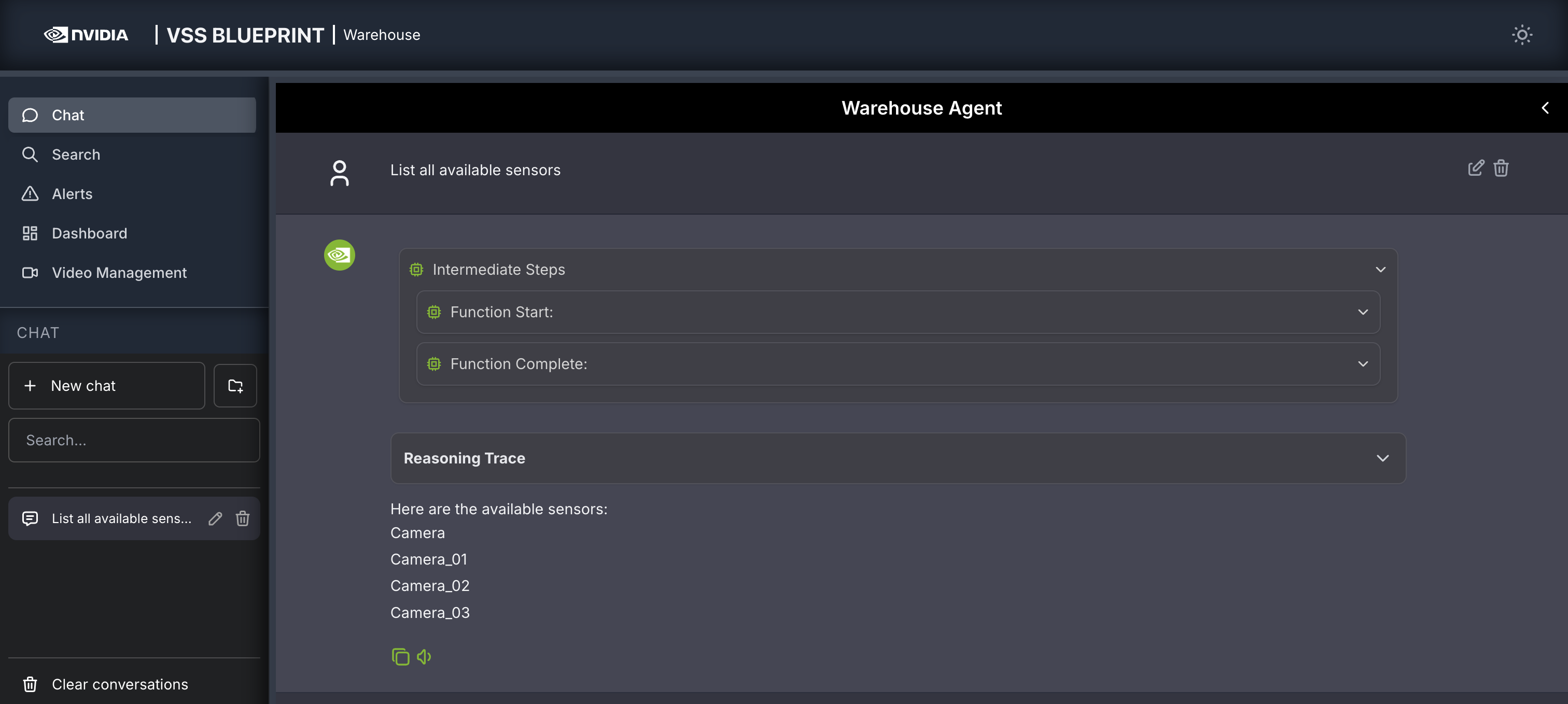
Camera_01 is an example. Ask List all available sensors to discover your sensor names.
Example: Sensor Discovery
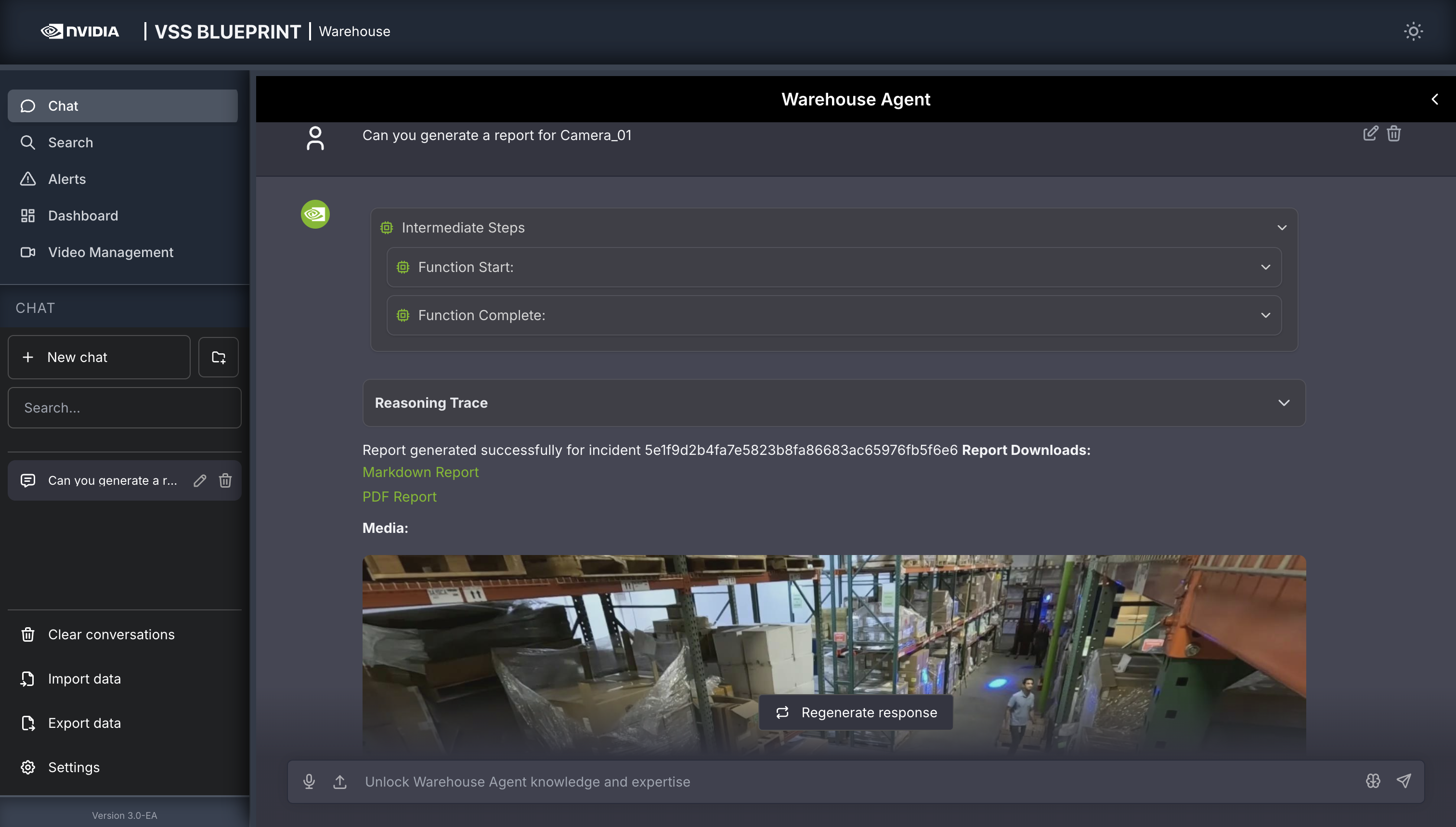
Example: Incident Report with Chart
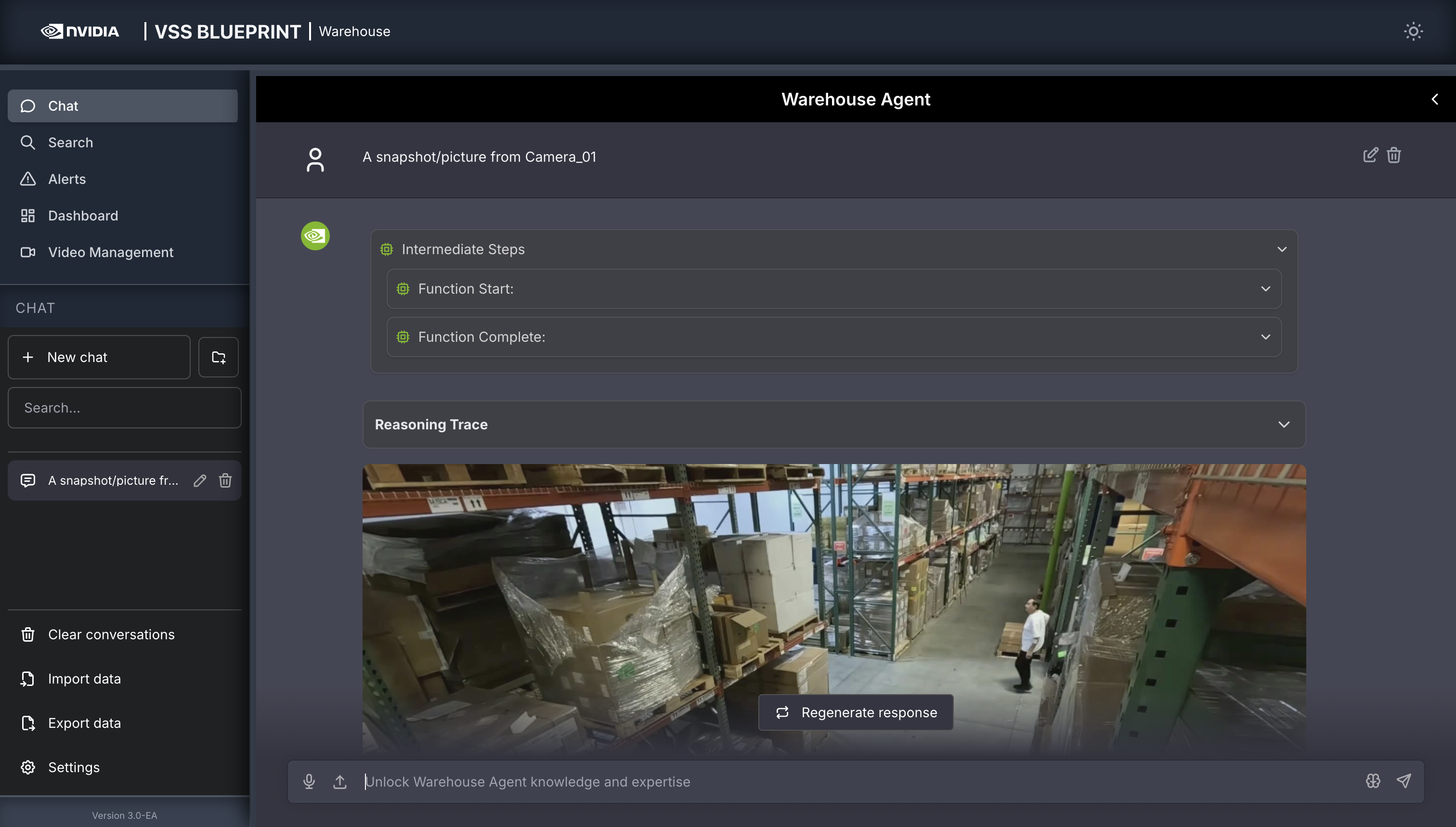
Example: Camera Snapshot
Warehouse Agent Configuration#
Configuration File Location
The warehouse agent configuration file is located at deployments/warehouse/vss-agent/configs/config.yml. For detailed configuration options and YAML structure, see Agent Configuration.
Models Used
Model |
Type |
Purpose |
|---|---|---|
|
LLM |
Query routing, reasoning, report generation |
|
VLM |
Video understanding and analysis |
Key Warehouse-Specific Settings
The warehouse profile configures the following key components:
Routing prompt: Optimized for warehouse video surveillance incident reporting
VLM prompts: Tuned to analyze incidents, location conditions (lighting, floor, blockages), people (worker/driver/pedestrian), and vehicles (forklift/transporter)
Report template: Warehouse incident report format
For the complete configuration reference including all tools, agents, environment variables, and YAML examples, see Agent Configuration.
For information about other available profiles (Smart Cities, Public Safety, Developer), see Agent Profiles.
Customization#
The agent configuration is designed to be flexible and extensible. Key customization areas for the warehouse deployment include:
Prompt Customization: Modify
workflow.promptto adjust routing logic for warehouse-specific query patternsVLM Prompt Engineering: Tune
vlm_promptsintemplate_report_genfor different warehouse scenariosReport Templates: Create custom markdown templates in the templates directory for warehouse-specific report formats
For comprehensive customization guidance including adding custom functions and MCP servers, see Agent Customization.
Agent Evaluation#
The VSS Agent includes a comprehensive evaluation framework for assessing agent performance across different dimensions including report quality, question-answering accuracy, and trajectory quality.
For detailed information on configuring evaluators, creating evaluation datasets, and interpreting results, see Agent Evaluation.
Observability#
Warehouse agents support distributed tracing via Phoenix through NeMo Agent Toolkit (NAT) telemetry export.
To enable Phoenix telemetry, configure telemetry in the agent configuration file (see Agent Configuration) and set PHOENIX_ENDPOINT in your environment.
Once telemetry is enabled and your agent is running, access the Phoenix UI at http://<HOST_IP>:6006 (projects view is typically under /projects).
For a walkthrough of the Phoenix UI (projects view, traces list, and sample trace anatomy), see Observability.
Additional references:
Known Limitations#
For information on warehouse blueprint known limitations, please refer to the Known Limitations section.
For information on general VSS Agent known issues, please refer to the VSS Agent Known Issues section.