
Introduction to the NVIDIA Smart City AI Blueprint#
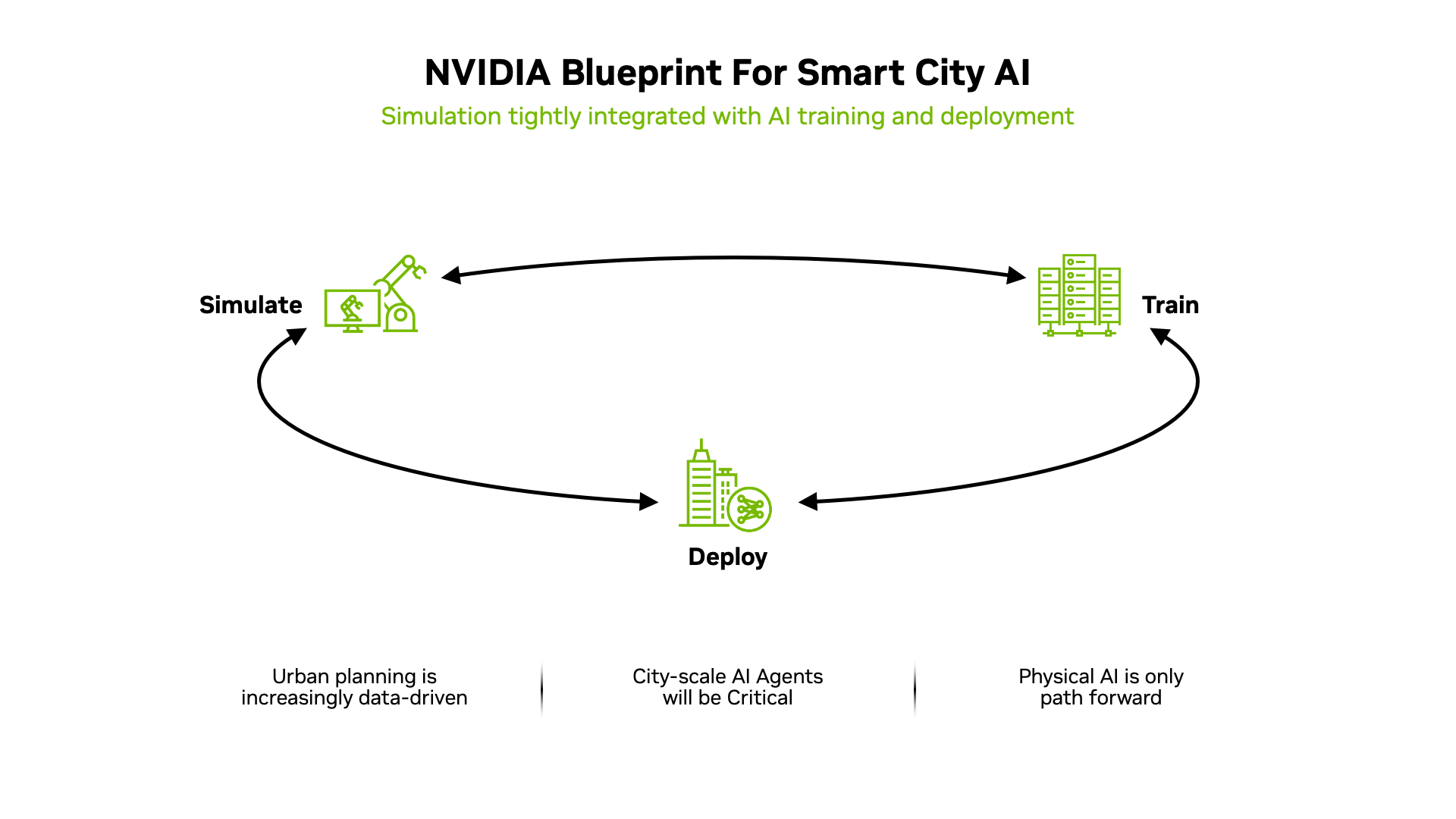
The NVIDIA Smart City AI Blueprint provides a set of reference workflows tailored for key verticals. These workflows help developers quickly build and deploy real-world applications by extending the core Video Search and Summarization (VSS) capabilities with a three-computer solution architecture. The end-to-end approach covers simulation, model training, and deployment for smart-city use cases.
The blueprint consists of three high-level stages:
Simulate - create synthetic data using open-source simulators and upscale the data through NVIDIA pipelines.
Train - follow recipes and instructions for training real-time computer-vision models and Cosmos3 Nano Reasoner.
Deploy - configure VSS, take advantage of unique smart-city features and use reference examples to build your own solution.
Simulate#
To tackle rare corner cases that may not appear in existing datasets, the blueprint makes use of the open-source CARLA simulator to generate bespoke scenarios, which are then augmented with NVIDIA Cosmos-Transfer 2.5 to bridge the sim-to-real gap thereby generating high-fidelity, photorealistic videos along with ground truth for model fine tuning.
Map Creation#
NVIDIA provides the simulation tooling, but creating detailed maps for specific cities and locations is handled by NVIDIA Metropolis partners. Developers should refer to partner documentation on generating CARLA-compliant maps using tools from providers such as AVES Reality.
Creating Scenarios#
Within CARLA there are several options for creating traffic scenarios:
Programmatic creation - use CARLA APIs to program scenarios directly.
Third-party tools - leverage software such as MathWorks RoadRunner.
Partner ecosystem - purchase pre-built scenarios from partners like Inverted AI.
Refer to the Simulation and Synthetic Data Generation Section section for details of the end to end workflow for scenario generation and augmentation.
Train#
The training workflow uses publicly available content hosted on GitHub and TAO Jupyter notebooks. Future releases will extend these training resources. In addition, the open-source Cosmos Curator tool can be used to chunk data and remove duplicates when working with real datasets.
Deploy#
The blueprint includes reference examples to accelerate development by combining specialized smart-city features with the core capabilities of VSS. The table below summarizes the key components delivered as part of the deploy computer.
Item
Purpose
City map (2D)
Map cameras and visualize streams and anomalies
Camera calibration
Tools for manual and digital-twin calibration
Dashboard
Visualize traffic and incident metadata
Details#
City map (2D) - A reference map allows users to place all city cameras, view live streams and see anomalies detected by the pipeline.
Camera calibration - Two options are available: a manual calibration tool and a preview of camera calibration against a digital twin.
Dashboard - Metadata generated by camera streams is aggregated to provide insights such as average traffic speed per segment and summaries of incidents.
In addition to these smart-city features, the deploy computer also includes all of the standard VSS capabilities.
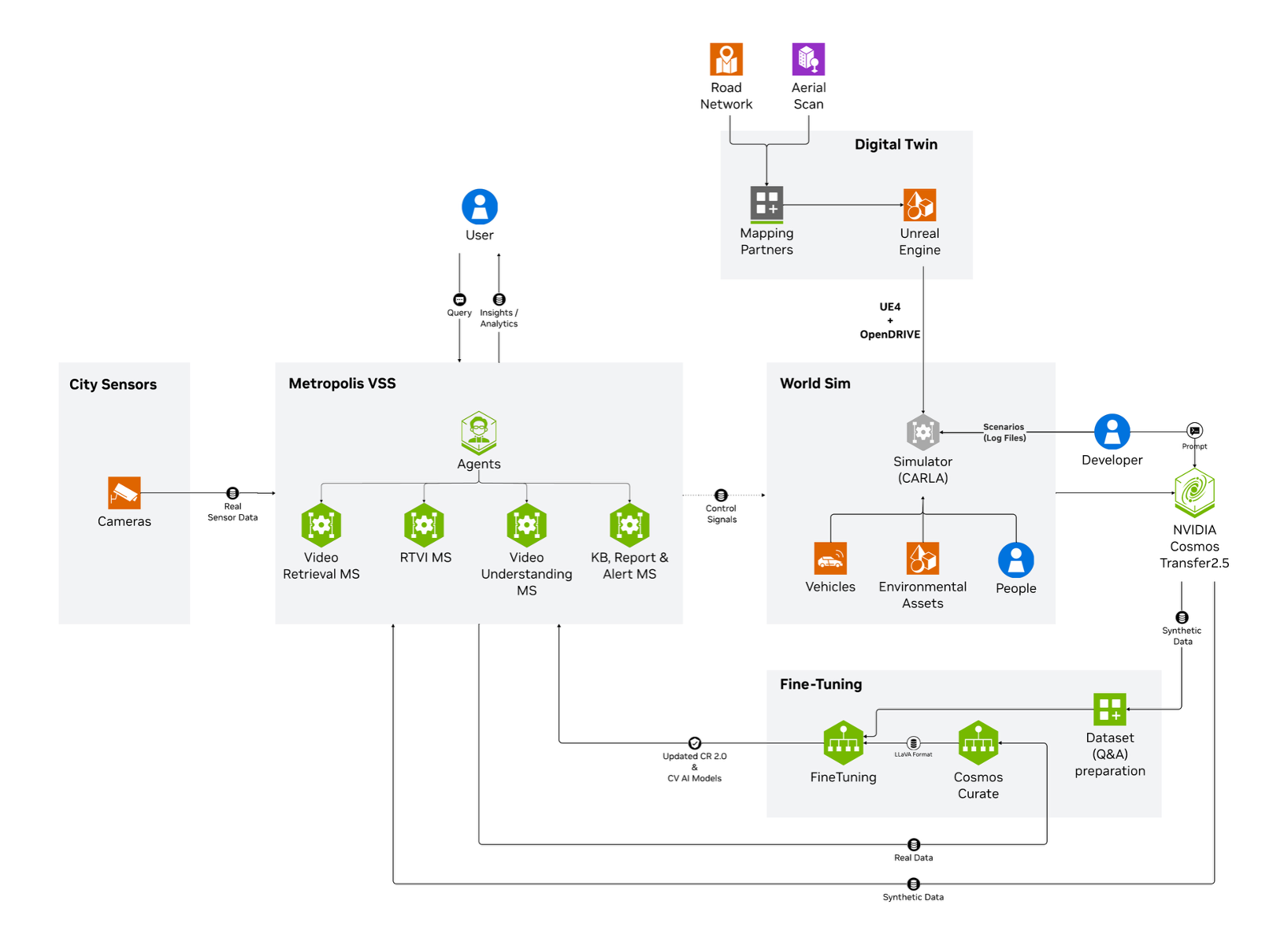
NVIDIA Smart City AI Blueprint Diagram#
The following diagram expands the three-computer approach and highlights the key functionality delivered by each computer in the blueprint: