

Intro to Mobility Model
Overview
The AODT mobility model generates time-indexed positions, orientations, and speeds for user equipment (UEs) and scatterers. It runs before EM simulation and feeds the EM engine with actor state at each time step.
Rapidly-Exploring Random Trees
A rapidly-exploring random tree (RRT) is a sampling-based motion planning algorithm that searches free space for a feasible route between waypoints. AODT uses RRT for outdoor 2D, outdoor 3D, indoor, and GPX timed mobility.
RRT runs between waypoint pairs. If the direct segment is clear, the straight path is kept. If it would collide with terrain or buildings, RRT samples candidate points inside the spawn zone or a local area and grows an alternate route through collision-free space. Once found, unnecessary intermediate points are removed.
RRT finds feasible rather than shortest-path routes, so paths may bend around obstacles. The advantage is that RRT scales well to large scenes, naturally supports both 2D and 3D mobility, and AODT’s implementation is GPU-accelerated through NVIDIA Warp for fast collision checking.
Actors
The mobility model works with two actor types:
- Users (UEs): Communication endpoints whose channel responses are evaluated by the EM engine. UEs can be generated procedurally, placed with manual waypoints, or driven by GPX (GPS Exchange Format) traces.
- Scatterers: Moving objects that affect RF propagation but are not communication endpoints. Scatterers come from SUMO (Simulation of Urban MObility) vehicle trajectories and are used for dynamic scattering.
Definition Modes
Actors can enter the mobility model in three ways:
- Procedural mobility: AODT generates actor paths from the mobility type, spawn zone, speed range, duration, and batch settings.
- Manual mobility: The user provides waypoints that anchor the actor path.
- Trace-driven mobility: A recorded or generated trace provides the route. GPX uses recorded geographic traces. SUMO uses road-network trajectories.
General Behavior
- Procedural mobility can vary by batch because each batch is a separate scenario realization.
- Manual waypoint paths repeat across batches. GPX trace-driven paths also repeat across batches after the GPX path is generated.
- Manual waypoints are route anchors, not a guarantee of straight-line motion. Rapidly-exploring random tree pathfinding may bend the route around obstacles, and AODT may extend the route if the manual path is shorter than the requested duration.
- Manual routes are outdoor-only and can be either 2D or 3D. Indoor mobility is procedural only.
- SUMO mobility is trace-driven by a traffic simulation. It runs separately per batch and keeps actors that produce valid samples across the requested batches.
Supported Mobility Types
AODT supports outdoor 2D, outdoor 3D, indoor, GPX, and urban mobility.
Outdoor 2D Mobility
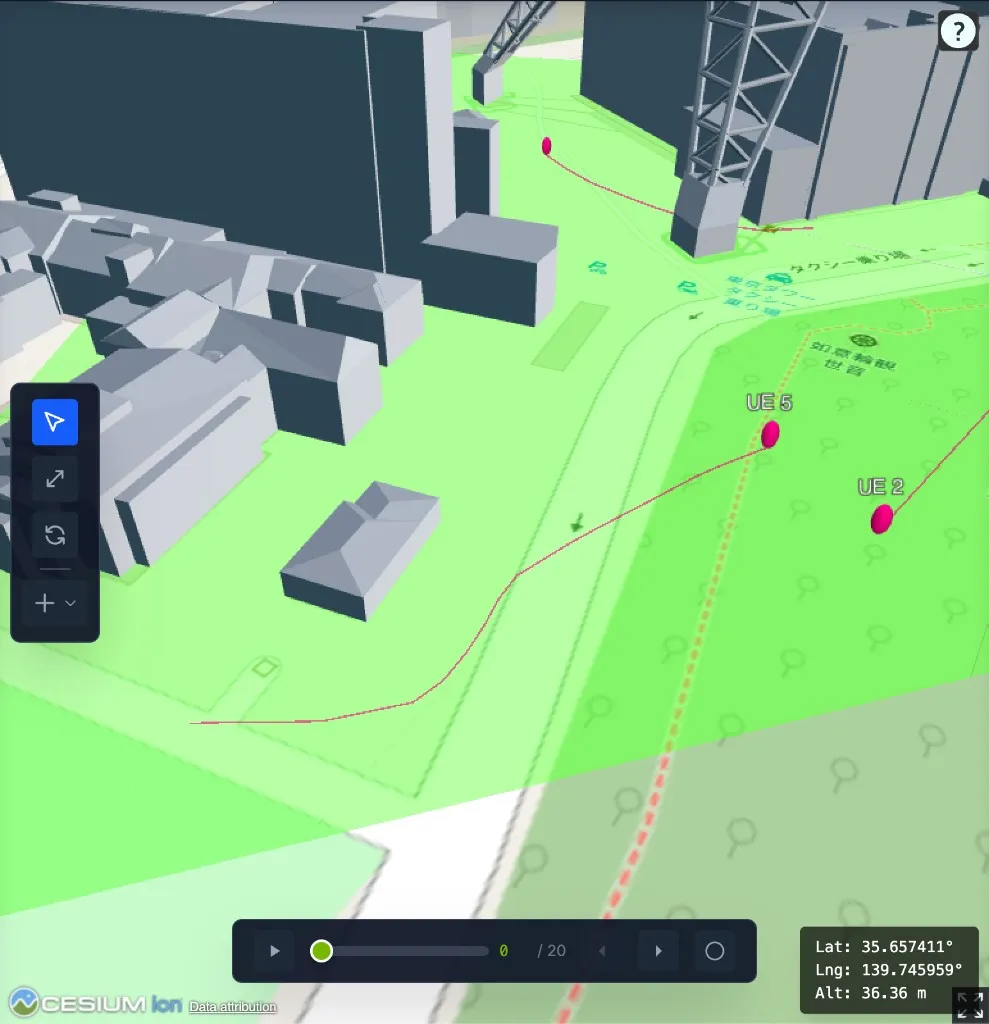
Outdoor 2D mobility is for UEs that move on the terrain surface.
- Definition modes: Procedural UEs and manual UEs.
- Coordinate behavior: Positions are projected to the terrain.
- Path behavior: Generated paths avoid buildings when a valid route exists.
- Typical scenario: Outdoor users walking or driving through terrain-reachable space.
Procedural UEs use outdoor clear points sampled inside the spawn zone. Manual UEs use user-provided waypoints as route anchors. The RRT2 engine connects waypoints with collision-free paths by projecting candidate points to terrain and checking them against building geometry. If the simulation duration requires more movement than the manual route provides, the engine extends the route with additional waypoints near the manual path.
Outdoor 3D Mobility
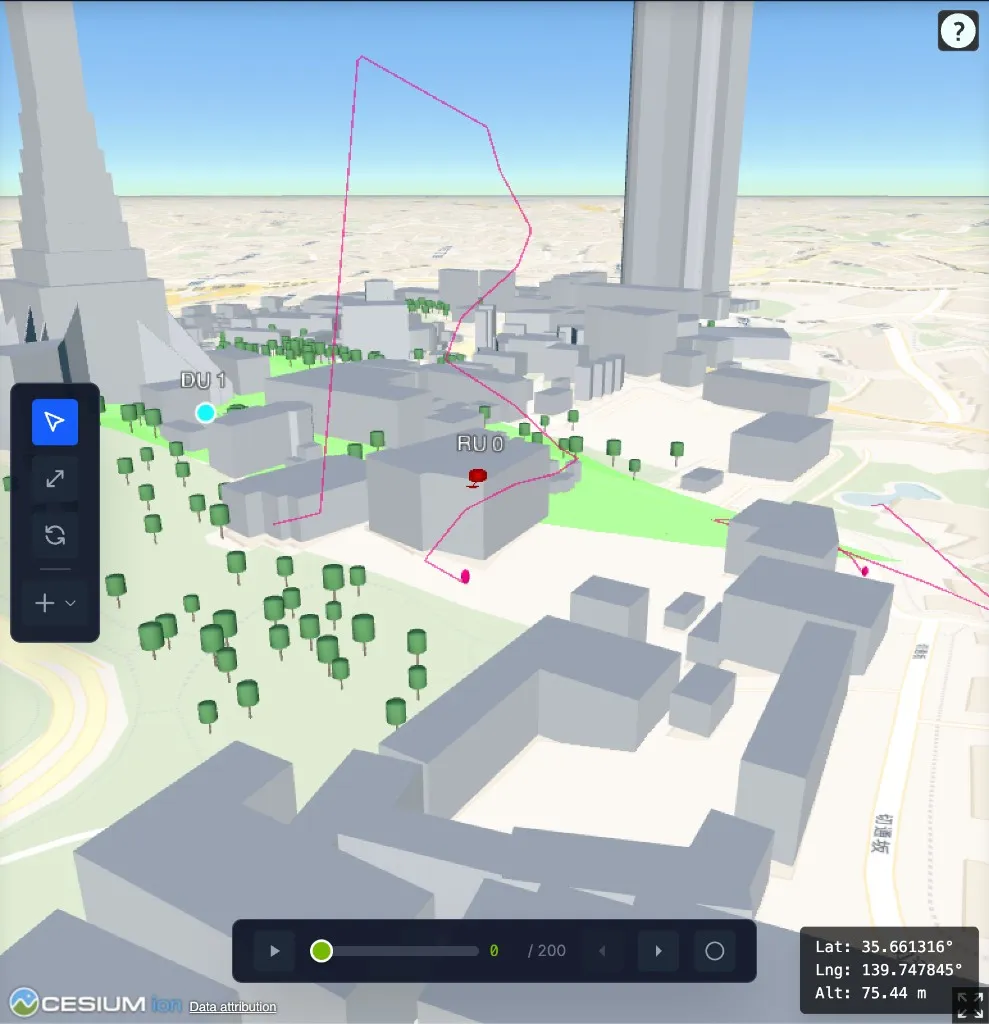
Outdoor 3D mobility is for manual UEs that move with explicit height above the terrain.
- Definition modes: Manual UEs.
- Coordinate behavior: Waypoint altitude is height above the terrain.
- Path behavior: Routes are validated in 3D free space, not projected to terrain.
- Typical scenario: Aerial, elevated, or otherwise non-terrain-following users.
The RRT3 engine searches using waypoint altitudes directly, checking free space in three dimensions. Height above terrain is part of the path definition, so waypoint height and obstacle clearance matter. A route can fail if points are too close to terrain, building geometry, or other blocked space.
Indoor Mobility
Indoor mobility is procedural 2D mobility inside buildings. It uses the same RRT2 engine as outdoor 2D, but candidate points are sampled from building spaces instead of outdoor terrain.
- Definition modes: Procedural UEs.
- Coordinate behavior: Candidate points are sampled inside building spaces.
- Path behavior: Indoor and outdoor movement are handled as separate cases.
- Typical scenario: Users moving within a building footprint.
Indoor mobility does not currently model a single route that transitions between indoor and outdoor spaces.
GPX Mobility
GPX mobility uses recorded geographic traces to place or move UEs. AODT reads latitude and longitude from the GPX file, converts them through the scene’s coordinate reference system, and projects positions onto terrain.
GPX files can also provide timestamps. When timestamps are available, AODT uses them to compute speeds. If timestamps are missing, the GPX engine falls back to the configured mobility speed range.
Timed Mobility (use_pathfinding=True)
Timed mobility replays a GPX trace as one moving UE.
- Definition modes: One trace-driven UE per GPX request.
- Path behavior: GPX points become anchor waypoints, and RRT connects them with scene-valid paths.
- Timing behavior: Recorded timestamps guide the speed between anchor points when valid timestamps are available.
- Typical scenario: Replaying one drive, walk, or measurement route over time.
If RRT creates a longer route than the original straight-line GPX segments, AODT adjusts speeds so the route follows the recorded timing as closely as possible. If the adapted path ends before the requested simulation duration, AODT attempts to extend the route procedurally from the final GPX point.
Static Mobility (use_pathfinding=False)
Static mobility uses a GPX trace as a source of positions for one or more UEs.
- Definition modes: One or more trace-driven UEs per GPX request.
- Path behavior: Pathfinding is disabled. RRT does not run, and the engine does not add detours.
- Trajectory behavior: Consecutive projected GPX points form straight segments between the provided waypoints.
- Timing behavior: Projected GPX positions and timestamps are used directly.
- Typical scenario: Measurement locations or trace points that should be split across multiple UEs.
When several UEs are requested, the engine splits the trace into adjacent segments and shares boundary points between neighboring segments. If a point intersects building geometry, AODT warns about it rather than rerouting or dropping the point.
Urban Mobility
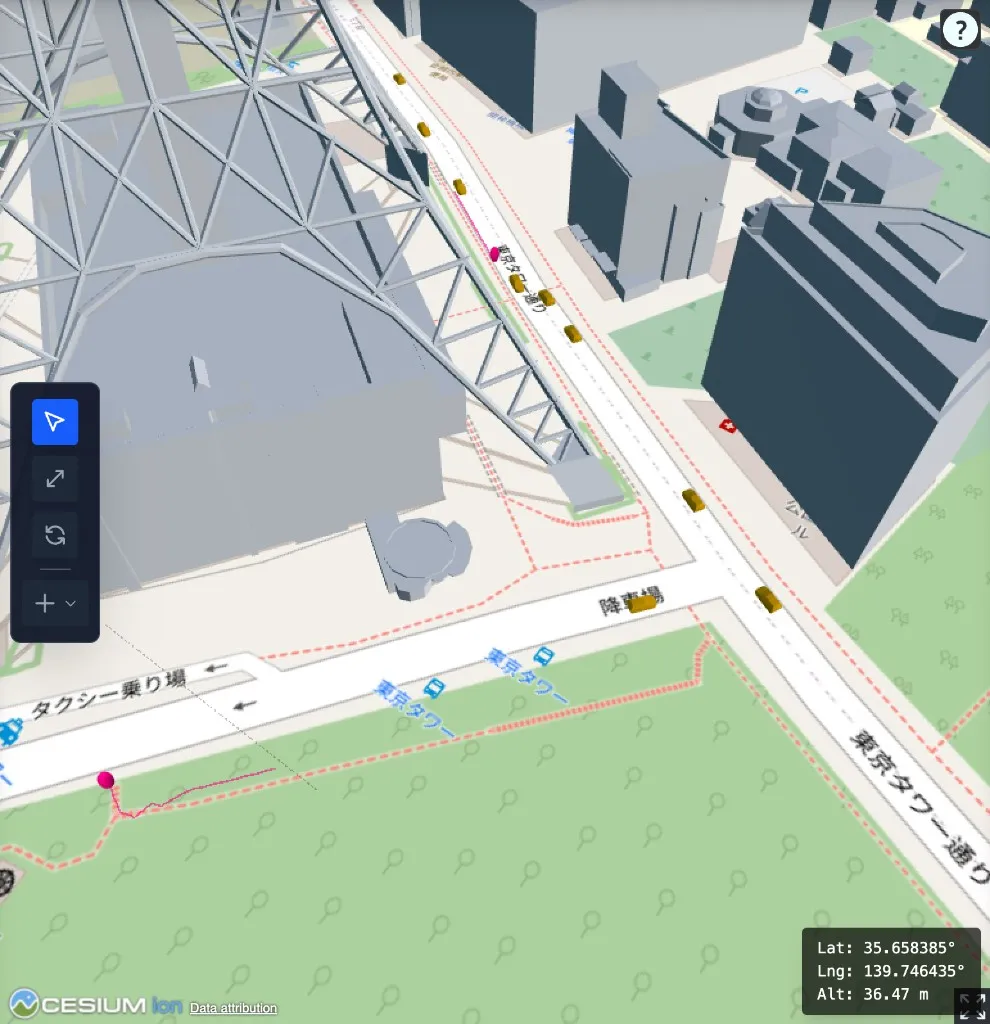
Urban mobility uses SUMO for road-network movement. SUMO is an open-source traffic simulator for vehicles, pedestrians, routes, and road networks. AODT uses it when actors should follow roads and pedestrian paths instead of free-space pathfinding.
- Definition modes: SUMO pedestrians become procedural UEs. SUMO vehicles become dynamic scatterers.
- Engine: SUMO engine.
- Coordinate behavior: AODT converts the configured scene area to a geographic bounding box, builds or reuses a road network for that area, and converts SUMO trajectories back into scene coordinates.
- Road network behavior: The imported OpenStreetMap (OSM) road network may include road elements outside the spawn zone. Vehicles and pedestrians can appear outside the spawn zone when SUMO uses those roads for routing.
- Batch behavior: Each batch runs a separate SUMO simulation with a different seed.
- Typical scenario: Urban scenarios where movement should follow roads, sidewalks, and traffic behavior.
After SUMO produces trajectories, AODT aligns positions to terrain, removes stationary segments, and skips actors whose sampled route intersects buildings. Vehicles also carry rotation data so their orientation can follow road heading and terrain slope during playback. Keeping nearby roads in the network can make SUMO routes smoother and more realistic than clipping the road network exactly to the spawn zone.
Sampling
Sampling converts actor paths into time-indexed mobility samples. Mobility data starts as waypoints (where to go, how fast, whether to pause) and ends as samples (position, orientation, speed, and timestamp at each time index).
Mobility Timeline
The mobility model consumes the configured simulation timing in two ways:
- Duration and interval: The model samples from time zero through the configured duration at the configured interval.
- Slot-symbol mode: The model creates
slots_per_batch * samples_per_slotsamples, spaced by the configured interval.
Both modes produce the same kind of mobility output: actor state at each simulation time index.
Movement Between Waypoints
The sampler computes travel time from segment distance and waypoint speed. Stops add wait time at a waypoint before the actor continues to the next segment. Positions between waypoints are interpolated onto the requested timeline.
A zero-speed waypoint acts as a stopping point. After the actor reaches it, remaining samples stay at the final position with zero speed.
Orientation And Speed
The sampler derives heading from the sampled position sequence and applies any configured azimuth offset. Samples also carry speed and mechanical tilt so the EM engine receives the actor state it needs at each time index.
SUMO vehicle trajectories add rotation data after terrain alignment, so vehicle scatterers can follow both road heading and terrain slope.
Batches
A simulation can run multiple batches. Each batch is an independent realization of the same scenario.
Procedural mobility can vary by batch. Manual UE paths repeat across batches. GPX users are padded across batches from the generated GPX samples. SUMO runs per batch and keeps actors that produce valid samples for every batch.
Spawn Zones
A spawn zone defines the area where procedural mobility can place actors and where pathfinding can sample candidate points. It has a polygon footprint and vertical bounds.
Footprint
Spawn zone points should form a convex polygon. When points describe a concave outline, the mobility model uses their convex hull instead of preserving the concave shape.
The viewer displays spawn zones as convex hulls.
Vertical Bounds
The spawn zone also carries vertical bounds for sampling. Outdoor 2D paths are projected to terrain after candidate points are sampled. Indoor and 3D pathfinding use the vertical range when checking candidate points and route clearance.
Where Spawn Zones Apply
Outdoor and indoor procedural mobility use the spawn zone to choose candidate points. RRT also uses spawn zones when searching for alternate paths around obstacles. Manual and GPX pathfinding can create local search areas around their waypoints, while the global spawn zone remains the main bound for procedural generation.
Urban mobility uses the configured scene area to derive the geographic region for road-network generation.
Output
The mobility model produces time-indexed actor state for the EM solver:
- UE positions, orientations, speeds, and per-user antenna settings.
- Scatterer positions, orientations, and velocities for dynamic scattering.
- Batch-aware samples so each time index has the correct actor state.
See Mobility limitations for current constraints, and Configuring Sim YAML for configuration fields.