

Configuring Sim YAML in the UI
The viewer includes a built-in YAML editor for loading and modifying simulation configuration. Entity edits made on the map sync back into the YAML automatically, and the updated file can be downloaded for use with the AODT Client.
Opening the Editor
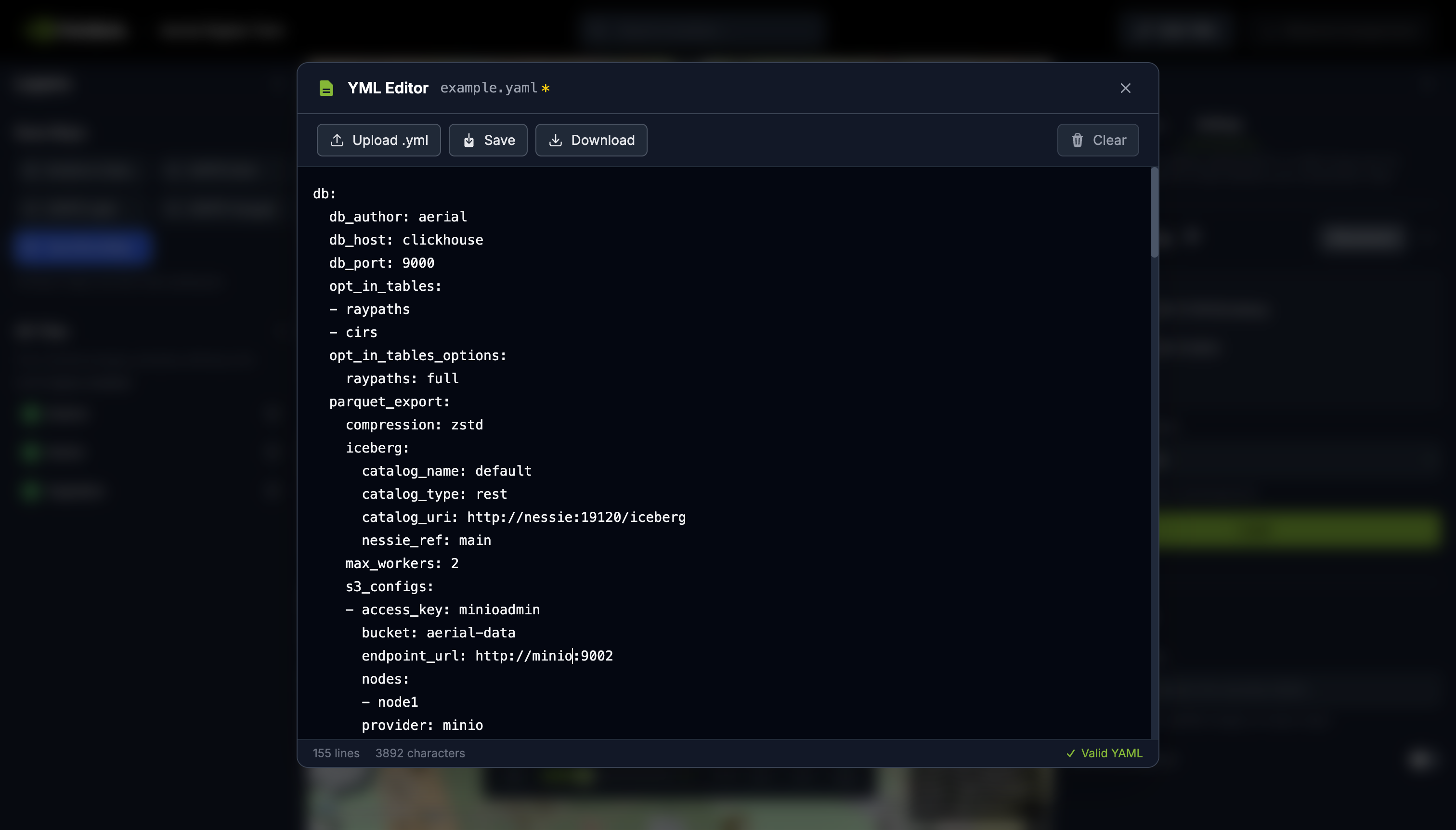
Click Upload YML in the top header to open the editor for the first time. After a file is loaded, the button changes to Edit YML. The editor opens as a full-screen modal with a monospace text area.
You can load YAML by:
- Clicking Upload and selecting a
.ymlor.yamlfile. - Dragging and dropping a file onto the editor.
- Pasting YAML content directly into the text area.
The editor validates YAML syntax as you type. A status bar at the bottom shows line count, character count, and whether the content is valid YAML. Syntax errors appear in red with the error message.
Applying Configuration
When the editor closes, the viewer applies the YAML to the current session. The
db section populates Settings, gis.scene.scene_url loads 3D Tiles and
terrain, and the sim section creates all entities on the map.
If the YAML includes projected coordinates (local x/y/z in meters), the viewer fetches scene metadata from S3 to determine the coordinate reference system before converting positions to geographic coordinates.
Saving and Downloading
The YAML is stored in the browser’s localStorage. It persists across page
reloads but is local to the browser and machine.
Bidirectional Sync
Entity edits made through the viewer tools (move, rotate, create, delete, or
property changes in the sidebar) write back into the stored YAML automatically.
For example, placing an RU updates sim.RUs.add, changing a property updates
the corresponding sim.RUs.update entry, and deleting a UE removes it from
sim.UEs.add.
The db section is preserved verbatim from the original YAML. Keys not mapped
to the UI are kept as-is through round trips. Open the editor at any time to
see the current state of the YAML.
Sync Limitations
- Scatterers loaded from a database are not written back to YAML.
- Only manually created UEs are serialized. Procedural UEs from the simulation are not included.
- Spawn zone altitude is read on import but not written back on export.
Related Pages
- See UI for the full viewer layout and workflows.
- See Configuring Sim YAML for the programmatic YAML workflow, field reference, and Config Builder.