

Model Kinds#
In this lesson, we’ll explore the concept of kinds in OpenUSD.
What Are Model Kinds?#
Model kinds are prim‑level metadata that classify a prim’s role in the model hierarchy. They are tokens from the Kind registry that tools use to create a standardized, queryable structure, independent of the prim’s schema type. Kind is not another prim type (like UsdGeomScope or UsdGeomXform); it is metadata that other tools and pipelines can rely on. With kinds authored, you can target only models using UsdPrim helpers like IsModel, IsGroup, IsComponent, and IsSubComponent, and you can traverse models with predicates such as UsdPrimIsModel. As a rule of thumb, groups and assemblies organize models, components are leaf models, and subcomponents mark important interior nodes.
Understanding kinds enables the creation of modular, reusable assets, and employing them effectively can have a significant impact on how well we can manage complex 3D scenes.
How Does It Work?#
Kinds are a set of predefined categories that define the role and behavior of different prims within the scene hierarchy. These kinds include group, assembly, component, and subcomponent.
Group, assembly, component all inherit from the base kind “model”, which is why we refer to these as model kinds. Subcomponent is the outlier. “Model” is an abstract kind and should not be assigned as any prim. This is what the inheritance structure looks like:
model
component
group
assembly
subcomponent
Kinds are extensible so you can add new taxonomies, but at the cost of content portability. Consumers need to know what your custom taxonomies mean and how to reason about them. Refer to the kind documentation for more information about extending kinds.
Component#
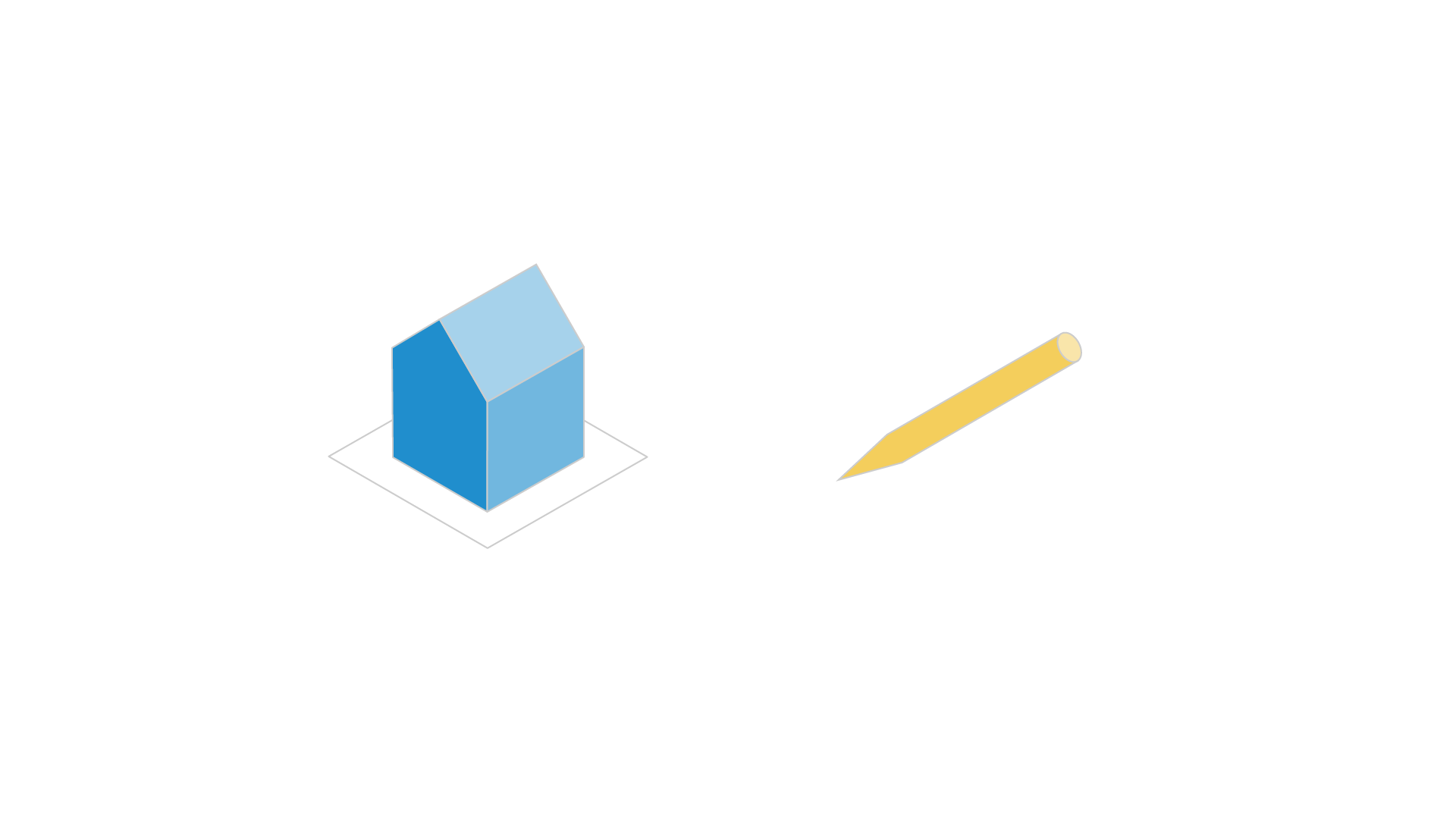
Let’s start with component. A component is a reusable, self-contained asset that is complete and referenceable. “Component” is a relatively familiar word, so it’s helpful to think of component models as a consumer-facing product like a pen or a house. While drastically different in scale, both would be logical component models in a hierarchy.
Subcomponent#
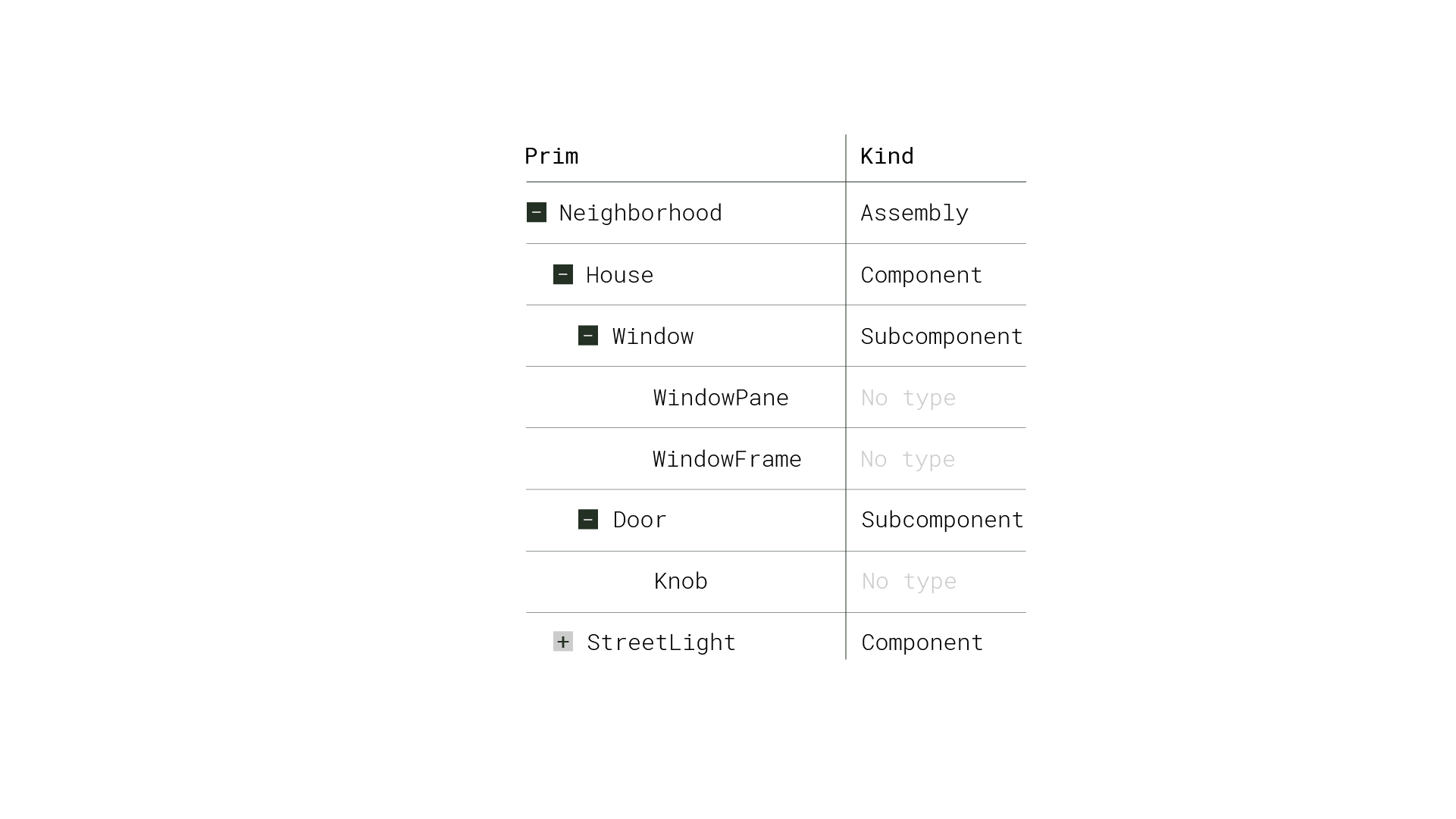
A component cannot contain other component models as descendants, which is why we have subcomponents. Subcomponents aren’t model kinds, but they are a way to identify that some prim within a component might be important.
Groups and Assemblies#
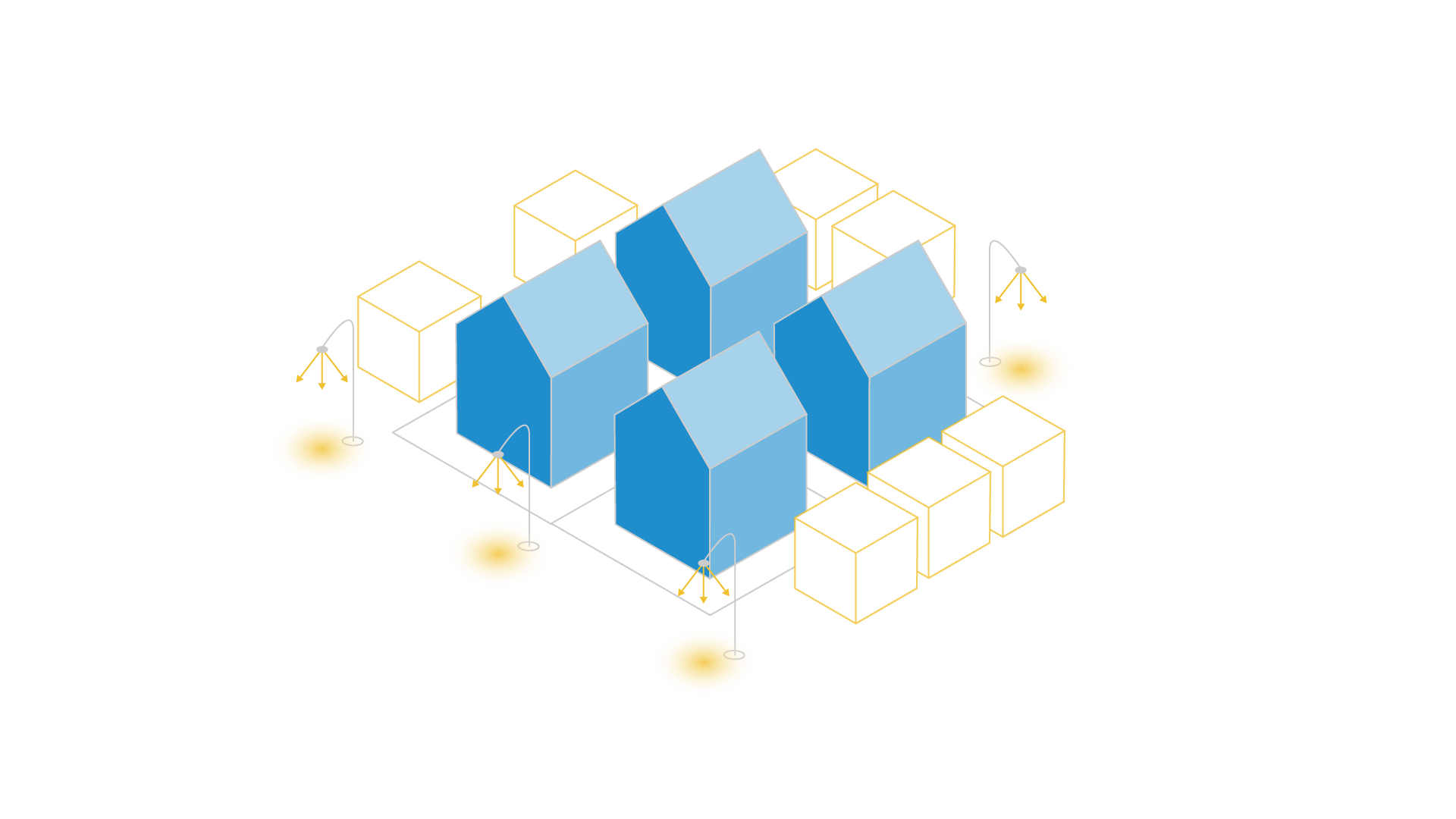
Zooming back out to the bigger picture, all parents of a component model must have their kind metadata set to “group” or “assembly”. A group is an organizational unit within a model, used to logically group related models together. Similarly, an assembly, which is a subkind of group, serves as a container for combining various parts or assets into a larger, more complex entity. In the example of the house as our component, the neighborhood or city might be assembly models. The assembly model may contain multiple group scopes, such as trees and street lights in the neighborhood.
Model Hierarchy#
Prims of the group, assembly, and component kind (and any custom kind inheriting from them) make up the model hierarchy. This hierarchy is designed so that we can better organize assets in our scene. It facilitates navigation, asset management, and high-level reasoning about the scene structure.
We can leverage model hierarchy to prune traversal in the scenegraph. For example, all ancestral prims of component models (when they’re correctly grouped) are part of the model hierarchy, while all descendants are not.
Working With Python#
There are a few ways you can interact with model kinds using Python.
 1
 2from pxr import Usd, Kind
 3
 4# Construct a Usd.ModelAPI on a prim
 5prim_model_api = Usd.ModelAPI(prim)
 6
 7# Return the kind of a prim
 8prim_model_api.GetKind()
 9
10# Set the kind of a prim to component
11prim_model_api.SetKind(Kind.Tokens.component)
12
13# Return "true" if the prim represents a model based on its kind metadata
14prim.IsModel()
Examples#
Tip
You can run these examples locally as Jupyter notebooks. See How to Run Notebooks Locally for setup instructions.
Example 1: Traversal with Model Kinds#
This example shows the practical benefit of Model Kinds. /World is marked as a group so children can qualify as models, /World/Component is classified as a component, and /World/Markers is left untagged. Model‑only traversal allow for edits only to the component while the markers remain untouched.
 1from pxr import Usd, UsdGeom, Kind, Gf
 2
 3# Create stage and model root
 4file_path = "_assets/model_kinds_component.usda"
 5stage = create_new_stage(file_path)
 6world_xform = UsdGeom.Xform.Define(stage, "/World")
 7stage.SetDefaultPrim(world_xform.GetPrim())
 8
 9# Make /World a group so children can be models
10Usd.ModelAPI(world_xform.GetPrim()).SetKind(Kind.Tokens.group)
11
12# Non-model branch: Markers (utility geometry, no kind)
13markers = UsdGeom.Scope.Define(stage, world_xform.GetPath().AppendChild("Markers"))
14
15points = {
16    "PointA": Gf.Vec3d(-3, 0, -3), "PointB": Gf.Vec3d(-3, 0, 3),
17    "PointC": Gf.Vec3d(3, 0, -3), "PointD": Gf.Vec3d(3, 0, 3)
18    }
19for name, pos in points.items():
20    cone = UsdGeom.Cone.Define(stage, markers.GetPath().AppendChild(name))
21    cone.CreateAxisAttr(UsdGeom.Tokens.y)
22    UsdGeom.XformCommonAPI(cone).SetTranslate(pos)
23    cone.CreateDisplayColorPrimvar().Set([Gf.Vec3f(1.0, 0.85, 0.2)])
24
25# Model branch: a Component we want to place as a unit
26component = UsdGeom.Xform.Define(stage, world_xform.GetPath().AppendChild("Component"))
27Usd.ModelAPI(component.GetPrim()).SetKind(Kind.Tokens.component)
28body = UsdGeom.Cube.Define(stage, component.GetPath().AppendChild("Body"))
29body.CreateDisplayColorPrimvar().Set([(0.25, 0.55, 0.85)])
30UsdGeom.XformCommonAPI(body).SetScale((3.0, 1.0, 3.0))
31
32# Model-only traversal: affect models, ignore markers
33for prim in Usd.PrimRange(stage.GetPseudoRoot(), predicate=Usd.PrimIsModel):
34    if prim.IsComponent():
35        xformable = UsdGeom.Xformable(prim)
36        if xformable:
37            UsdGeom.XformCommonAPI(xformable).SetTranslate((0.0, 2.0, 0.0))
38
39# Show which prims were considered models
40model_paths = [p.GetPath().pathString for p in Usd.PrimRange(stage.GetPseudoRoot(), predicate=Usd.PrimIsModel)]
41print("Model prims seen by traversal:", model_paths)
42
43stage.Save()
Model prims seen by traversal: ['/', '/World', '/World/Component']
Key Takeaways#
Model kinds in OpenUSD provide a structured way to organize and manage complex 3D scenes. By defining and adhering to these kinds, artists, designers, and developers can create modular, reusable assets that can be easily combined, referenced, and shared across different projects and workflows.