

Earth-2 Temporal Interpolation Model#
The temporal interpolation model is used to increase the temporal resolution of AI-based forecast models. These typically have a native temporal resolution of six hours; the interpolation allows this to be improved to one hour. With appropriate training data, even higher temporal resolutions might be achievable.
This PhysicsNeMo example shows how to train a ModAFNO-based temporal interpolation model with a custom dataset. This architecture uses an embedding network to determine parameters for a shift and scale operation that is used to modify the behavior of the AFNO network depending on a given conditioning variable. For temporal interpolation, the atmospheric states at both ends of the interpolation interval are passed as inputs along with some auxiliary data, such as orography, and the conditioning indicates which time step between the endpoints will be generated by the model. The interpolation is deterministic and trained with a latitude-weighted L2 loss. However, it can still be used to produce probabilistic forecasts, if used to interpolate results of probabilistic forecast models. More formally, the ModAFNO \(f_{\theta}\) is a conditional expected-value model that approximates:
\(0 \leq \Delta t \leq T\). In the pre-trained model, \(T = 6\) hours and \(\Delta t \in \{0, 1, 2, 3, 4, 5, 6\}\) hours.
For access to the pre-trained model, refer to the wrapper in Earth2Studio. A technical description of the model can be found in the paper “Modulated Adaptive Fourier Neural Operators for Temporal Interpolation of Weather Forecasts”.
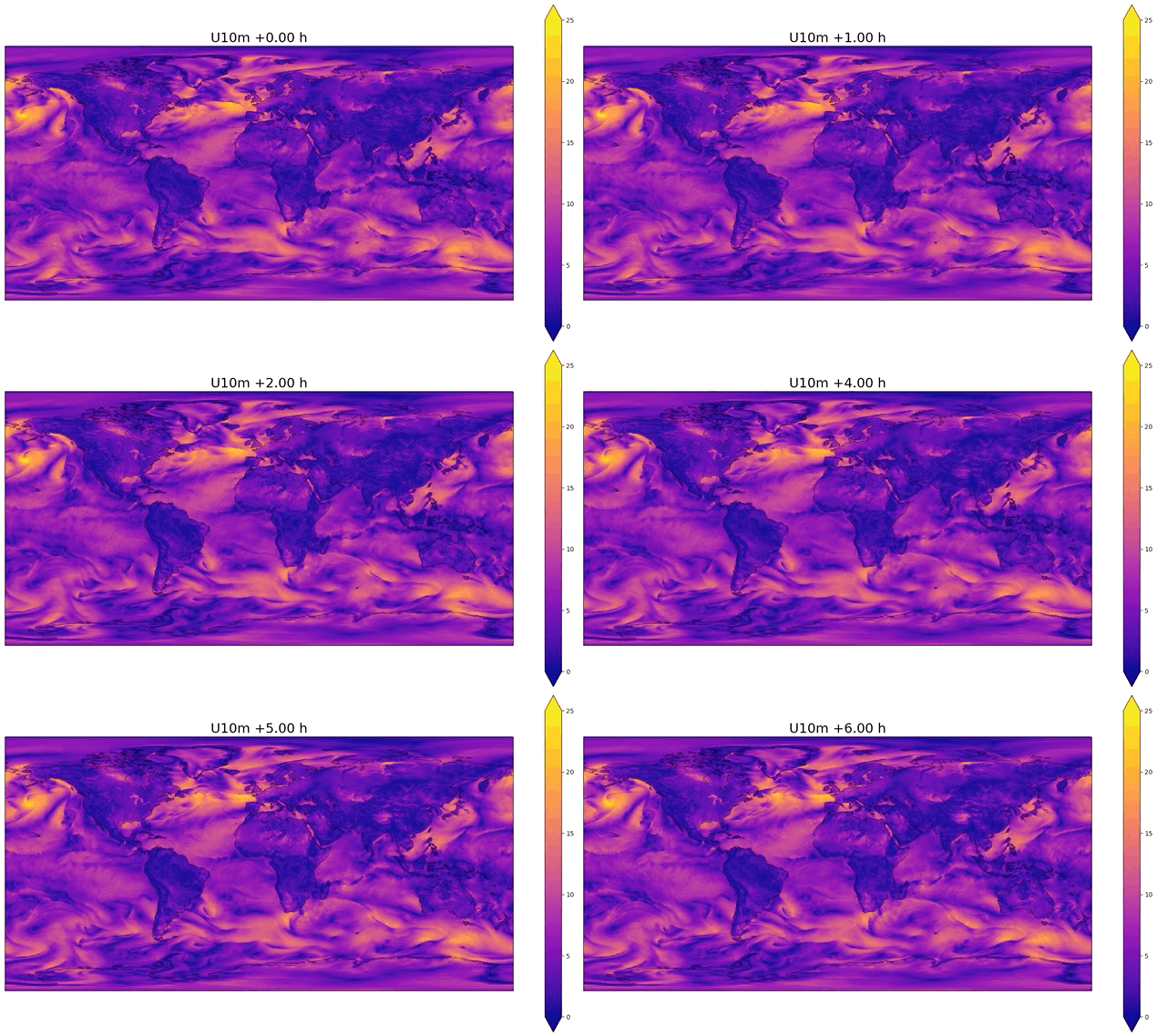
Fig. 50 Example of temporal interpolation of wind speed#
Requirements#
Environment#
You must have PhysicsNeMo installed on a GPU system. Training useful models, in practice, requires a multi-GPU system; for the original model, 64 H100 GPUs were used. Using the PhysicsNeMo container is recommended.
Install the additional packages (MLFlow) needed by this example:
pip install -r requirements.txt
Data#
To train a temporal interpolation model, ensure you have the following:
A dataset of yearly HDF5 files at one-hour resolution. For more details, refer to the section “Data Format and Structure” in the diagnostic model example. These datasets can be very large. The dataset used to train the original model, with 73 variables from 1980 to 2017, is approximately 100 TB in size. The data used to train the original model are on the ERA5 0.25 degree grid with shape
(721, 1440)but other resolutions can work too. The ERA5 data is freely accessible; a recommended method to download it is the ERA5 interface in Earth2Studio. The data downloaded from this interface must then be inserted into the HDF5 file.Statistics files containing the mean and standard deviation of each channel in the data files. They must be in the
stats/global_means.npyandstats/global_stds.npyfiles in your data directory. They must be.npyfiles containing a 1D array with length equal to the number of variables in the dataset, with each value giving the mean (forglobal_means.npy) or standard deviation (forglobal_stds.npy) of the corresponding variable.A JSON file with metadata about the contents of the HDF5 files. Refer to the data sample for an example describing the dataset used to train the original model.
Optional: NetCDF4 files containing the orography and land-sea mask for the grid contained in the data. These should contain a variable of the same shape as the data.
Configuration#
The model training is controlled by YAML configuration files that are managed by Hydra, which is found in the config directory. The full configuration for training of the original model is `train_interp.yaml <NVIDIA/physicsnemo>`__. `train_interp_lite.yaml <NVIDIA/physicsnemo>`__ runs a short test with a lightweight model, which is not expected to produce useful checkpoints but can be used to verify that training runs without errors.
See the comments in the configuration files for an explanation of each configuration parameter. To replicate the model from the paper, you only need to change the file and directory paths to correspond to those on your system. If you train it with a custom dataset, you might also need to change the model.in_channels and model.out_channels parameters.
Starting Training#
Test the training by running the train.py script using the “lite” configuration file on a system with a GPU:
python train.py --config-name=train_interp_lite.yaml
For a multi-GPU or multi-node training job, launch the training with the train_interp.yaml configuration file using torchrun or MPI. For example, to train on eight nodes with eight GPUs each, for a total of 64 GPUs, start a distributed compute job (for example, using SLURM or Run:ai) and use:
torchrun --nnodes=8 --nproc-per-node=8 train.py --config-name=train_interp.yaml
Or the equivalent mpirun command. The code will automatically use all GPUs available to the job. Remember to set training.batch_size in the configuration file to the batch size per process.
Configuration parameters can be overridden from the command line using the Hydra syntax. For instance, to set the optimizer learning rate to 0.0001 for the current run, you can use:
torchrun --nnodes=8 --nproc-per-node=8 train.py --config-name=train_interp.yaml ++training.optimizer_params.lr=0.0001
Validation#
To evaluate checkpoints, you can use the validate.py script. The script computes a histogram of squared errors as a function of the interpolation step (+0 h to +6 h), which can be used to produce a plot similar to Figure 3 of the paper. The validation uses the same configuration files as training, with validation-specific options passed through the validation configuration group. Refer to the docstring of error_by_time in validate.py for the recognized options.
For example, to run the validation of a model trained with train_interp.yaml and save the resulting error histogram to validation.nc:
python validate.py --config-name="train_interp" ++validation.output_path=validation.nc