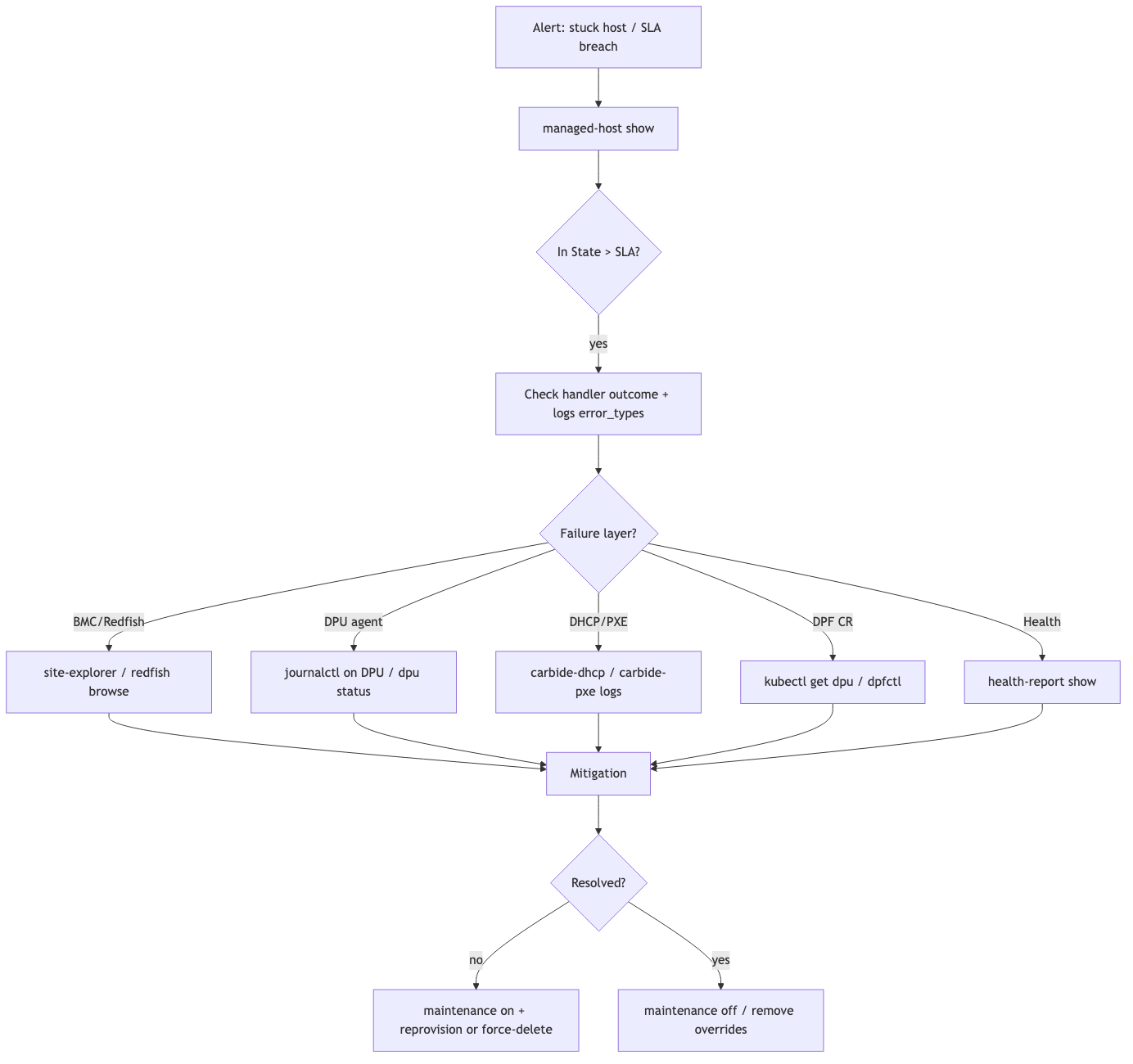
State Machine Debugging
Use this playbook when a managed host, DPU, network segment, InfiniBand partition, NVLink partition, or instance is not advancing through its lifecycle.
Start by finding the exact site-side state. The cloud UI often shows a simplified
state such as Provisioning, Ready, or Deleting. NICo tracks more detailed
site-side states such as Host/WaitingForDiscovery or
Assigned/BootingWithDiscoveryImage.
Quick Triage
- Confirm whether the cloud state and the site state agree.
- Identify the exact state and how long the object has been there.
- Check whether the object is past its state SLA.
- Look for the last state handler error or wait reason.
- Check health reports and active overrides.
- Choose a mitigation based on the blocking dependency.
Inspect Managed Hosts
List managed hosts and look for long-lived transient states:
Inspect one host:
Fetch event history in JSON:
Useful fields:
Metrics and Dashboards
Use Grafana to understand whether this is one object or a fleet-wide issue.
Logs
State-controller iterations are logged by nico-api. Filter by machine ID and
state-handler errors.
Look for:
State handler error- Redfish connectivity failures
- Vault or credential lookup failures
- DPU network status wait reasons
- validation failures
- reboot or power action failures
See Diagnostic Tools for log locations and Loki queries.
Health and Allocation Blockers
Check health before forcing a state transition. Many state handlers intentionally wait when health reports indicate a blocking condition.
Health classifications determine operational impact:
PreventAllocationsblocks new allocations.ExcludeFromStateMachineSlakeeps long-running investigation work from counting against state-machine SLA.- workflow-specific templates may intentionally hold a host out of service.
See Health Alerts and Overrides.
Operational Controls
Use non-destructive controls first.
Reprovisioning
Queue DPU reprovisioning:
Restart an in-progress DPU reprovision:
Clear a DPU reprovision flag:
Queue host reprovisioning:
Clear host reprovisioning:
Mark a manual firmware step complete:
Destructive Recovery
Only use destructive reset after the blocking dependency is understood and the tenant or operator impact is acceptable.
After a force delete, reboot the host through BMC or Redfish so discovery can restart.
Workflow