

FAQs
This document contains frequently asked questions about NVIDIA Infra Controller (NICo).
Installation (Day 0)
Where does NICo run? Is it a container/microservice, a single container, or a collection deployed via Helm?
NICo commonly runs on a Kubernetes cluster (with 3 or 5 control plane nodes recommended), though there is no requirement to do so. NICo runs as a set of microservices for API, DNS, DHCP, Hardware Monitoring, BMC Console, Rack Management, etc.
NICo can be deployed with Helm charts (located in the /helm) directory or with Kubernetes Kustomize manifests.
Does NICo install Cumulus Linux onto Ethernet switches?
No, NICo does not install Cumulus Linux onto Ethernet switches.
Does NICo install the DPU operating system?
Yes, NICo installs the DPU operating system, including all DPU firmware (BMC, NIC, UEFI). NICo also deploys HBN, a containerized service that packages the same core networking components (FRR, NVUE) that power Cumulus Linux.
Does NICo install NVIDIA Unified Fabric Manager (UFM)?
No, NICo does not install UFM; it is a dependency. NICo leverages existing UFM deployments for InfiniBand partition management via the UFM API using partition keys (P_Keys).
Does NICo manage InfiniBand switches in standalone mode?
No, NICo does not manage InfiniBand switches in standalone mode. Instead, NVIDIA Unified Fabric Manager (UFM) is required for InfiniBand partitioning and fabric management. NICo calls UFM APIs to assign partition keys (P_Keys) for isolation.
Configuration (Day 1)
Can NICo be utilized for HGX platforms for host life cycle management?
Yes, NICo supports DGX as well as OEM/ODM nodes that are CPU-only, for storage, etc.
Does NICo support installing operating systems onto servers? What operating systems are supported for installation on NICo?
Yes, NICo supports both PXE and image-based installation of operating systems onto servers. Any operating system supported by iPXE can be installed. Operating system management (patching, configuration, image generation) is the user’s responsibility.
Must every host BMC use a separate OOB VLAN with DHCP relay to NICo?
No. A dedicated OOB VLAN is the conventional and recommended topology. For a
zero-DPU or DPU-NIC-mode host, however, the host BMC and host OS NIC may use
distinct addresses on one HostInband subnet/VLAN. Model it as one HostInband
segment and relay that network to NICo DHCP. The exception does not apply to a
DPU BMC or DPU OOB interface, and it gives up dedicated OOB network isolation.
See Shared HostInband for a Host BMC and Host OS.
Do I need to change existing infrastructure if separate VLANs are used?
No, there is no need to change existing infrastructure if separate VLANs are used.
With only one RJ45 on BF3, the DPU in-band IP addresses allocation is part of DPU loopback allocated by NICo. Does it assume that the same management switch also supports DPU SSH access and that the DPU SSH IP is allocated by NICo and only accessible inside the data center?
The IP addresses issued to the DPU RJ45 port are from the “network segments” (which is different than a DPU loopback)—the API in NICo is used to create a Network Segment of type underlay on whatever the underlying network configuration is. NICo issues two IPs to the RJ45: One IP is the DPU OOB used to SSH to the ARM OS and NICo management traffic; the other IP is for the DPU BMC, which is used for Redfish and DPU configuration.
The host BMC must be on a network relayed to NICo DHCP. That network can be the conventional OOB Underlay or, for the supported zero-DPU topology, the shared HostInband segment described above.
The host overlay interfaces addresses on top of vxlan and DPU is allocated via NICo through the control NIC on NICo through overlay networking. Is DHCP relay configuration needed on any switches? Does this overlay need to be manually configured on the NICo control host NIC?
For a managed-DPU host, DHCP relay is required only on the switches connected
to DPU OOB/BMC and host-BMC networks; the DPU serves the host overlay itself,
and the in-band ToRs use BGP unnumbered routed ports. For a zero-DPU or
DPU-NIC-mode host, the host OS uses central NICo DHCP on HostInband, so the
HostInband L2/SVI must also relay to nico-dhcp. The host BMC can use that same
relay-selected segment as described above. The DPU-served overlay itself does
not require a physical-switch DHCP relay.
Do I need to separate the NICo PXE to isolate the PXE installation process from site PXE server?
There is a separate PXE server that NICo needs to serve its own images, which are shipped as part of the software (DPU software, iPXE, etc). But if the DHCP is configured correctly and there’s connectivity from the Host to the NICo PXE service, then these applications can live side-by-side.
Operations (Day 2)
How do I communicate with NICo? Does it expose an API or shell interface?
NICo exposes an REST API interface and authentication through JWT tokens or IdP integration (keycloak). There is also an admin-facing CLI and debugging/Engineering UI.
Should I use NICo as an OS installation tool?
NICo is more than an OS installation tool. It helps with OS provisioning, but it’s not the main use case for NICo. Automated Baremetal lifecycle management, network isolation, and rack management are its key use cases. This includes hardware burn-in testing, hardware completeness validation, Measured Boot for firmware integrity, ongoing automated firmware updates, and out-of-band continuous hardware management.
Does NICo communicate with NIVIDA NetQ to retrieve information about the network?
No, NICo does not communicate with NetQ.
Does NICo bring up NVLink?
NICo supports NVLink bring-up through Rack-Level Administration (RLA) and manages NVLink partitions through NMX-C APIs.
Does NICo support NVLink partitioning?
Yes, NICo supports NVLink partitioning.
How does NICo maintain tenancy enforcement between Ethernet (N/S), Infiniband (E/W), NVLink (GPU-to-GPU) networks?
- Ethernet: VXLAN with EVPN for VPC creation on DPUs
- E/W Ethernet (Spectrum-X): A CX-based firmware, named “DPA”, which uses VXLAN on CX switches (as part of a future release)
- Infiniband: UFM-based partition key (P_Key) assignment
- NVLink: NMX-C-based partition management
DPUs enforce Ethernet isolation in hardware, UFM enforces InfiniBand isolation, and NMX-C enforces NVLink isolation—all coordinated by NICo.
When NICo is used to maintain tenancy enforcement for Ethernet (N/S), does it require access to make changes to Spectrum (SN) switches running Cumulus, or are all changes limited to HBN (Host-Based Networking) on the DPU?
Ethernet tenancy enforcement is limited to HBN on the DPU and does not require NICo to make changes to SN switches running Cumulus Linux. NICo expects the switch configuration to provide BGP speakers on the switches that speak IPv4 Unicast and L2/L3 EVPN address families, as well as “BGP Unnumbered” (RFC 5549).
Does NICo maintain the database of the tenancy mappings of servers and ports?
NICo stores the owner of each instance in the form of a tenant_organization_id that is passed during instance creation.
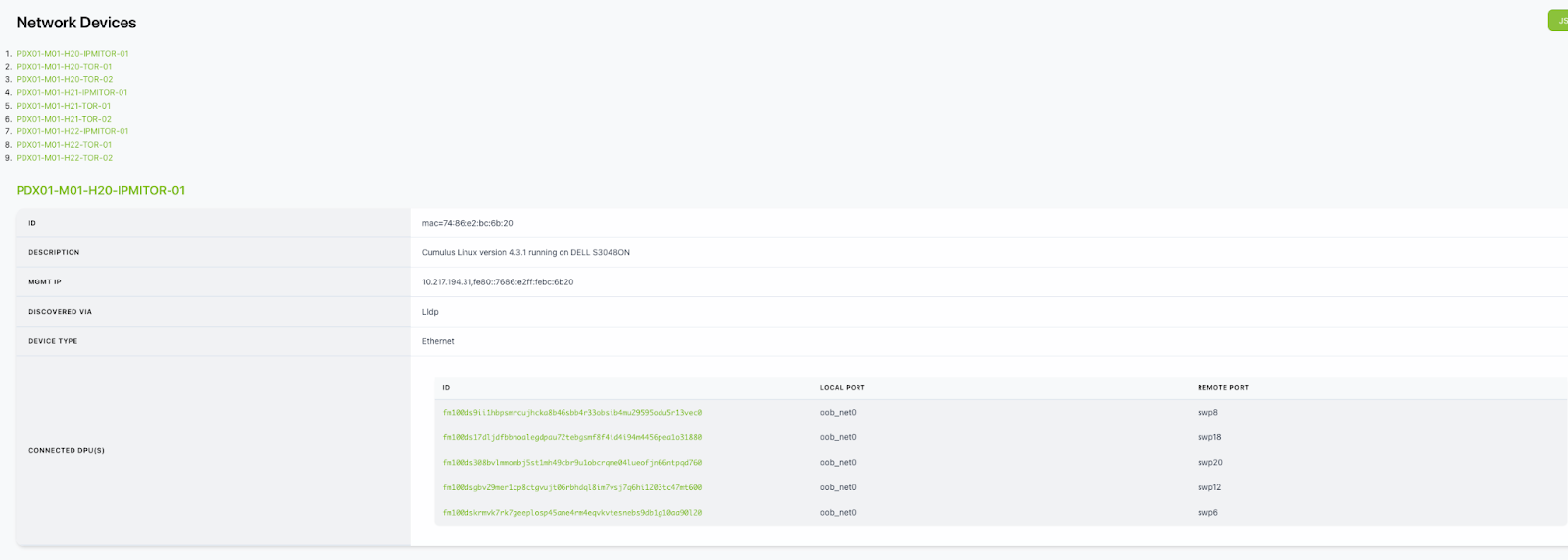
When NICo is used to maintain tenancy enforcement for Ethernet and hosts are presented to customers as bare metal, is OOB isolation of GPU/CPU host BMC managed as well, or only the N/S overlay running on DPU?
NICo hardens host-local BMC access where the platform supports controls such as Dell iDRAC Lockdown or disabling KCS. Network isolation is topology-dependent: a dedicated OOB network can keep the tenant-facing host network from reaching the BMC, but the supported shared HostInband topology does not provide that separation by itself. Operators using shared HostInband must enforce the required BMC isolation in the fabric with ACLs, VRFs, private VLANs, or an equivalent control. The BMC console (serial console) is accessed through NICo’s SSH Console service, which authenticates and authorizes the current instance owner.
Can NICo be used to manage a portion of a cluster?
NICo requires the N/S and OOB Ethernet DHCP relays pointed to the NICo DHCP service as well as access to UFM and NMX-C for E/W. Additionally, the EVPN topology must be visible to all nodes that are managed by the same cluster. If the DC operator wants to separate EVPN/DHCP into VLANs and VRFs, then you can arbitrarily assign nodes to NICo management or not. NMX-C and UFM are not multi-tenant aware, so multiple controllers configuring the same fabric can interfere with each other.
How does NICo select a bare metal host to satisfy the request for an instance? What selection criteria is supported?
For the gRPC API, NICo doesn’t automatically select a bare metal host; instead, you pick the machine when calling “AllocateInstance” gRPC. The REST API has a concept of resource allocations, so a tenant would get an allocation of some number of a type of machine, and when creating an instance against that instance type, a host will be randomly selected.
The NICo team is working to support bulk allocations, where all machines are allocated on the same NVLink domain. There is another effort to allocate using labels on the machine, so you can choose machines in the same rack, etc.
How is NICo made aware of power management endpoints (BMC IP and credentials) for bare metal?
When you provision a NICo “site”, you tell it which BMC subnets are provisioned on the network fabric, and then those subnets perform DHCP relaying to the NICo DHCP service. When a BMC requests an IP, NICo allocates one and then looks at an “expected machine” table for the initial username and password for that BMC (using its MAC address, which NICo cross-references with the DHCP lease). You don’t have to “pre-define” BMCs, but you do need to provide the initial MAC address, username, and password.
Are there APIs to query and debug the DPU state?
DPUs report health status (such as if HBN is configured correctly, if BGP peering is established, or if the HBN container is running), along with heartbeat information and the version of the configuration that has been applied. DPUs also perform health checks for BMC-side health from the DPU BMC, including thermals and other hardware sensors.
This information is also visible in the admin web UI. Furthermore, you can SSH to the DPU and poke around if the issue isn’t obvious using these methods.
What are the valid Instance status values and what is the typical lifecycle order?
The Instance.Status field takes one of the following values: Pending, Provisioning, Configuring, Repairing, Ready, Updating, Rebooting, Terminating, Error.
The typical lifecycle is Pending -> Provisioning -> Ready -> Terminating.
Configuring: Appears after the Instance reachesReadyand is subsequently reconfigured via the PATCH endpoint (for example, adding or removing InfiniBand partitions). The Instance returns toReadyonce reconfiguration completes.Updating: Appears when a software update is applied. Updates require an explicit opt-in: the Instance must be rebooted with theapplyUpdatesOnRebootflag set.Rebooting: Appears briefly during a reboot request.Error: Indicates a failure condition, such as a loss of communication betweennico-restandnico-core.
Are status change events emitted for Instances, or is polling required?
NICo REST is designed to respond to polling requests efficiently; a 5s or 10s interval polling should be sufficient for tracking Instance status changes.
How does Ethernet, InfiniBand or NVLink Interface status relate to Instance readiness?
All Interfaces requested at Instance creation must be fully configured before the Instance transitions to Ready. Each subsystem (Ethernet, InfiniBand, NVLink) configuration becomes synced independently, and Instance readiness takes them all into account.
- An instance in initial provisioning stays in
Provisioningrather than advancing toReady. - An instance that has previously reached
Readytransitions toConfiguring.
How is Machine status mapped to Instance status?
The Machine.Status field takes one of the following values: Initializing, Ready, Reset, Maintenance, InUse, Error, Decommissioned, Unknown.
When a Machine is assigned to a tenant as an Instance it reports InUse. An Error status may indicate an error condition regardless of whether the Machine is currently assigned to a tenant.
Are there SLAs defined for Instance lifecycle state transitions?
SLAs are defined per Machine lifecycle state. When a Machine remains in a given state longer than the configured SLA threshold, the gRPC API sets time_in_state_above_sla: true on that object. This condition is also surfaced in the admin web UI. The metric nico_machines_per_state_above_sla tracks the count of Machines exceeding SLA thresholds per state.
What validation is performed after an Instance reports Ready?
NICo runs both in-band validation tests (executed on the host while it is not leased to a tenant) and out-of-band validation tests (executed against the BMC). The in-band tests (“machine-validation tests”) are configurable by the site administrator and are implemented as shell scripts; NICo evaluates the exit code to determine pass or fail. The results of all health checks are aggregated into the health property of the Machine object. Refer to the health aggregation architecture documentation for a full list of checks.
How can network security group (NSG) and SSH key sync status be verified after Instance creation?
For SSH key groups, the status field of the key group object indicates Syncing or Synced, reflecting whether the key group has been propagated to all associated sites.
For NSGs, the gRPC API provides a method to check whether an NSG has been rolled out to all affected Instances and DPUs; the REST API provides the attachmentStatus attribute for Network Security Group objects to convey this information
How are synchronous API errors distinguished from asynchronous failures?
NICo APIs perform argument validation synchronously. An invalid request returns a 4xx HTTP response immediately. If the request is accepted, the async workflow begins and its progress is reflected in the status and statusHistory fields of the returned object. An Error status with a descriptive statusHistory.message indicates an asynchronous failure.
What are the common failure modes and how do they surface in the API?
- Subnet or VPC prefix mismatch, or insufficient capacity: Returns a synchronous
4xxerror. - Unhealthy Machine: Reflected in the
healthproperty of theMachineobject. - PXE boot failure on a tenant OS: NICo does not directly detect OS boot failures. These must be diagnosed via the serial console logs accessible through the SSH console feature.
What are the standard remediation paths for a failed or stuck Instance?
The appropriate remediation depends on the failure mode. Common approaches include:
- PATCH with reboot: Use the PATCH endpoint to reboot the Instance, optionally with
applyUpdatesOnReboot: trueto apply pending software updates. - Force-delete and re-ingest: Remove the machine from NICo inventory and re-ingest it from scratch. This is a costly operation that results in loss of user data on the machine.
Resetting the BMC is a commonly effective remediation step before escalating to force-delete.
How is a Machine stuck in Provisioning handled?
NICo enforces SLA thresholds on each lifecycle state and emits alerts when thresholds are exceeded. For some states, automated recovery procedures (such as an automatic reboot attempt) are implemented. For states without automated recovery, manual intervention using site-admin runbooks is required.
What happens when an Instance is deleted with machineHealthIssue or isRepairTenant set?
Setting machineHealthIssue: true on a delete request records a TenantReportedIssue health alert on the underlying machine. This alert marks the machine ineligible for allocation to other tenants until it is explicitly cleared.
What client timeout and retry policy are recommended for REST API calls?
Because NICo REST API calls are designed to return quickly (long-running work is handled asynchronously), a client timeout of approximately one minute is appropriate. Standard HTTP retry conventions apply: GET requests are idempotent and can be retried freely. POST and PATCH requests are not idempotent; retry only when the application can tolerate duplicate or partial side effects.
Is there an upper bound on waiting for an Instance to reach Ready?
NICo does not impose a hard timeout on the provisioning workflow. SLA thresholds per state determine when an object is flagged as overdue (see time_in_state_above_sla). The platform does not automatically fail a provisioning workflow; instead, objects that exceed their SLA threshold are surfaced for operator review.
Is cancellation of an in-progress provisioning workflow supported?
Cancellation of in-progress provisioning is not supported. Once an Instance begins provisioning, it is expected to run through all defined state transitions. Cancellation mid-workflow would leave resources in an undefined state. A tenant may request Instance termination immediately after creation; however, the termination steps will not execute until the Instance has completed its provisioning states. The same constraint applies to software update workflows.
Who is responsible for deleting Instances in Error states, and what is the policy for orphaned resources?
The site administrator (or operator automation) is responsible for initiating remediation or deleting the underlying Machine object. Tenants do not have permission to perform these operations.
Instance objects remain visible to tenants via the REST API even after the underlying Machine has been deleted by an administrator. Instances are only removed from the tenant view upon an explicit DELETE /instance/{id} call from the tenant. This behavior is intentional: Instance objects do not disappear from tenant views without an explicit acknowledgment.
What preconditions must be met before an Instance delete succeeds?
Deletion is accepted immediately but the Instance must run through all defined deprovisioning states asynchronously. These states include steps to remove the Instance from tenant-defined VPCs, InfiniBand partitions, and NVLink partitions. Progress is reflected in the status field of the Instance object.
What metrics and dashboards are available for monitoring NICo deployments?
A subset of NICo metrics is documented in the Core Metrics reference. Key metrics for operational monitoring include per-state machine counts and nico_machines_per_state_above_sla.
Grafana dashboard definitions for NICo deployments are maintained separately from the open-source package. A dashboard JSON for deployment on a site-local Grafana Instance is available in the NICo Helm chart distribution.