
Dynamic Mode
Data Loading: Webdataset#
Overview#
This example shows you how to use the data stored in Webdataset format with DALI.
Using readers.Webdataset operator#
Data stored in WebDataset format can be read with readers.Webdataset operator. The operator takes the following arguments:
pathsthe path (or list of paths) to the tar archives containing webdatasetindex_pathsthe path (or list of paths) to the respective index files containing data about the specifics of the tar files, created usingwds2idx- a utility included with DALI. For the usage details please refer towds2idx -h. If not provided, it will be automatically inferred from the tar file, although it will take considerable time for big datasets.extthe extension set (or list of those) of extensions separated by a ‘;’ that specify the outputs of the operator and which sample components will be fed into the specific outputs of the operatormissing_component_behaviorthe behavior of the reader in case it encounters a sample that can’t return provide any component to a certain output. There are 3 options:empty(default) returns an empty tensor for that outputskipthe samples with missing components are skippederroran error is raised
dtypesthe data types of the outputs of the operator. If the size of the output component is not divisible by the size of the type, an error is raised. If not provided, data is returned as UINT8. In addition to these arguments, the operator accepts arguments common to all readers, which configure the seed of random number generator, shuffling, sharding and handling of incomplete batches at the end of epoch.
Creating an index#
The index file(s), paths to which are passed in the argument index_paths , can be generated with a tool wds2idx, bundled with DALI.
Note: The DALI_EXTRA_PATH environment variable should point to the location where data from DALI extra repository is downloaded.
Important: Ensure that you check out the correct release tag that corresponds to the installed version of DALI.
[1]:
import os
from pathlib import Path

import matplotlib.gridspec as gridspec
import matplotlib.pyplot as plt
import numpy as np

import nvidia.dali.experimental.dynamic as ndd

dali_extra_dir = Path(os.environ["DALI_EXTRA_PATH"])
wds_root = dali_extra_dir / "db" / "webdataset"
wds_tar = wds_root / "train.tar"
wds_idx = wds_root / "train.idx"
batch_size = 16
Reading and Processing Images#
Read the images stored in Webdataset format and decode them.
In this example we process images by cropping, normalizing, and
HWC->CHWconversion process.
[2]:
reader = ndd.readers.Webdataset(
    paths=wds_tar,
    index_paths=wds_idx,
    ext=["jpg", "cls"],
    missing_component_behavior="error",
)

for img_raw, cls in reader.next_epoch(batch_size=batch_size):
    images = ndd.decoders.image(img_raw, device="gpu")
    resized = ndd.resize(images, resize_shorter=256.0)
    output = ndd.crop_mirror_normalize(
        resized,
        dtype=ndd.float32,
        crop=(224, 224),
        mean=[0.0, 0.0, 0.0],
        std=[1.0, 1.0, 1.0],
    )
    break  # Run once
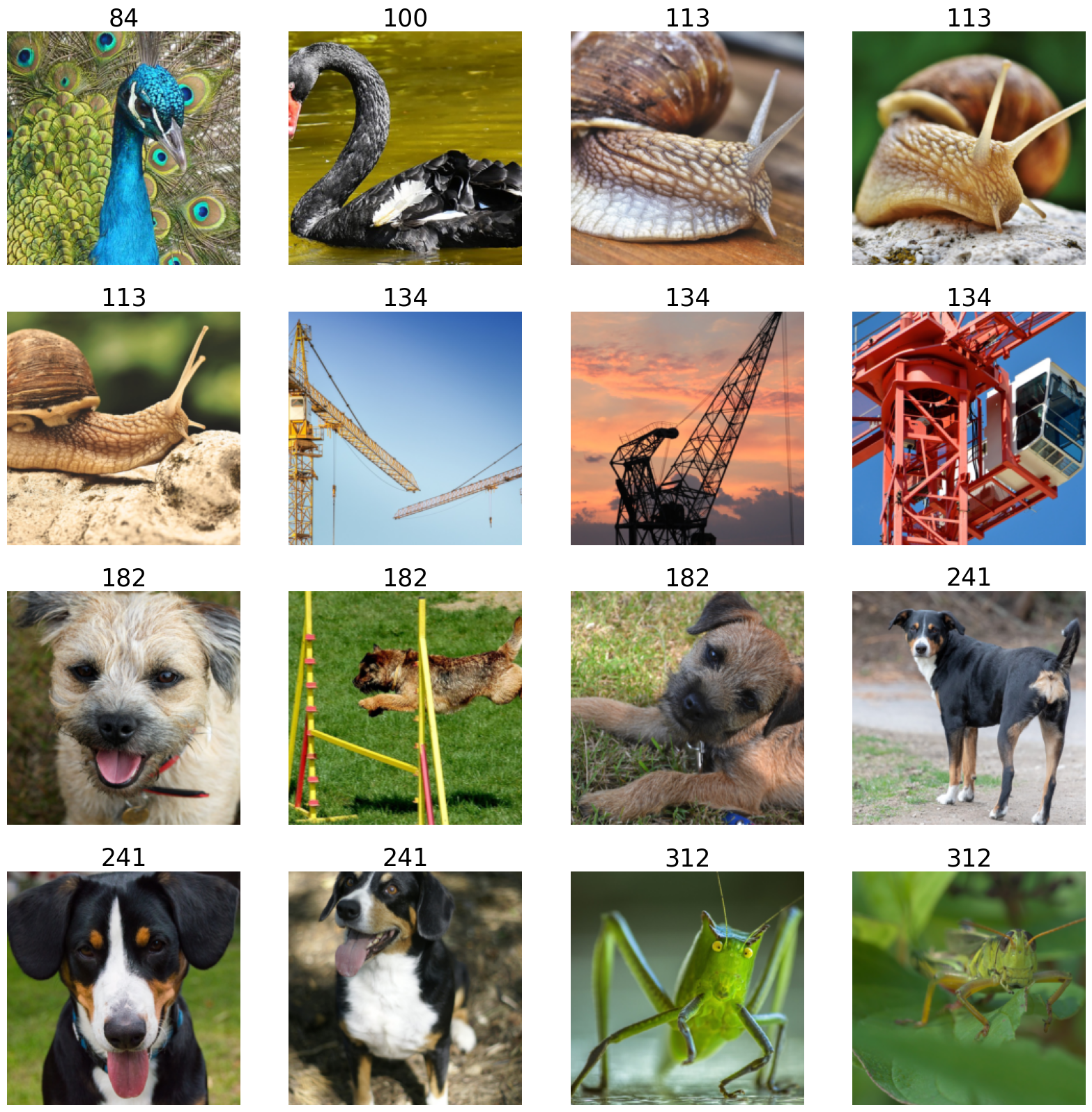
To visualize the results, use the
matplotliblibrary, which expects images inHWCformat, but the output is inCHW.For the visualization purposes, transpose the images back to the
HWClayout.
[3]:
def show_images(image_batch: ndd.Batch, label_batch: ndd.Batch):
    columns = 4
    rows = (batch_size + 1) // columns
    fig = plt.figure(figsize=(20, (20 // columns) * rows))
    gs = gridspec.GridSpec(rows, columns)
    for j, (img, label) in enumerate(zip(image_batch, label_batch)):
        plt.subplot(gs[j])
        plt.axis("off")
        ascii_data = np.asarray(label)
        plt.title(
            "".join([chr(item) for item in ascii_data]),
            fontdict={"fontsize": 25},
        )
        img_chw = np.asarray(img.cpu())
        img_hwc = np.transpose(img_chw, (1, 2, 0)) / 255.0
        plt.imshow(img_hwc)
    plt.show()
[4]:
show_images(output, cls)