
Dynamic Mode
Note
This page was generated from the docs/examples/image_processing/augmentation_gallery/dynamic_mode.ipynb Jupyter notebook. You can run it locally or open it in Google Colab, see Running the Examples for more information. To prepare Colab for this exact documentation revision, run this cell before the tutorial:
setup_url = (
    "https://raw.githubusercontent.com/NVIDIA/DALI/"
    "5f8bfb8/docs/examples/colab_setup.py"
)
!curl -sSL $setup_url -o colab_setup.py
%run colab_setup.py --ref 5f8bfb8
Augmentation Gallery#
This example showcases different augmentations possible with DALI, using its new dynamic mode.
With dynamic mode, there’s no need to build pipeline objects; we can simply use the operators as functions.
DALI_EXTRA_PATH environment variable should point to the place where data from DALI extra repository is downloaded. Please make sure that the proper release tag is checked out.
[1]:
import nvidia.dali.experimental.dynamic as ndd
from nvidia.dali import types
import matplotlib.pyplot as plt
import math
import os.path
import numpy as np

test_data_root = os.environ["DALI_EXTRA_PATH"]
db_folder = os.path.join(test_data_root, "db", "lmdb")
reader = ndd.readers.Caffe(path=db_folder, random_shuffle=True, seed=100)
iterator = reader.next_epoch(None)
encoded, label = next(iterator)
image = ndd.decoders.image(encoded, device="gpu", output_type=types.RGB)


def imshow(image):
    fig = plt.figure(figsize=(6, 6))
    plt.imshow(image.cpu())


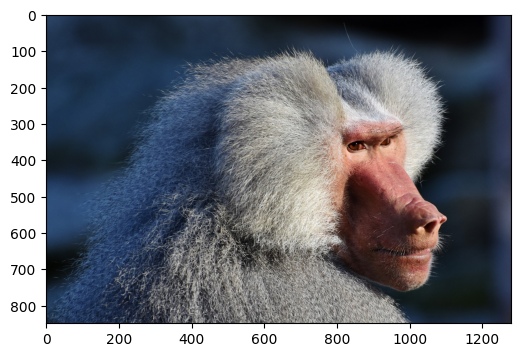
imshow(image)
[2]:
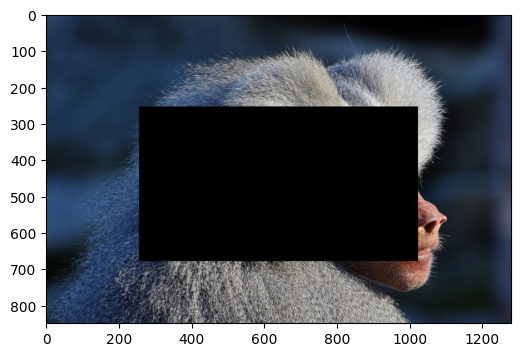
out0 = ndd.erase(
    image,
    anchor=[0.3, 0.2],
    shape=[0.5, 0.6],
    normalized_anchor=True,
    normalized_shape=True,
    axis_names="HW",
)
imshow(out0)
[3]:
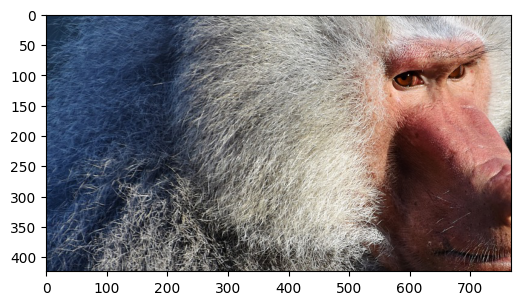
out1 = ndd.slice(
    image, rel_start=[0.3, 0.2], rel_shape=[0.5, 0.6], axis_names="HW"
)
imshow(out1)
[4]:
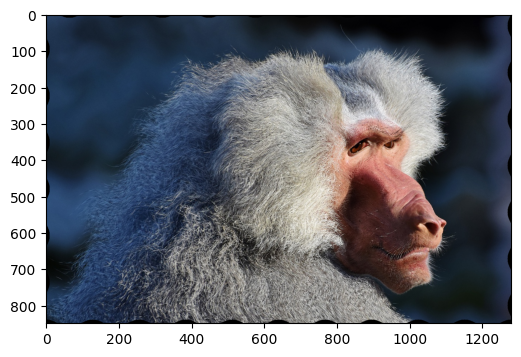
# transforms sampling coordinates to produce wavy patterns
out2 = ndd.water(image)
imshow(out2)
[5]:
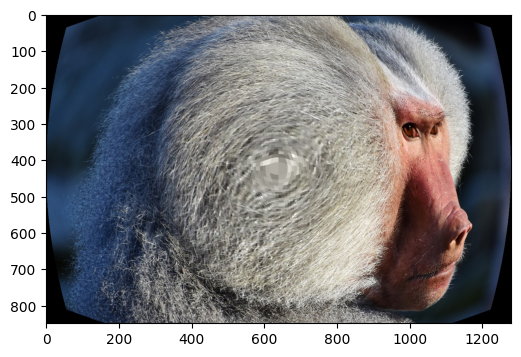
# applies fisheye distortion
out3 = ndd.sphere(image)
imshow(out3)
[6]:
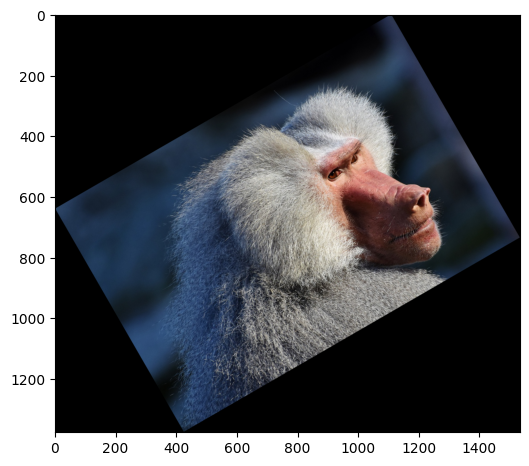
# rotates the image, enlarging the canvas
# TODO(janton): angle=30 doesn't work anymore. Fix this.
out4 = ndd.rotate(
    image, angle=30.0, interp_type=types.INTERP_LINEAR, fill_value=0
)
imshow(out4)
[7]:
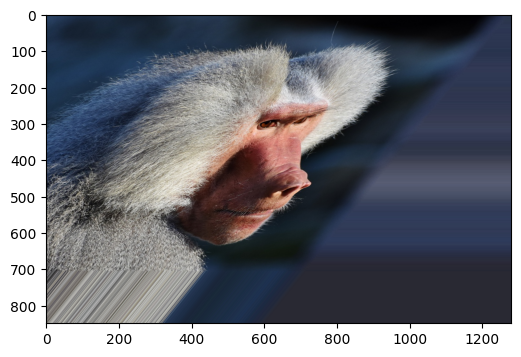
# applies affine transform
out5 = ndd.warp_affine(
    image,
    matrix=ndd.Tensor(
        [
            [
                1.0,
                0.8,
                0.0,
            ],
            [0.0, 1.2, 0.0],
        ]
    ),
    interp_type=types.INTERP_LINEAR,
)
imshow(out5)
[8]:
# manipulates brightness and contrast of the image
out6 = ndd.brightness_contrast(image, brightness=0.5, contrast=1.5)
imshow(out6)
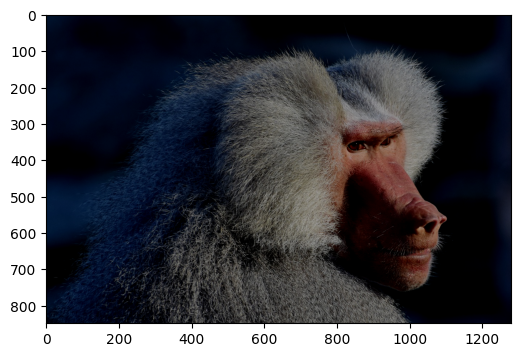
[9]:
# Generate JPEG compression artifacts
out7 = ndd.jpeg_compression_distortion(image, quality=5)
imshow(out7)
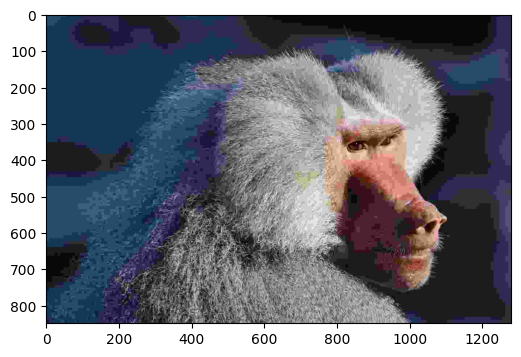
[10]:
# twists colors of the image
out8 = ndd.hsv(image, hue=45.0, saturation=0.2)
imshow(out8)
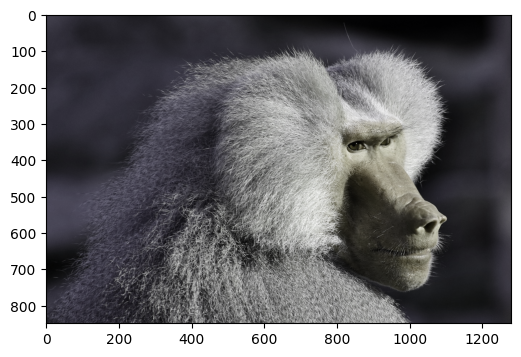
[11]:
# places the image on a larger canvas
out9 = ndd.paste(
    image, ratio=2.0, fill_value=(55, 155, 155), paste_x=0.1, paste_y=0.7
)
imshow(out9)
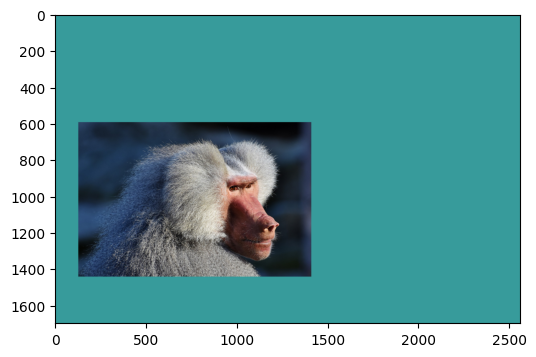
[12]:
# param flips the image
out10 = ndd.flip(image, vertical=1, horizontal=1)
imshow(out10)