
Pipeline checkpointing#
This notebook demonstrates how to save and restore the state of a DALI pipeline-mode data preparation job. A pipeline checkpoint captures the state of every stateful operator - the iteration position of each reader and the internal state of every random number generator - so that processing can resume from exactly the point where it was interrupted.
The example reads JPEG images from DALI_EXTRA_PATH/db/single/mixed with fn.readers.file, decodes them, and applies a rotation by a random angle in the range (-30, 30) degrees. We will run the pipeline for a couple of warmup iterations, save a checkpoint, and then build a fresh pipeline that resumes from exactly the captured point. For a full description of the API see the checkpointing documentation page.
[1]:
import os
import numpy as np
import matplotlib.pyplot as plt

from nvidia.dali import pipeline_def
import nvidia.dali.fn as fn
import nvidia.dali.types as types

IMAGE_DIR = os.path.join(os.environ["DALI_EXTRA_PATH"], "db", "single", "mixed")
BATCH_SIZE = 8
Building the pipeline#
The pipeline reads files with fn.readers.file, decodes them, draws a random rotation angle with fn.random.uniform, and applies fn.rotate. Returning the labels and the angles as additional outputs lets us later confirm that the reader resumed at the same file and that the RNG produced the same draws after the checkpoint was restored. Pass enable_checkpointing=True to pipeline_def to allow the pipeline to capture its state on demand.
[2]:
@pipeline_def(
    batch_size=BATCH_SIZE,
    num_threads=4,
    device_id=0,
    enable_checkpointing=True,
    seed=12,
)
def rotate_pipeline():
    jpegs, labels = fn.readers.file(
        file_root=IMAGE_DIR,
        random_shuffle=True,
        name="image_reader",
    )
    images = fn.decoders.image(jpegs, device="mixed", output_type=types.RGB)
    angles = fn.random.uniform(range=(-30.0, 30.0))
    rotated = fn.rotate(images, angle=angles, fill_value=0)
    return rotated, labels, angles
Saving a checkpoint#
We build the pipeline and let it run for a couple of warmup iterations to advance the reader and the random number generator past their initial state. Only then do we take the checkpoint - this makes the test below more meaningful, as a pipeline that has not yet run would obviously match a freshly built one. Pipeline.checkpoint returns the serialized checkpoint and, if a filename is supplied, also writes it to disk.
[3]:
pipe = rotate_pipeline()
pipe.build()

warmup_iters = 3
for _ in range(warmup_iters):
    pipe.run()

checkpoint = pipe.checkpoint("pipeline_checkpoint.cpt")
print("Saved checkpoint to pipeline_checkpoint.cpt")
Saved checkpoint to pipeline_checkpoint.cpt
Restoring the state#
In the previous step we’ve saved the state of the pipeline. Once we restore that state in a new pipeline, the next batch it will produce will be the same as in the original pipeline. Let’s run a comparison.
Producing a reference batch#
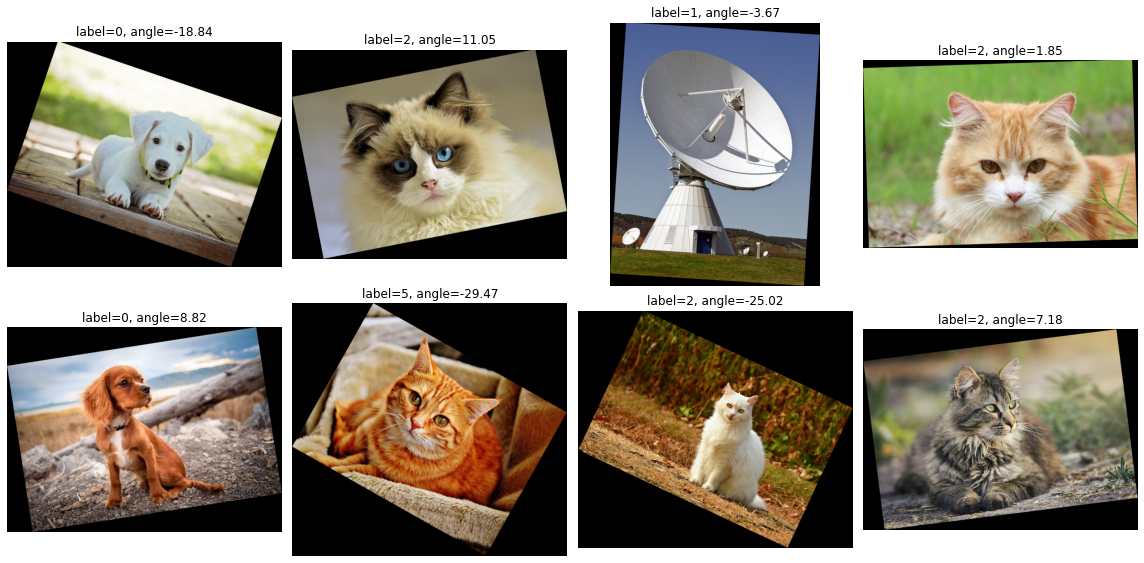
We pull one more batch out of the original pipeline. This is the batch we will compare against the first batch produced by the restored pipeline.
[4]:
ref_images, ref_labels, ref_angles = pipe.run()


def to_numpy_list(tensor_list):
    if hasattr(tensor_list, "as_cpu"):
        tensor_list = tensor_list.as_cpu()
    return [np.array(tensor_list[i]) for i in range(len(tensor_list))]


ref_label_values = [int(t.flatten()[0]) for t in to_numpy_list(ref_labels)]
ref_angle_values = [float(t.flatten()[0]) for t in to_numpy_list(ref_angles)]

images_np = to_numpy_list(ref_images)
fig, axes = plt.subplots(2, 4, figsize=(16, 8))
for i, ax in enumerate(axes.flat):
    ax.imshow(images_np[i])
    ax.set_title(
        f"label={ref_label_values[i]}, angle={ref_angle_values[i]:.2f}"
    )
    ax.axis("off")
plt.tight_layout()
plt.show()
Restoring from the checkpoint#
On the restore side we build a new pipeline instance from the same factory and pass the serialized checkpoint via the checkpoint= argument. The restored pipeline picks up exactly where the original one left off.
[5]:
restored = rotate_pipeline(checkpoint=checkpoint)
restored.build()

rest_images, rest_labels, rest_angles = restored.run()

rest_label_values = [int(t.flatten()[0]) for t in to_numpy_list(rest_labels)]
rest_angle_values = [float(t.flatten()[0]) for t in to_numpy_list(rest_angles)]
Verifying the resume#
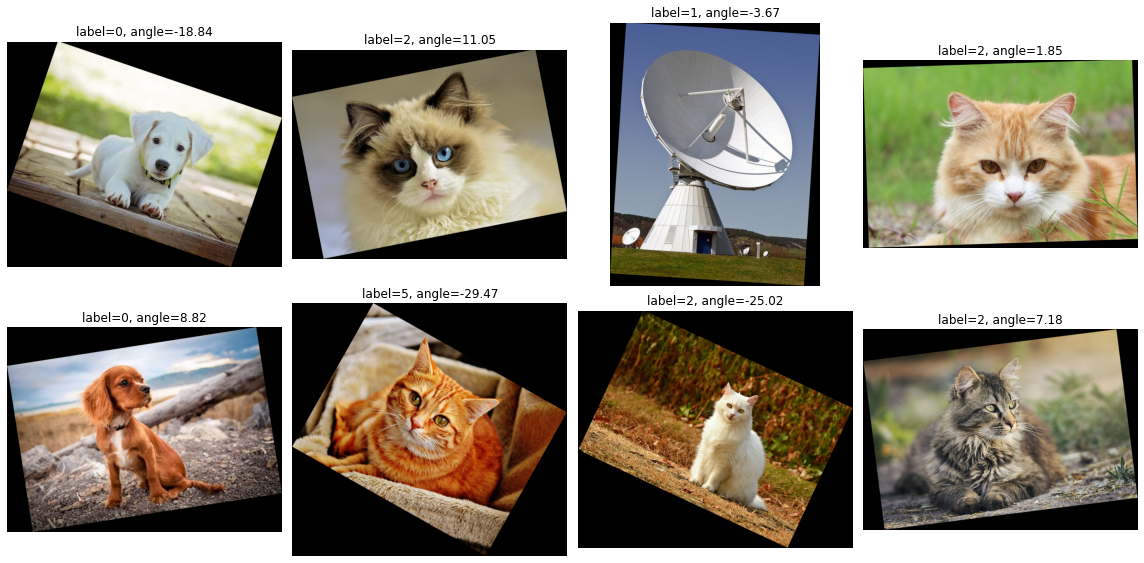
The labels track which files the reader picked, in order - matching labels mean the reader resumed at the right position and kept the same shuffle. Matching angles mean the RNG was restored to the same internal state.
[6]:
print("labels (original): ", ref_label_values)
print("labels (restored): ", rest_label_values)
print("angles (original): ", [f"{a:.4f}" for a in ref_angle_values])
print("angles (restored): ", [f"{a:.4f}" for a in rest_angle_values])

assert ref_label_values == rest_label_values, "reader order diverged"
assert ref_angle_values == rest_angle_values, "RNG state diverged"
print("\nFile order and random angles match exactly.")
labels (original):  [0, 2, 1, 2, 0, 5, 2, 2]
labels (restored):  [0, 2, 1, 2, 0, 5, 2, 2]
angles (original):  ['-18.8415', '11.0461', '-3.6668', '1.8544', '8.8177', '-29.4673', '-25.0191', '7.1832']
angles (restored):  ['-18.8415', '11.0461', '-3.6668', '1.8544', '8.8177', '-29.4673', '-25.0191', '7.1832']

File order and random angles match exactly.
Finally, let’s display the output.
[7]:
images_np = to_numpy_list(rest_images)
fig, axes = plt.subplots(2, 4, figsize=(16, 8))
for i, ax in enumerate(axes.flat):
    ax.imshow(images_np[i])
    ax.set_title(
        f"label={rest_label_values[i]}, angle={rest_angle_values[i]:.2f}"
    )
    ax.axis("off")
plt.tight_layout()
plt.show()