
Dynamic Mode
Simple Video Pipeline Reading From Multiple Files#
Goal#
In this example, we will show how to read video files using the readers.Video operator. The reader returns batches of frame sequences. These sequences are an arbitrary number of frames (images). The difference being that images are of dimension HWC whereas sequences are of dimension FHWC.
For more information on the readers.Video parameters, please look at the documentation.
Setting Up#
First let’s start with the imports:
[1]:
import os
from itertools import islice
from pathlib import Path

import nvidia.dali.experimental.dynamic as ndd
We need some video containers to process. We can use Sintel trailer, which is an mp4 container containing an h264 video and distributed under the Creative Commons license. Let’s split it into 10s clips in order to check how readers.Video handles multiple video files. This can be done easily with the ffmpeg standalone tool.
Then we can set the parameters that will be used by the reader. The sequence_length parameter defines how many frames we want in each sequence sample.
We can replace video_directory with any other directory containing video container files recognized by FFmpeg.
[2]:
batch_size = 2
sequence_length = 8
initial_prefetch_size = 16
dali_extra_dir = Path(os.environ["DALI_EXTRA_PATH"])
video_directory = dali_extra_dir / "db" / "video" / "sintel" / "video_files"
video_files = [str(video_directory / f) for f in os.listdir(video_directory)]
n_iter = 6
Note
DALI_EXTRA_PATH environment variable should point to the place where data from DALI extra repository is downloaded. Please make sure that the proper release tag is checked out.
Reading Video Files#
We create a readers.Video instance with the video files and parameters:
[3]:
reader = ndd.readers.Video(
    device="gpu",
    filenames=video_files,
    sequence_length=sequence_length,
    shard_id=0,
    num_shards=1,
    random_shuffle=True,
    initial_fill=initial_prefetch_size,
    file_list_include_preceding_frame=True,
    seed=123456,
)
Caution
One important thing here is tuning initial_fill, which corresponds to the reader prefetch buffer initial size. Since this buffer will be filled with initial_fill sequences, the total number of frames can be really huge! So set it accordingly to avoid running out of memory during training.
We can now iterate over batches of video sequences. Each batch contains batch_size sequences, and each sequence contains sequence_length frames.
[4]:
for (videos,) in islice(reader.next_epoch(batch_size=batch_size), n_iter):
    print(ndd.as_tensor(videos).shape)
(2, 8, 720, 1280, 3)
(2, 8, 720, 1280, 3)
(2, 8, 720, 1280, 3)
(2, 8, 720, 1280, 3)
(2, 8, 720, 1280, 3)
(2, 8, 720, 1280, 3)
Visualizing the Results#
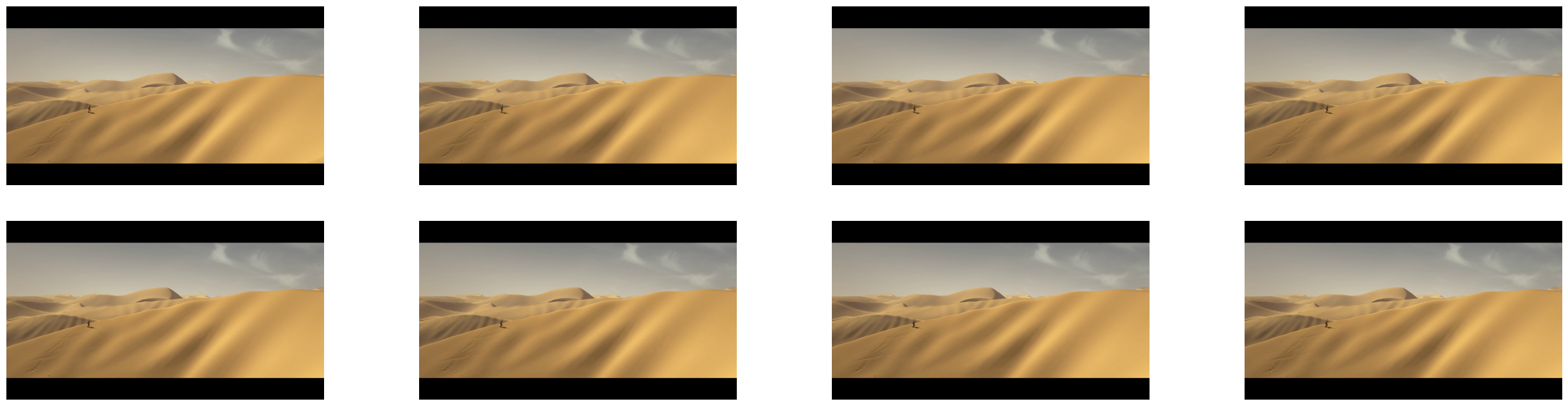
The previous iterations seem to have yielded batches of the expected shape. We will use matplotlib to display the frames we obtained in the last batch.
[5]:
%matplotlib inline
from matplotlib import pyplot as plt
import matplotlib.gridspec as gridspec
[6]:
def show_sequence(sequence: ndd.Tensor):
    columns = 4
    rows = (sequence_length + 1) // (columns)
    fig = plt.figure(figsize=(32, (16 // columns) * rows))
    gs = gridspec.GridSpec(rows, columns)
    for j in range(rows * columns):
        plt.subplot(gs[j])
        plt.axis("off")
        plt.imshow(sequence[j])
[7]:
# Use the last batch from above
show_sequence(videos.tensors[0].cpu())