
Dynamic Mode
BrightnessContrast Example#
This example demonstrates usage of brightness_contrast operator.
Brightness and Contrast Adjustment#
Brightness and contrast can be adjusted using three parameters:
contrast- makes the dark parts darker and bright parts brighter while keeping the gray (at half dynamic range of the input type) constantbrightness- multiplies the intensitiesbrightness_shift- shifts the pixel intensities
The formula is given as:
where \({contrast\_center}\) denotes a value that is unaffected by contrast changes; by default, it’s at half of the input’s dynamic range (e.g. 128 for uint8) and \({Max}_{out}\) is the maximum positive value of the output type (for integer types) or 1 (for floating point) - but it can also be specified as an argument for the operator.
The operator can be used to adjust contrast and brightness as well as to compute negative images (brightness = -1, brightness_shift = 1).
[1]:
from pathlib import Path

import matplotlib.pyplot as plt
import nvidia.dali.experimental.dynamic as ndd

image_dir = Path("../../data/images")
image_path = next(image_dir.glob("**/*.jpg"))
[2]:
def display(original: ndd.Tensor, converted: ndd.Tensor):
    fig, ax = plt.subplots(1, 2, figsize=(12, 6))
    ax[0].imshow(original.cpu())
    ax[0].set_title("Original")
    ax[0].axis("off")
    ax[1].imshow(converted.cpu())
    ax[1].set_title("Adjusted")
    ax[1].axis("off")
GPU Example: Color Inversion#
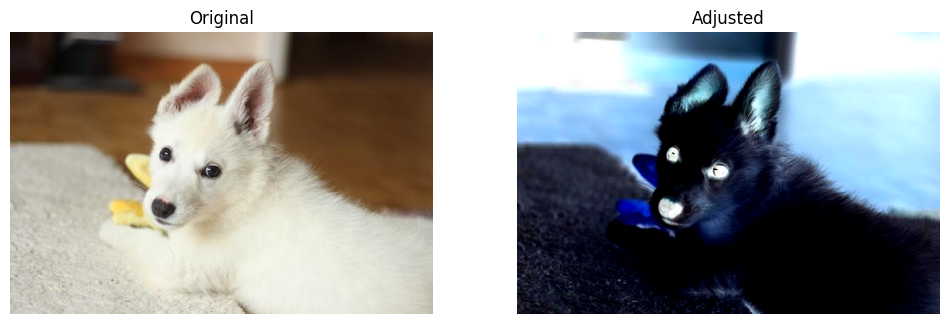
Let’s apply brightness/contrast adjustment on the GPU to create a color inversion effect. Setting brightness=-1 and brightness_shift=1 inverts the colors, while contrast=1.5 increases the contrast.
[3]:
image = ndd.imread(image_path, device="gpu")
converted = ndd.brightness_contrast(
    image,
    contrast=1.5,
    brightness=-1,
    brightness_shift=1,
)
display(image, converted)
CPU Example: Contrast and Brightness Adjustment#
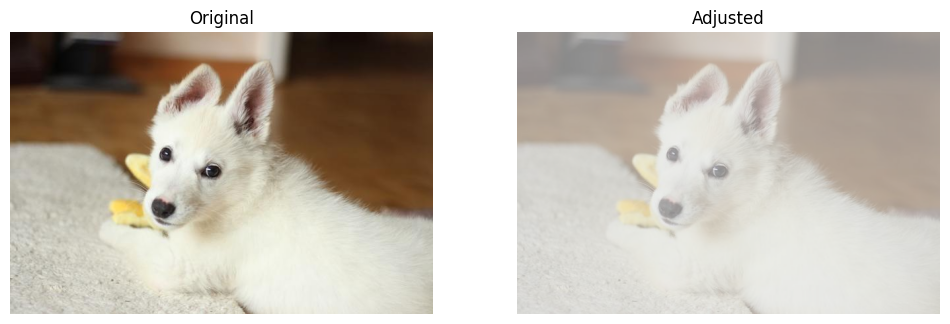
Now let’s run on the CPU with different parameters. Here we reduce contrast (contrast=0.4) and shift brightness up (brightness_shift=0.3), with a custom contrast center point.
[4]:
image_cpu = ndd.imread(image_path, device="cpu")
converted_cpu = ndd.brightness_contrast(
    image_cpu,
    brightness_shift=0.3,
    contrast=0.4,
    contrast_center=100,
)
display(image_cpu, converted_cpu)