

Brev Launchable
Launchables are a part of NVIDIA Brev that deliver preconfigured, fully optimized compute and software environments.
This deployment uses the Docker Compose deployment method to set up this blueprint.
Link to GitHub Repository used in this launchable.
Prerequisites
Host System Prerequisites
Brev Launchable takes care of all these requirements. The provided notebook adjusts the system requirements.
- Ubuntu 24.04
- NVIDIA driver 595.91.07 (Brev RTX PRO 6000 instances)
- Docker Compose v2.39.1+ (Recommended minimum version)
Obtain NGC API Key
To obtain the required NGC API Key, follow the steps in:
Steps to Launch the Blueprint
-
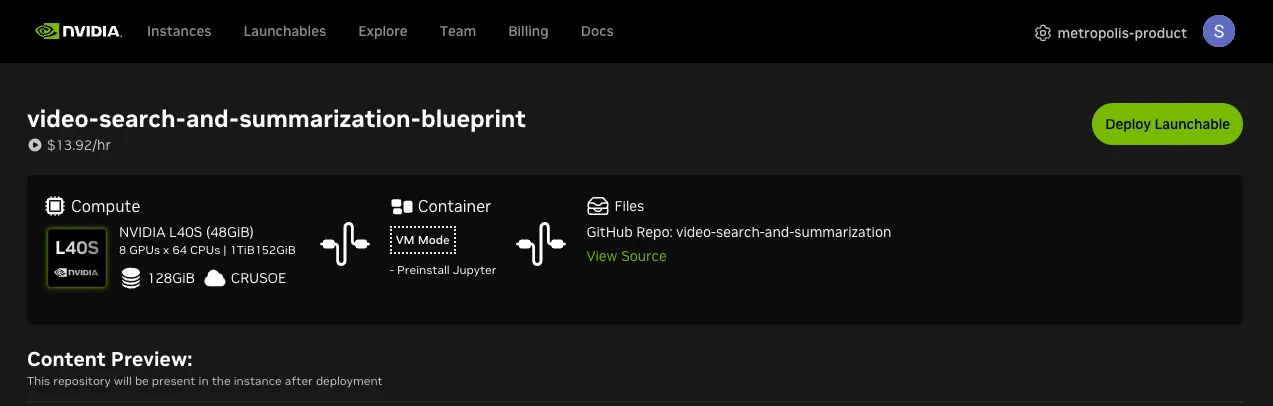
Go to the Launchable page.
-
Click on ‘Deploy Launchable’ on top right.
-
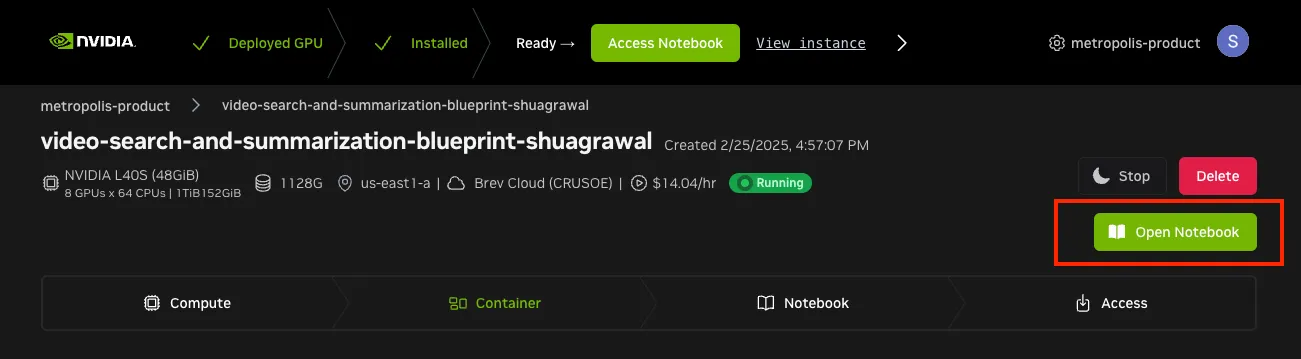
Click on ‘Go to Instance Page’
-
Click on ‘Open Notebook’ button after it is enabled (This could take a couple of minutes).
-
Open a terminal in JupyterLab and check out the repository reference selected for this documentation build before opening the launchable notebook:
-
Navigate to and open the
video-search-and-summarization/deploy/docker/scripts/deploy_vss_launchable.ipynbnotebook. If it is already open, close and reopen it after checking out the reference so it loads the selected version. This notebook is designed to run as a launchable on 2xRTX PRO 6000 SE GPUs on AWS Cloud Provider. -
Add your NGC_API_KEY in the first code cell.
-
Run each cell and follow the instructions in the notebook to access video search and summarization blueprint UI.
The complete setup takes around 10 minutes as it downloads the containers and sets up the services.
Known Issues
- After deploying VSS by running
deploy_vss_launchable.ipynb, submitting report-generation queries in the VSS Chat UI can intermittently displayNetwork Errorinstead of completing the report. Regenerating the report with the same query should resolve the issue.