

NVIDIA Brev Launchable#
Launchables are a part of NVIDIA Brev that deliver preconfigured, fully optimized compute and software environments.
This deployment uses the Docker Compose deployment method to setup this blueprint.
Link to GitHub Repository used in this launchable.
Launch BlueprintPrerequisites#
Host System Prerequisites#
Brev Launchable takes care of all these requirements. The provided notebook adjusts the system requirements.
Ubuntu Ubuntu 22.04 or Ubuntu 24.04
NVIDIA driver - 580.105.08 (x86 hosts with Ubuntu 24.04) - 580.65.06 (x86 hosts with Ubuntu 22.04)
Docker Compose v2.29.0+ (Recommended minimum version)
Obtain NGC API Key#
To obtain the required NGC API Key, follow the steps in:
Steps to Launch the Blueprint#
- Go to the Launchable page.
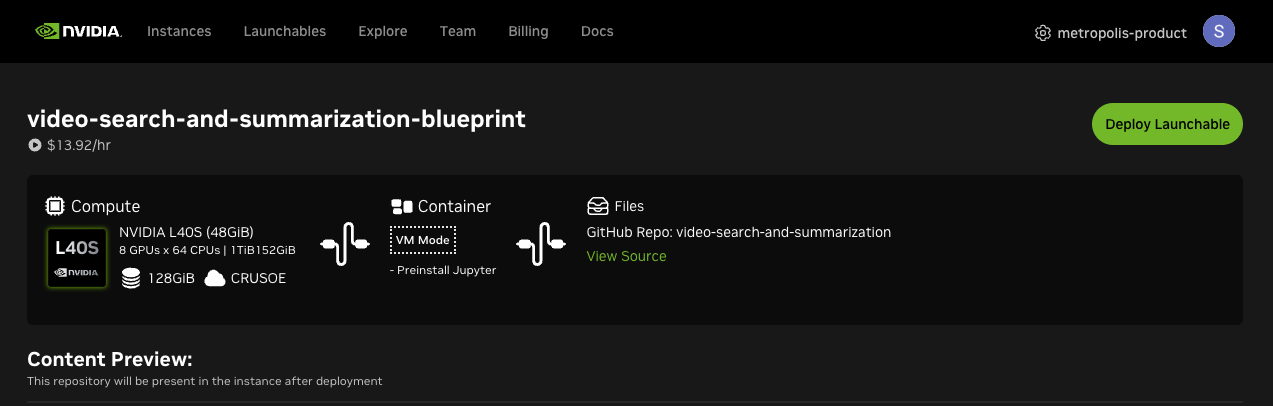
Click on ‘Deploy Launchable’ on top right.
Click on ‘Go to Instance Page’
Click on ‘Open Notebook’ button after it is enabled (This could take a couple of minutes).
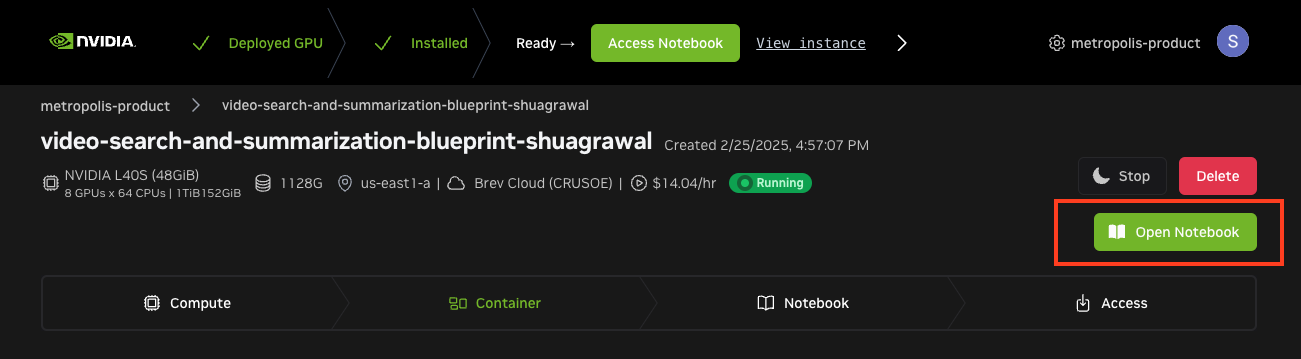
Close any warnings on the Jupyter Lab tab.
- Navigate and open
`video-search-and-summarization/scripts/deploy_vss_launchable.ipynb`notebook. This notebook is designed to run as a launchable on 2xRTX PRO 6000 SE GPUs on AWS Cloud Provider.
- Navigate and open
Add your NGC_API_KEY in the first code cell.
Run each cell and follow the instructions in the notebook to access video search and summarization blueprint UI.
Note
The complete setup takes around 10 minutes as it downloads the containers and sets up the services.