

Azure Data Lake Storage
Kumo supports reading CSV and Apache Parquet files from Azure Data Lake Storage Gen2 (ADLS). The connector reads from a base location you specify, which can contain either files or subdirectories. Each file or subdirectory at that location becomes a table in Kumo.
Prerequisites
- An Azure Storage account with hierarchical namespace enabled (ADLS Gen2).
- A container (filesystem) within that storage account.
- A service principal or AKS workload identity for Kumo to use for authentication (refer to Granting Access).
Directory Configuration
- If the base location contains files, Kumo will ignore any subdirectories and ingest only the files as tables.
- If the base location contains subdirectories, each subdirectory will be treated as a separate table, subject to the following rules:
- All files within a subdirectory must be of the same type (either CSV or Parquet).
- All files must share the same column schema (for CSV, this means identical headers).
- Subdirectories must not contain additional nested directories - only CSV or Parquet files are allowed.
- The resulting table will combine all rows from all files in the subdirectory.
Example Storage Structure
For optimal performance, limit the number of tables from the base location to 30.
Data Format and Size Considerations
Parquet Files
- Ensure columns are cast to their proper data types (e.g., timestamp for dates) to streamline data ingestion and validation.
- Hive partitioned tables are not supported.
- The data size per partition must not exceed 512 MB.
CSV Files
- A CSV table can have up to 128 partitions.
- The total data size across all partitions must not exceed 10 GB.
Convert large datasets to Parquet for better performance.
Connector Configuration
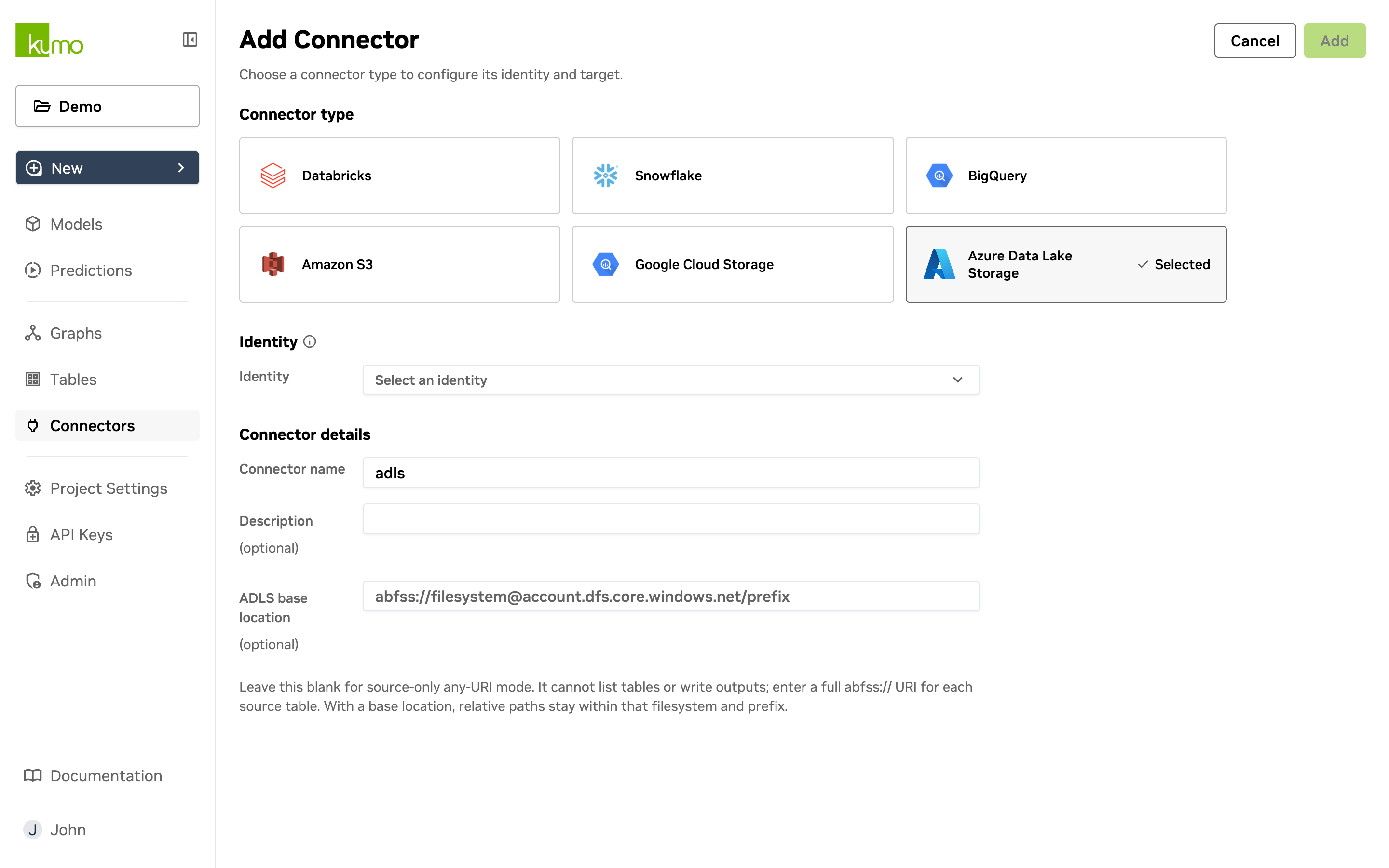
When creating an ADLS connector in the Kumo UI, provide the ADLS base location (optional) in the form:
<filesystem>- the container name (lowercase alphanumeric and hyphens, 3-63 characters).<storage-account>- the storage account name (lowercase alphanumeric, 3-24 characters).<prefix>- an optional path prefix within the container.
If no base location is provided, Kumo accepts a full abfss:// URI per table at query time.
Azure Cloud Environments
Kumo supports three Azure cloud environments. The endpoint suffix in the URI must match the cloud configured for the identity:
Granting Access
Kumo authenticates to ADLS using a service principal registered in your Azure Active Directory tenant. Grant the service principal at least the Storage Blob Data Reader role on your container or storage account.
To assign the role in the Azure portal:
- Navigate to your storage account or container in the Azure portal.
- Open Access Control (IAM) and click Add role assignment.
- Select Storage Blob Data Reader (or Storage Blob Data Contributor if Kumo needs to write prediction outputs to ADLS).
- Assign the role to your service principal.
Once the role is assigned, provide the following to Kumo support to configure the identity:
- Tenant ID - your Azure AD tenant ID.
- Client ID - the application (client) ID of the service principal.
- Azure cloud -
public,us_government, orchina.
AKS / Helm Deployments (Workload Identity)
For Kumo deployments on AKS, authentication uses Azure Workload Identity instead of a client secret. The service principal federates with the AKS pod identity using a projected service account token.
The following settings must be configured in your Helm values (the built-in azure.yaml profile provides these defaults):
The AKS workload identity mutating webhook injects the AZURE_FEDERATED_TOKEN_FILE environment variable into labeled pods.
Kumo reads this token file and exchanges it for a short-lived Azure credential at runtime - no client secret is stored.
Set the dataplane storage bucket to an ADLS URI in your Helm values:
Contact Kumo Support if you need help configuring workload identity federation between your AKS cluster and the Kumo service principal.