

Outputs
Each batch prediction runs your selected predictive query and produces a table containing entity primary key IDs and the prediction output.
The columns in the output table depend on the task type and whether the prediction is temporal. For temporal task types (temporal regression, temporal binary or multiclass classification, ranking, and temporal link prediction), the output also includes an anchor time column. Anchor time represents the start of the prediction horizon and is configured in your batch prediction job. If no anchor time is specified, Kumo defaults to the latest timestamp in the target formula’s fact table.
Before generating predictions, Kumo automatically refreshes all data in your graph to ensure the output uses the latest available data, unless the data was recently refreshed.
You can check what the output looks like under the Output table schema tab.
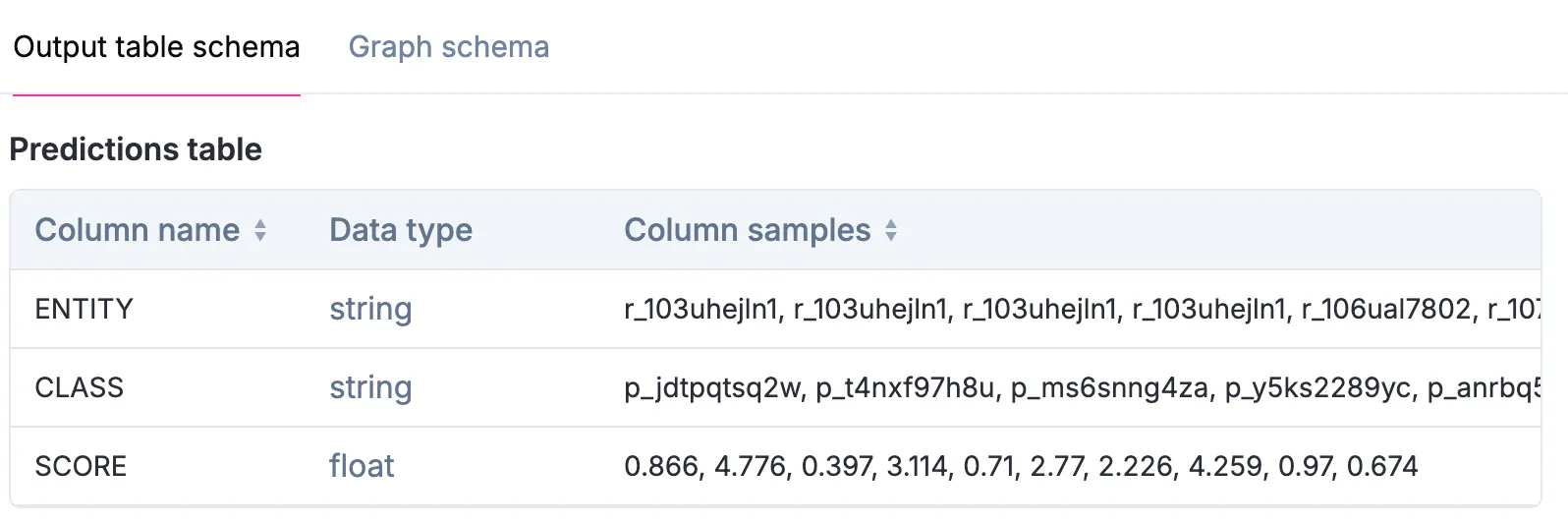
Example Prediction Output: Static (Non-Temporal) Binary Classification
Consider the following prediction output for whether a customer will like a particular item on your website:
The ENTITY column contains the primary key IDs from the table that stores whether a customer liked a particular item (along with the item_id and customer_id).
The SCORE column is the predicted probability that the query evaluates to true.
Refer to the predictive query section to view a full example of a non-temporal binary classification task’s PQL statement, data model, and output.
Example Prediction Output: Temporal Binary Classification
If October 17, 2022 is the last date in your data source, and you are predicting whether a customer churns tomorrow (October 18, 2022) for each of your 10,000 customers, the prediction output table looks like the following:
The False_PROB and True_PROB columns show the predicted probability that the customer does not churn and churns, respectively.
The classification threshold you configure in the batch prediction job determines the cutoff for a positive prediction.
Based on this threshold, Kumo sets TARGET_PRED to True (churn) or False (no churn).
Refer to the predictive query example for a full temporal binary classification task, including its PQL statement, data model, and output.
Example Prediction Output: Static (Non-Temporal) Regression
If you are predicting the age of your customers (a regression task), the batch prediction output looks like the following:
The TARGET_PRED column contains the predicted age for each customer.
If you train the model with the multi_quantile option, the output also includes quantile columns:
TARGET_PRED is the median prediction.
The q_* columns provide quantile estimates ranging from q_0.005 through q_0.995.
Refer to the predictive query example for a full non-temporal regression task, including its PQL statement, data model, and output.
Example Prediction Output: Temporal Regression
To predict the amount of money a customer would spend on October 18 (a temporal regression task), the batch prediction output looks like the following:
The TARGET_PRED column contains the predicted amount each customer will spend on October 18, 2024.
With the multi_quantile option, temporal regression output keeps the timestamp and adds the same 27 quantile columns:
Refer to the predictive query example for a full temporal regression task, including its PQL statement, data model, and output.
Example Prediction Output: Static (Non-Temporal) Link Prediction
To predict the top ten unique items each customer is likely to purchase (a static link prediction task), the batch prediction output looks like the following:
Refer to the predictive query example for a full static link prediction task, including its PQL statement, data model, and output.
Example Prediction Output: Temporal Link Prediction
To predict the unique items each customer is likely to purchase in the next 30 days (a temporal link prediction task), the batch prediction output looks like the following:
Refer to the predictive query example for a full temporal link prediction task, including its PQL statement, data model, and output.