

Snowflake SPCS Setup
This guide explains how to use the Kumo Fine-Tune SDK with the Kumo Snowflake Native Application running on Snowpark Container Services (SPCS).
Running SDK Outside Snowflake
When running the SDK outside Snowflake, initialize it with your Snowflake credentials. The SDK supports both password-based and key-pair authentication:
For detailed examples of using the SDK outside Snowflake, refer to Introduction by Example.
Running SDK on Snowflake
To run the SDK directly on Snowflake, use a Snowflake notebook configured for Snowpark Container (choose Run on Container).
This setup provides a managed environment for running machine learning workloads.
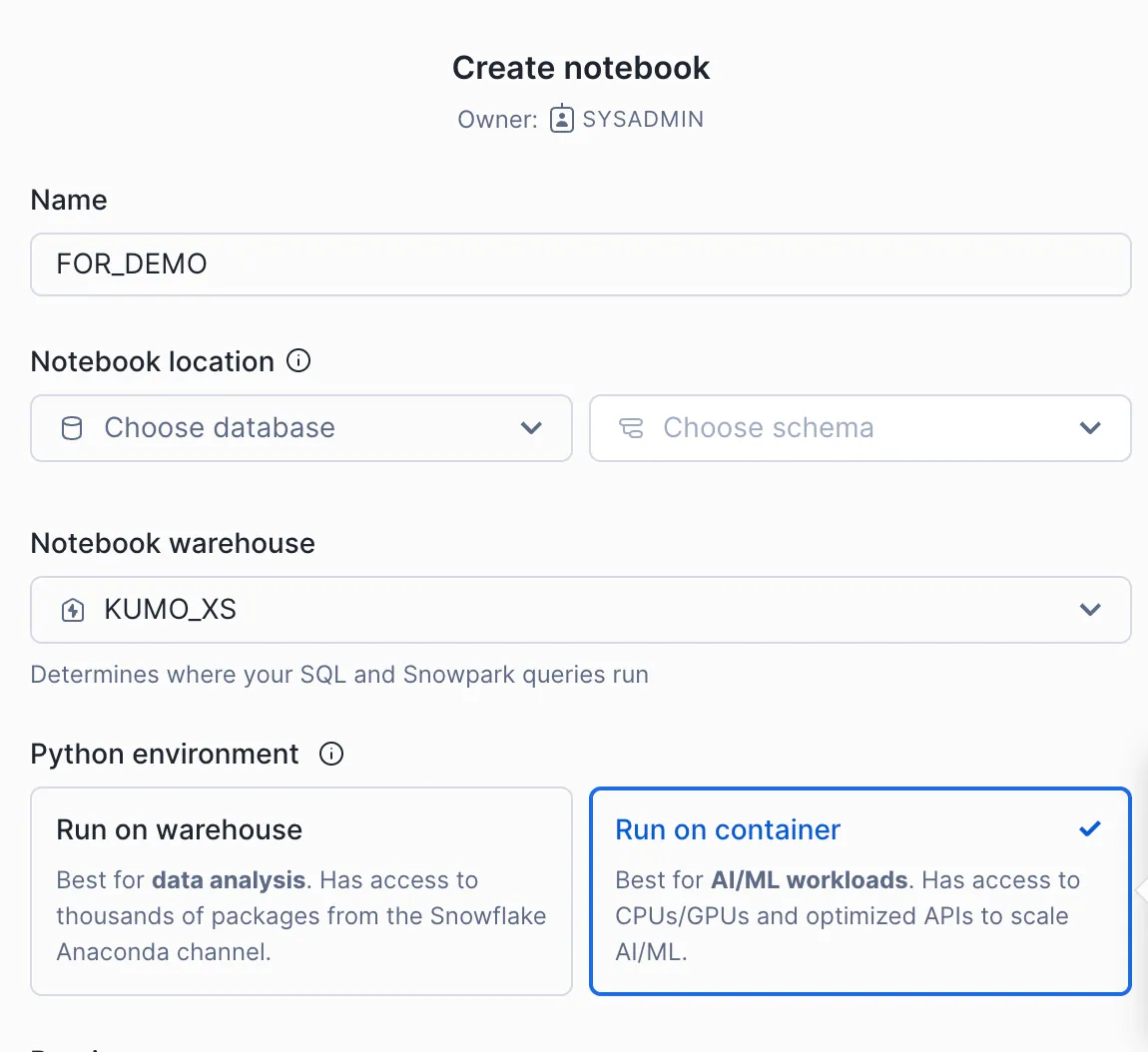
For instructions on setting up your notebook environment, refer to the Snowflake ML Notebooks on SPCS documentation.
Using External Access
If your notebook environment has external access configured (refer to External Access Configuration), you can install the Kumo Fine-Tune SDK directly using pip:
Using Package Installation
If external access is not available or permitted in your environment, follow these steps:
- Contact the Kumo team to obtain the SDK package zip file
- Upload the package to your Snowflake stage
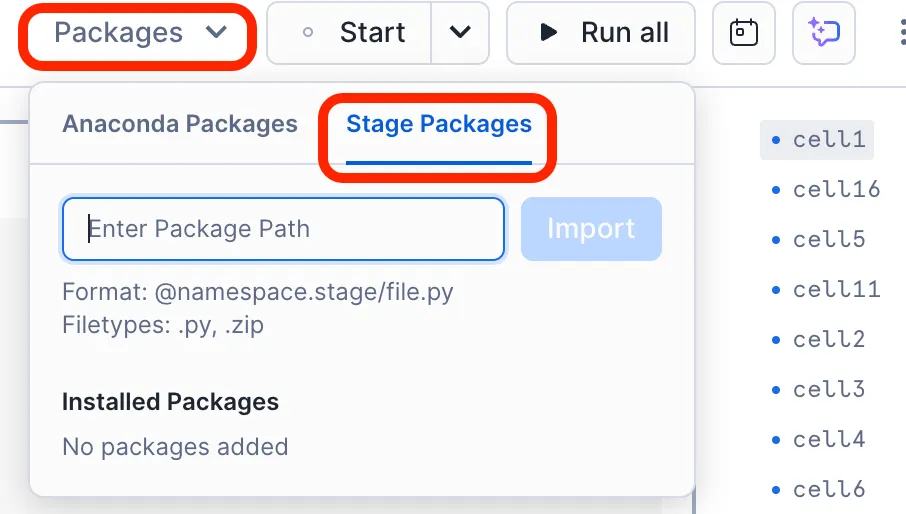
- Install the package from the stage
The recommended way to upload the package is using the Snowsight UI:
- Sign in to Snowsight
- Select Data » Add Data
- On the Add Data page, select Load files into a Stage
- In the Upload Your Files dialog:
- Select the kumoai.zip file (maximum file size: 250 MB)
- Select the database and schema where you want to create the stage
- Select or create your stage (for example, ‘kumo_stage’)
- Optionally, specify a path within the stage
- Select Upload
For detailed instructions, refer to:
- Staging files using Snowsight UI
- Using SnowSQL Client (command line alternative)
Getting Started
When running inside a Snowflake notebook, the SDK automatically uses the Snowflake session context: it inherits your notebook’s active credentials and connection. Initialize with just the application name:
For graph and training setup, refer to Introduction by Example.