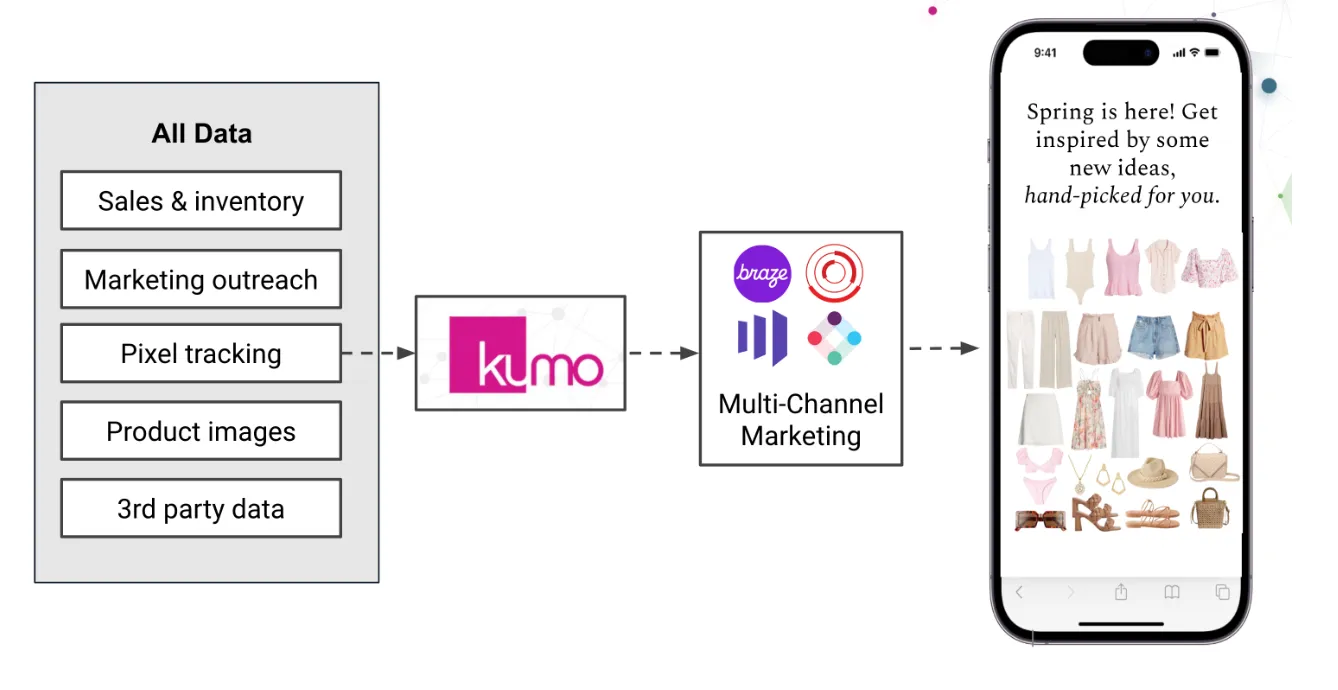
Personalized Email Recommendations
Solution Background and Business Value
Email is a proven channel for user engagement, and personalizing email content takes it a step further. Personalized recommendations have a significant impact on key business metrics such as active user counts and order rates. Even in established systems, improvements in recommendation quality can lead to substantial business benefits. Kumo enables you to build and deploy recommendation models that drive personalized email campaigns.
Data Requirements and Kumo Graph
For item-to-user recommendations, a simple dataset is sufficient to get started, but Kumo supports additional signal sources to improve model quality.
Core Tables
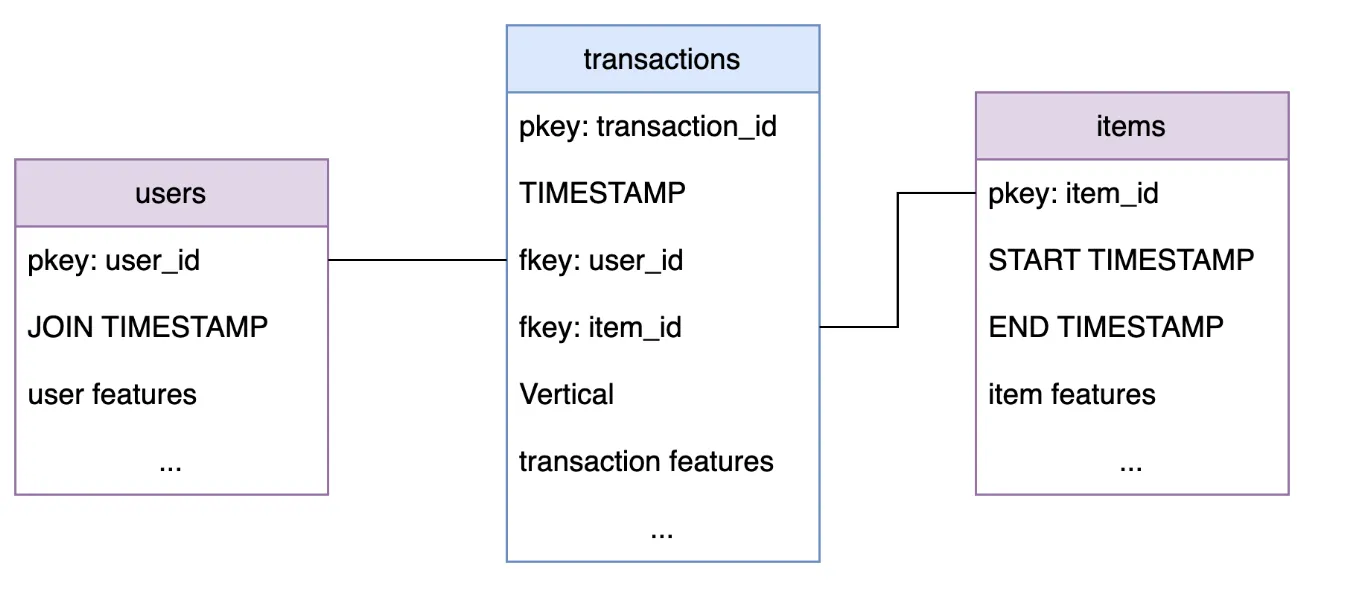
The solution requires three core tables:
- Users table: holds information about all users to make recommendations for. It should include a
user_idso it can be connected to each individual transaction/order event. The table can also include other user features, such as age, location, and so on You can also include aJOIN TIMESTAMPcolumn, which the model takes into account during training. - Items table: contains information about the items available for recommending. It should include an
item_idso it can be linked to individual transactions. Kumo also supportsSTART TIMESTAMPandEND TIMESTAMPcolumns, including such columns into the data allows Kumo models to take into account that some items were only available for a limited time, it also prevents the model from recommending items which are no longer available! The items table can also include other information about the items, such as price, color, category, and so on - Transactions/Orders table: This table records all purchase events from which the model learns to model user-item affinity. It should include the
TIMESTAMPof the event as well asuser_idanditem_id. The table can also include other properties of the transaction, for example, total amount or payment method
Additional Table Suggestions
Alongside the above tables, you can optionally include many more sources of signal, such as:
-
(optional) Merchants table: Information about merchants in the marketplace.
-
(optional) Search query events: What did users search for in the marketplace
-
(optional) Item rating events: How did users rate items, for example, a numerical rating
-
(optional) Item return events: Items returned by the users
-
(optional) Comment/review events: Review data, which can include text
-
(optional) Wishlist events: Recording additions of items to wish lists
-
And many more possibilities!
Predictive Query
Create a recommendation model in Kumo with the following predictive query, which predicts the distinct list of item_id’s each user is likely to buy in a X day time horizon.
This predictive query learns item-user affinity by considering conversion over X day periods.
It is worthwhile experimenting with different time horizons depending on your business needs.
Kumo makes it easy to experiment with different model configurations, for example, training only on a subset of users or items, such as email-eligible users or high-value items, depending on what information is available in the tables:
This creates a model optimized for high-value items and email-eligible users.
Recommendations are not limited to the item_id granularity. If the email campaign requires broader recommendations, you can also recommend at the item category or vertical level and orchestrate campaigns around that:
Since there are far fewer entities to recommend (item verticals instead of individual items), you can use the CLASSIFY syntax.
Instead of receiving just the top K recommendations, Kumo produces a score for each possible value.
Deployment
Most email campaigns run in batch mode. In practice, the integration looks like this:
Each week (or other pre-specified cadence):
-
Update the data in the Kumo connector path so that recommendations are produced with the freshest data
-
Produce recommendations for all eligible users, and write them back to the data lake
-
Use the predictions to personalize the content/recommendations in the emails
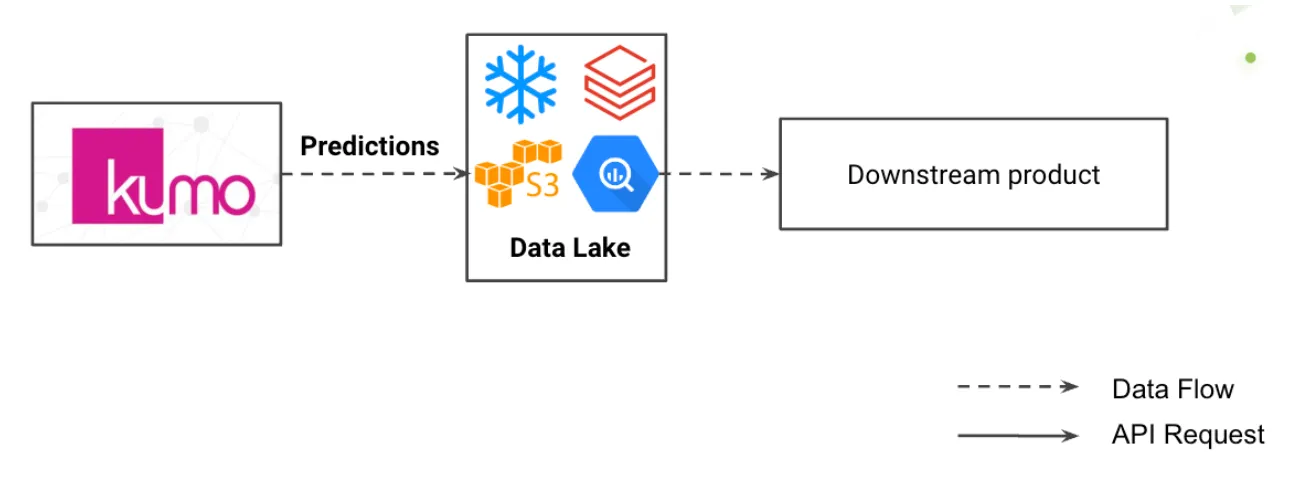
End users receive fully personalized recommendations; for example, eligible users receive a weekly email with personalized content.