

Custom Dataset#
For a custom dataset, you should prepare the following items:
Input videos - Camera video files for calibration
A floor map - Layout/map image of the surveillance area
Ground truth data (optional) - For calibration evaluation
The input videos required for calibration must be uploaded to the tool. Users should pay close attention to the order in which they upload the video streams, as this order implicitly determines the pairing of the cameras. For optimal results, consecutive camera pairs should have a significant amount of overlapping Field of View (FOV).
Guidelines for Input Videos to Achieve Optimal Calibration Results#
To ensure the most accurate camera calibration, careful consideration should be given to how the input videos are captured. The following points, illustrated with examples, detail how to maximize the quality of the calibration outcome.
1. Minimizing Lens Distortion#
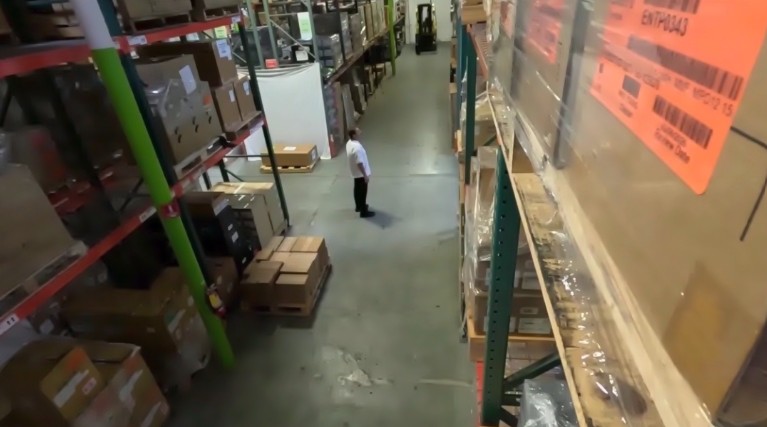
The current calibration methodology performs best when input videos are “linear,” meaning they exhibit no lens distortion. While the tool can handle minor distortion, optimal results are achieved when lens distortion is zero.
2. Maximizing Camera Overlap#
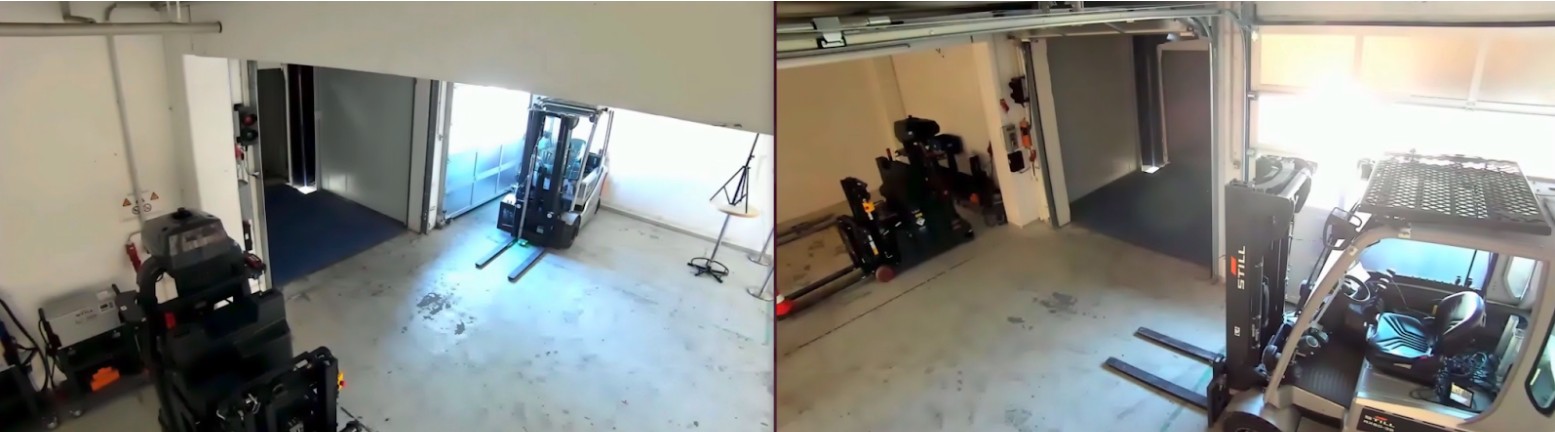
Accurate calibration requires a significant degree of overlap between the fields of view of the different cameras. It is essential to maximize the overlap between cameras as much as possible. Refer to the following figures.
3. Leveraging Unique Scene Features#
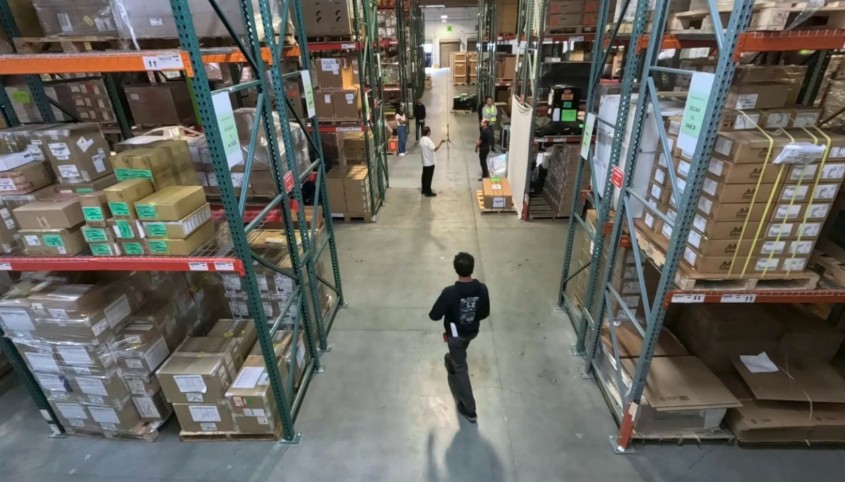
The presence of diverse and unique objects in the input videos contributes significantly to calibration accuracy. Our automatic calibration tool specifically utilizes people moving within the field of view, so videos with many moving people are ideal. The trajectories of these moving subjects should cover the Field of View (FOV) as broadly as possible.
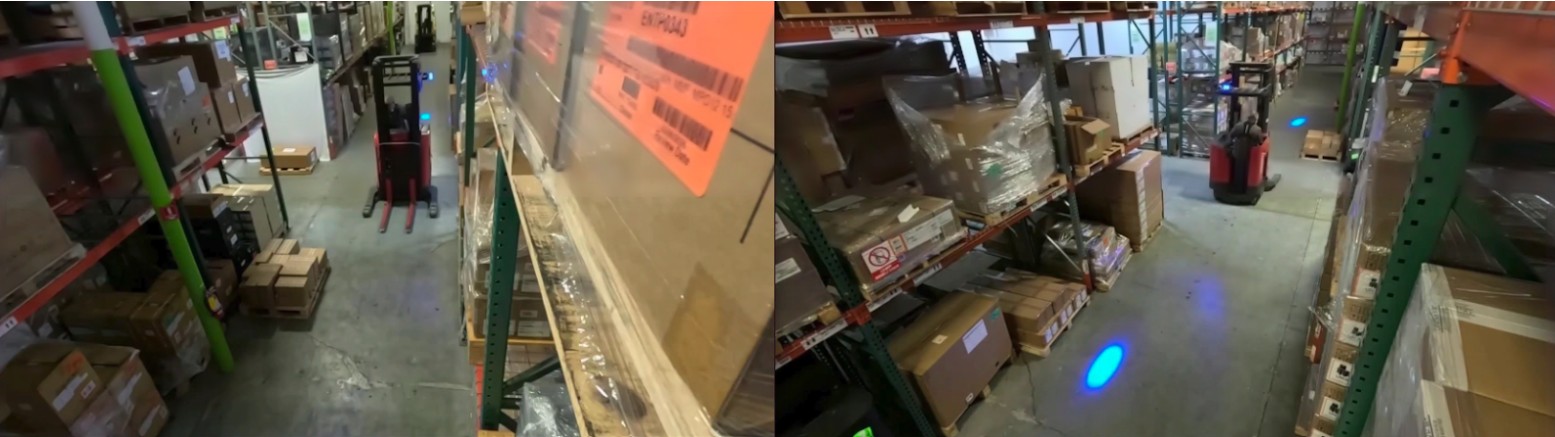
Additionally, large, unique objects can enhance accuracy. For instance, in a setting like a warehouse with multiple cameras, views can become challenging due to repetitive elements (e.g., similar racks). In such environments, large, distinct objects, like forklifts, are beneficial for better calibration accuracy.
Ground Truth Data Format#
If you want to evaluate the camera calibration results using ground truth data, you should have a ZIP file containing the following data files:
calibration.jsonground_truth.json
calibration.json#
This file has camera parameters including intrinsic and extrinsic parameters. The JSON schema definition for calibration is as follows:
{
   "sensors": [
       {
           "id": "Camera",
           "intrinsicMatrix": [
               [1269.00511584492, -3.730349362740526e-14, 959.9999999999999],
               [0.0, 1269.0051158449194, 539.9999999999999],
               [0.0, 0.0, 0.9999999999999998]
           ],
           "extrinsicMatrix": [
               [0.9999941499743863, 0.0020258073539418126, 0.00275610623331978, 7.506433779240641],
               [0.00329149786382878, -0.3506837842628175, -0.9364881470135763, 1.2002890745303207],
               [-0.0009306228113685242, 0.936491740251709, -0.3506884006942753, 11.111379874347342]
           ],
           "attributes": [
               {"name": "frameWidth", "value": 1920},
               {"name": "frameHeight", "value": 1080}
           ],
           "cameraMatrix": [
               [1268.1042942335746, 901.6028305375089, -333.16335175660936, 20192.627546980937],
               [3.6743913098523424, 60.686023462551134, -1377.7799858632666, 7523.318108219307],
               [-0.0009306228113685238, 0.9364917402517088, -0.35068840069427526, 11.111379874347342]
           ]
       },
       {
           "id": "Camera_01",
           "intrinsicMatrix": [
               [1099.498973963849, -4.707345624410664e-14, 960.0],
               [0.0, 1099.4989739638488, 539.9999999999998],
               [0.0, 0.0, 1.0]
           ],
           "extrinsicMatrix": [
               [-0.9999609312669344, -0.008839453589732555, 5.147844000033541e-11, -7.521032053009582],
               [-0.004417374837733223, 0.4997143960386968, -0.866178970647073, -0.1501353870483639],
               [0.007656548785712605, -0.8661451301323095, -0.49973392001021566, 10.265551144735602]
           ],
           "attributes": [
               {"name": "frameWidth", "value": 1920},
               {"name": "frameHeight", "value": 1080}
           ],
           "cameraMatrix": [
               [-1092.1057310976453, -841.2182950793291, -479.7445631532065, 1585.5620735129166],
               [-0.7223627574165982, 81.71709544806465, -1222.2192063010361, 5378.3239141418835],
               [0.0076565487857126035, -0.8661451301323094, -0.4997339200102156, 10.2655511447356]
           ]
       }
   ]
}
Parameter Descriptions:
Parameter |
Description |
|---|---|
id |
Unique string identifier for the sensor (e.g., Camera, Camera_01, Camera_02, …). This string should match the camera ID in ground_truth.json file. |
intrinsicMatrix |
3x3 camera intrinsic parameter matrix. This matrix follows the same definition in OpenCV documentation. |
extrinsicMatrix |
3x4 camera extrinsic parameter matrix. This matrix follows the same definition in OpenCV documentation. |
cameraMatrix |
3x4 combined camera projection matrix. This matrix follows the same definition in OpenCV documentation. |
attributes |
Array of name-value pairs for additional sensor attributes. “frameHeight”: image height resolution, “frameWidth”: image width resolution. |
ground_truth.json#
This file has object information including 3D locations and bounding boxes. The JSON schema definition for ground truth object data is as follows:
{
    "0": [
        {
            "object id": 0,
            "object type": "person",
            "object name": "male_adult_police_04",
            "3d location": [-7.82265567779541, 4.5983476638793945, -9.851457150045206e-11],
            "2d bounding box visible": {
                "Camera": [912, 362, 955, 507],
                "Camera_01": [960, 664, 1062, 941]
            }
        },
        {
            "object id": 2,
            "object type": "person",
            "object name": "female_adult_police_01",
            "3d location": [-17.455900192260742, 15.370429992675781, 0.02103900909423828],
            "2d bounding box visible": {
                "Camera": [447, 245, 470, 276]
            }
        },
        {
            "object id": 4,
            "object type": "person",
            "object name": "female_adult_police_03",
            "3d location": [-13.054417610168457, 2.3046987056732178, 0.02103901281952858],
            "2d bounding box visible": {
                "Camera": [391, 418, 443, 576],
                "Camera_01": [1668, 481, 1805, 688],
                "Camera_02": [1084, 398, 1125, 530]
            }
        }
    ],
    "1": [
        {
            "object id": 0,
            "object type": "person",
            "object name": "male_adult_police_04",
            "3d location": [-7.822440147399902, 4.597992420196533, -1.1969732149896828e-10],
            "2d bounding box visible": {
                "Camera": [912, 362, 955, 507],
                "Camera_01": [960, 664, 1062, 609]
            }
        }
    ]
}
Parameter Descriptions:
Parameter |
Description |
|---|---|
frame index |
Video frame index (0, 1, …) - the top-level keys |
object id |
Object index (integer value) |
object type |
Object class (person, fork lift, etc.) |
object name |
Unique object name |
3d location |
Object’s 3D location in meters [x, y, z] |
2d bounding box visible |
2D bounding boxes in each camera view [x_min, y_min, x_max, y_max] |