

Agent Overview#
The VSS Agent (Video Search Summarization Agent) is an AI-powered agent for video analytics. It generates incident reports, answers queries about video content, and provides video search capabilities.
Architecture#
Operational Modes#
The VSS Agent supports two operational modes based on deployment configuration:
Video Analytics MCP Mode#
Used by production blueprint deployments (Warehouse, Smart Cities).
Connects to Video Analytics MCP server for incident data
Queries Elasticsearch for incidents and sensor metadata
Generates reports based on detected incidents
Supports multi-incident queries and analytics
Requirements: Video Analytics pipeline, Elasticsearch, VST
Direct Video Analysis Mode#
Used by developer profiles for standalone operation without a full blueprint deployment.
Analyzes uploaded videos directly without an incident database
Uses Cosmos VLM for video understanding
Generates reports based on video content analysis
Ideal for development, testing, and custom video analysis
Requirements: VST, Cosmos VLM (NIM endpoint)
Three developer profiles are available:
dev-profile-base: Basic video upload and analysis
dev-profile-lvs: Long video analysis with interactive prompts
dev-profile-search: Semantic video search with embeddings
See Agent Profiles for detailed profile descriptions
Agents#
Top Agent#
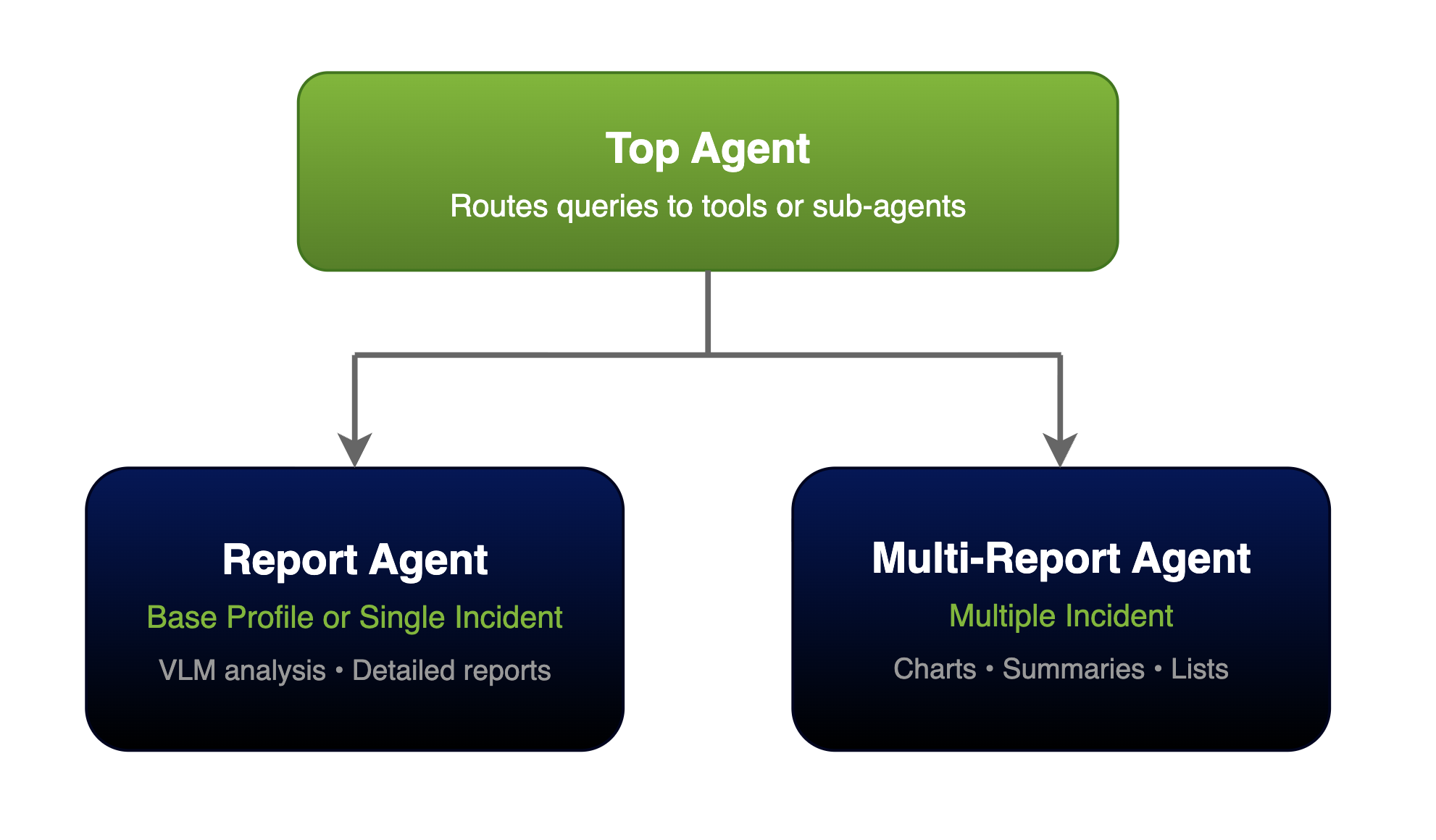
The top-level agent analyzes the user query and directs it to the appropriate sub-agent or directly executes tools (sensor list, snapshots, etc.).
Report Agent: Generates a report for a single incident.
Multi-Report Agent: Answers questions about multiple incidents.
Report Agent#
The report agent generates a detailed report for a single incident. It operates in two modes:
Video Analytics MCP Mode (Blueprint deployments):
Fetches incident data from the Video Analytics MCP server
Retrieves video clips and snapshots from VST
Analyzes video content using the Cosmos VLM
Generates a structured report with findings
Direct Video Analysis Mode (Developer profiles):
Accepts uploaded videos directly via VST
Analyzes video content using the Cosmos VLM
Generates a video analysis report with timestamped observations
Retrieves video clips and snapshots from VST to include in the report
Multi-Report Agent#
The multi-report agent handles queries about multiple incidents (Video Analytics MCP mode only):
Fetches incidents matching the query criteria
Formats incident summaries with video/image URLs
Generates charts and visualizations
Returns a formatted list of incidents
Default Models#
Model |
Purpose |
|---|---|
LLM for reasoning and report generation |
|
VLM for video understanding |
|
Capabilities#
Query Sensors
"What sensors are available?"
Generate Incident Report
"Generate a detailed report for the last incident at Camera_01"
List Incidents
"List all incidents from Camera_01 in the last hour"
Metrics/Occupancy Counts
"How many people are in Camera_01?"
Snapshots
"Take a snapshot from Camera_01"
Note
Camera_01 is an example sensor name. The actual sensor names depend on your deployment
and can be discovered by asking the agent “What sensors are available?”
API Reference
Known Issues#
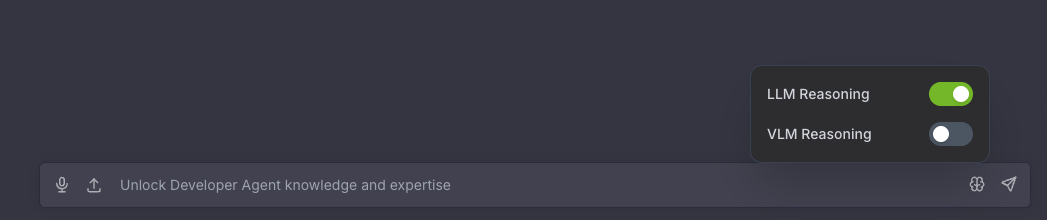
By default, the agent uses thinking off for faster response, switching to on for complicated queries.
When conversation is long, agent may not follow user instructions closely. Please start a new chat from the left panel.
When conversation is long, agent may generate incorrect URL links, causing videos, screenshots, or other media to fail to display or download properly. If you notice this issue, start a new chat from the left panel.
Sometimes the agent may enter a loop and error out after reaching the recursion limit. If you encounter this issue, click Regenerate response to try again. If the issue persists, start a new chat from the left panel.
Generating multiple reports in a single query is not supported in this release.