

InfiniBand PKey Member Delete
The InfiniBand PKey Member Delete workflow removes specific device interfaces from an existing PKey on UFM and deletes the matching OverlayAssignment rows in Nautobot. Other PKey members are left alone.
Members can be specified by Nautobot interface (device + interface, resolved to a GUID server-side) or by raw IB GUID. Removing a GUID that is not currently in the PKey is a no-op.
Prerequisites
Before running, confirm:
- PKey exists on UFM. The workflow fails fast if it does not.
- By-Interfaces mode requires
ib_guidin Nautobot. Each interface must carry acustom_fields.ib_guid. By-GUIDs mode bypasses this requirement.
Running the workflow
- Navigate to the Config Manager URL for your environment.
- Click the + in the top right and select IBPKeyMemberDeleteWorkflow.
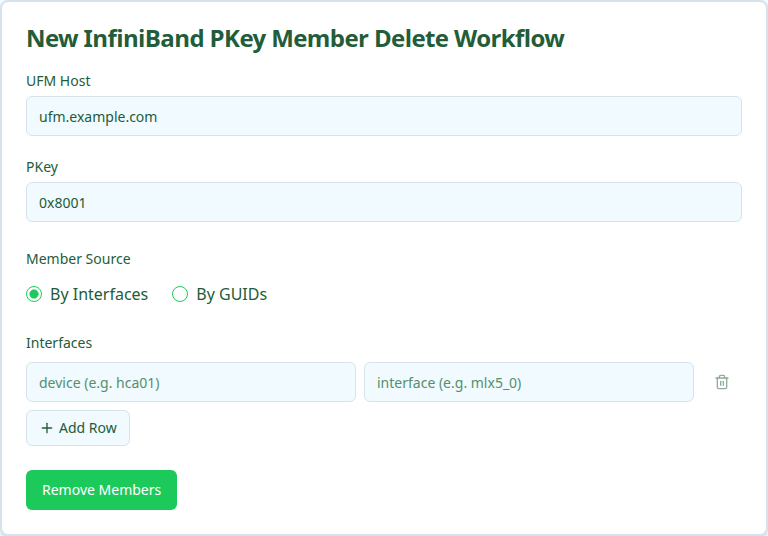
- Fill in the form using the field reference below and submit.
After submission, a status page shows the five execution stages.
Execution stages
The workflow runs five stages. No approval is required.
-
resolve_context— Resolve site, overlay, and canonical PKey from Nautobot. -
resolve_guids— Resolve members to IB GUIDs.Same resolution logic as the Add and Update workflows.
-
remove_members— Remove GUIDs from the PKey on UFM.Calls UFM to detach the resolved GUIDs. UFM treats removal of a non-member GUID as a no-op.
-
verify_removed— Confirm the GUIDs are absent from the PKey on UFM.Re-reads the PKey member list and asserts none of the submitted GUIDs remain.
-
remove_assignments— Delete OverlayAssignment records in Nautobot.Removes the matching
OverlayAssignmentrows. Interfaces that had no assignment (already deleted, or never created) are returned ininterface_ids_not_assignedrather than failing the stage.
Verifying outcomes
After the workflow reports success, confirm:
- All five stages show green.
- UFM no longer lists the removed GUIDs in the PKey member set.
- Nautobot no longer lists the removed interfaces under the Overlay’s
OverlayAssignments. members_removedin the workflow output equals the number of GUIDs you submitted (allowing for any no-op removals that were already absent).
Common issues
remove_members reports zero removals even though the request had members.
The submitted GUIDs were not in the PKey to begin with. Confirm the values match what UFM actually has by hitting GET /ufmRest/resources/pkeys/<pkey>?guids_data=true.
verify_removed fails.
UFM accepted the removal call but the change did not propagate. Usually transient. Re-run the workflow or retry the stage.
remove_assignments reports interface_ids_not_assigned.
The interfaces existed in Nautobot but no OverlayAssignment was present for them. This is expected when membership had been added directly on UFM (not through this workflow family) or when assignments were already cleaned up out-of-band. Not a failure mode.
Related guides
- IB PKey Creation — create the PKey.
- IB PKey Member Add — add members.
- IB PKey Member Update — reconcile membership to a declarative list (alternative when you want to replace, not delete).