

InfiniBand Port GUID Discovery
The InfiniBand Port GUID Discovery workflow reads port GUIDs from UFM and writes them onto the matching Nautobot interfaces (custom_fields.ib_guid). Run it to populate ib_guid before workflows that consume it, such as IB PKey Member Add in By-Interfaces mode.
GUIDs are written only onto compute-side interfaces — the host/GPU HCA ports. The InfiniBand switches you select are the topology anchor, not sync targets: each UFM port is matched to the switch port it connects to, and the GUID is written onto the compute interface cabled to that switch port in Nautobot. Switch-owned ports and inter-switch links are skipped; no switch interface is ever modified.
Cable topology comes from Nautobot rather than from UFM node descriptions, because compute-tray OS hostnames are not under Config Manager’s control.
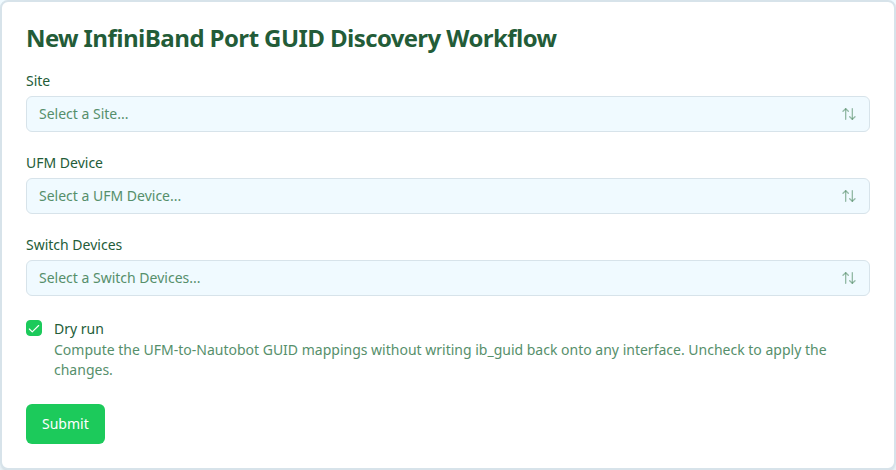
The workflow is dry-run by default. A dry run computes the GUID-to-interface mappings and reports what it would change without writing anything. Clear the Dry run checkbox to apply the mappings.
Prerequisites
Before running, confirm:
- UFM appliance modeled in Nautobot. The device must have role
UFM, a primary IP, and belong to the site you select. The UFM Device dropdown only lists devices with roleUFMin the chosen site. - Switch devices modeled. The InfiniBand switches whose ports you want to read must exist in Nautobot.
- Cable topology modeled. Discovery walks Nautobot cables to map switch ports to compute interfaces. Interfaces with no modeled cable are skipped.
- UFM credentials available. Same requirement as the other InfiniBand workflows.
Running the workflow
- Navigate to the Config Manager URL for your environment.
- Click the + in the top right and select IBPortGuidDiscoveryWorkflow.
- Fill in the form using the field reference below and submit.
After submission, a status page shows the three execution stages.
Execution stages
The workflow runs three stages. No approval is required.
-
resolve_ufm— Resolve UFM hostname and site from Nautobot.Looks up the selected UFM device and reads its primary IP and site. Fails fast if the device has no primary IP.
-
discover— Fetch UFM ports and Nautobot topology and compute mappings.Reads port GUIDs from UFM and the cable topology for the selected switches, then builds a per-interface mapping for each compute port that connects to one of those switches. Ports owned by the switches and inter-switch links are dropped. Each mapping carries an action:
set(interface has noib_guidyet),update(replace a stale value),noop(already correct), orskip(no cabled compute interface to write to). -
sync— Writeib_guidon each resolved interface.For every actionable mapping, sets
custom_fields.ib_guidon the interface. Honors the Dry run setting and reportsapplied,would_apply, andskippedcounts.
Verifying outcomes
After the workflow reports success, confirm:
- Dry run. Review the summary’s
would_applycount and the per-interface mappings. Nothing is written to Nautobot. - Applied run. Confirm
appliedis non-zero, then open the affected interfaces in Nautobot and verifycustom_fields.ib_guidholds0x+ 16 hex characters.
Common issues
The UFM Device dropdown is empty.
The dropdown lists only devices with role UFM in the selected site. Confirm the UFM appliance has role UFM, a primary IP, and is assigned to the chosen site (or one of its child locations).
resolve_ufm fails with “UFM device has no primary IP address set in Nautobot”.
Set a primary IP on the UFM device in Nautobot, then re-run.
No mappings are produced, or everything is skipped.
Discovery relies on modeled cables between the selected switches and their compute-side interfaces. Confirm the cable topology exists in Nautobot and that you selected the correct switch devices.
Related guides
- IB PKey Member Add — consumes the
ib_guidvalues this workflow populates.