

Configure the Router Agent#
Configure the NVIDIA NeMo Agent Toolkit router agent as a workflow or a function. The router agent workflow consists of two phases: routing and execution.
Requirements#
The router agent requires the nvidia-nat[langchain] plugin to be installed, which can be installed with one of the following commands, depending on whether you installed the NeMo Agent Toolkit from source or from a package.
uv pip install -e ".[langchain]"
uv pip install "nvidia-nat[langchain]"
Configuration#
The router agent may be used as a workflow or a function.
Example 1: Router Agent as a Workflow to Configure config.yml#
To use the router agent as a workflow, configure the YAML file as follows:
workflow:
  _type: router_agent
  branches: [fruit_advisor, city_advisor, literature_advisor]
  llm_name: nim_llm
  detailed_logs: true
Example 2: Router Agent as a Function to Configure config.yml#
To use the router agent as a function, configure the YAML file as follows:
functions:
  fruit_advisor:
    _type: fruit_advisor
    description: "Provides recommendations for fruits based on user preferences"
  city_advisor:
    _type: city_advisor
    description: "Suggests cities to visit based on user interests"
  router_agent:
    _type: router_agent
    branches: [fruit_advisor, city_advisor]
    llm_name: agent_llm
    description: "Routes user requests to the most appropriate advisor"
    max_router_retries: 3
Configurable Options#
The router agent supports the following required and optional configurations.
Required Options#
workflow_alias: Defaults toNone. The alias of the workflow. Useful when the router agent is configured as a workflow and needs to expose a customized name as a tool.branches: A list of available tools, functions, or agents that the router can direct requests to. These branches must be configured in the YAML file.llm_name: The language model used for request analysis and routing decisions. The LLM must be configured in the YAML file.
Optional Options#
description: Defaults to “Router Agent Workflow”. When the router agent is configured as a function, this config option allows control of the tool description (for example, when used as a tool within another agent).system_prompt: Optional. Custom system prompt to use with the agent. Allows override of the default routing instructions.user_prompt: Optional. Custom user prompt template to use with the agent. Must include variables for input and available branches.max_router_retries: Defaults to 3. Maximum number of retries if the router agent fails to choose a valid branch.detailed_logs: Defaults to False. Enable detailed logging to see the routing decisions and branch responses.log_response_max_chars: Defaults to 1000. Maximum number of characters to display in logs when logging branch responses.
The Router Agent Workflow#
The router agent uses a single-pass graph architecture that analyzes requests and routes them to appropriate branches:
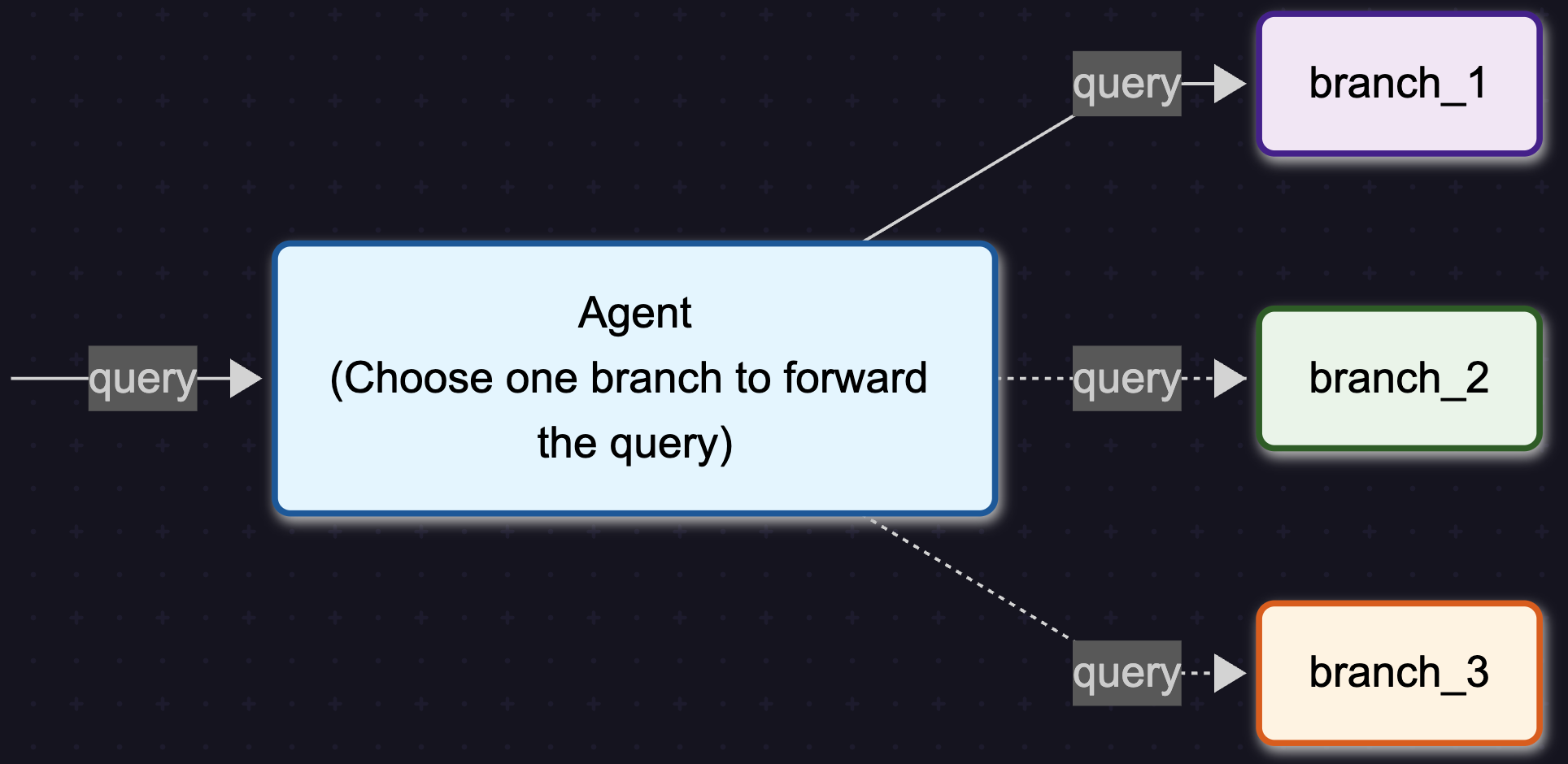
The router agent follows a streamlined two-phase process:
Routing Phase – The router node analyzes the user request and selects the most appropriate branch based on branch descriptions and request content.
Execution Phase – The branch node executes the selected branch with the original input and returns the result.
Example Walkthrough#
Imagine a router agent configured with three advisors needs to handle:
“I want a yellow fruit”
Routing Phase#
Request Analysis: The router node receives the input “I want a yellow fruit”
Branch Evaluation: The agent evaluates available branches:
fruit_advisor: “Provides recommendations for fruits based on user preferences”city_advisor: “Suggests cities to visit based on user interests”literature_advisor: “Recommends books and literary works”
Branch Selection: Based on the request content, the router node selects
fruit_advisoras the most appropriate branch
Execution Phase#
Branch Execution: The branch node calls the
fruit_advisorfunction with the original inputResponse Generation: The
fruit_advisorprocesses the request and returns “banana”Result Return: The router agent returns the final result: “banana”
Since the router agent uses a single-pass architecture, it routes requests without multiple reasoning steps.
Use Cases#
The router agent is well-suited for:
Multi-domain Applications: Route requests to different specialized agents based on topic (such as technical support, sales, or general inquiries)
Workflow Orchestration: Direct different types of tasks to appropriate processing pipelines
API Gateway Pattern: Route API requests to different backend services based on request characteristics
Content Classification: Automatically categorize and route content to appropriate handlers
Limitations#
The following are the limitations of router agents:
Single Branch Selection: The router agent selects only one branch per request and does not perform multi-step routing or branch combination.
No Inter-branch Communication: Branches operate independently and cannot communicate with each other within a single request.
Routing Accuracy Dependency: The effectiveness of routing depends on the quality of branch descriptions and the LLM’s ability to understand request intent.