Fine-Tune Qwen3.5-VL
Introduction
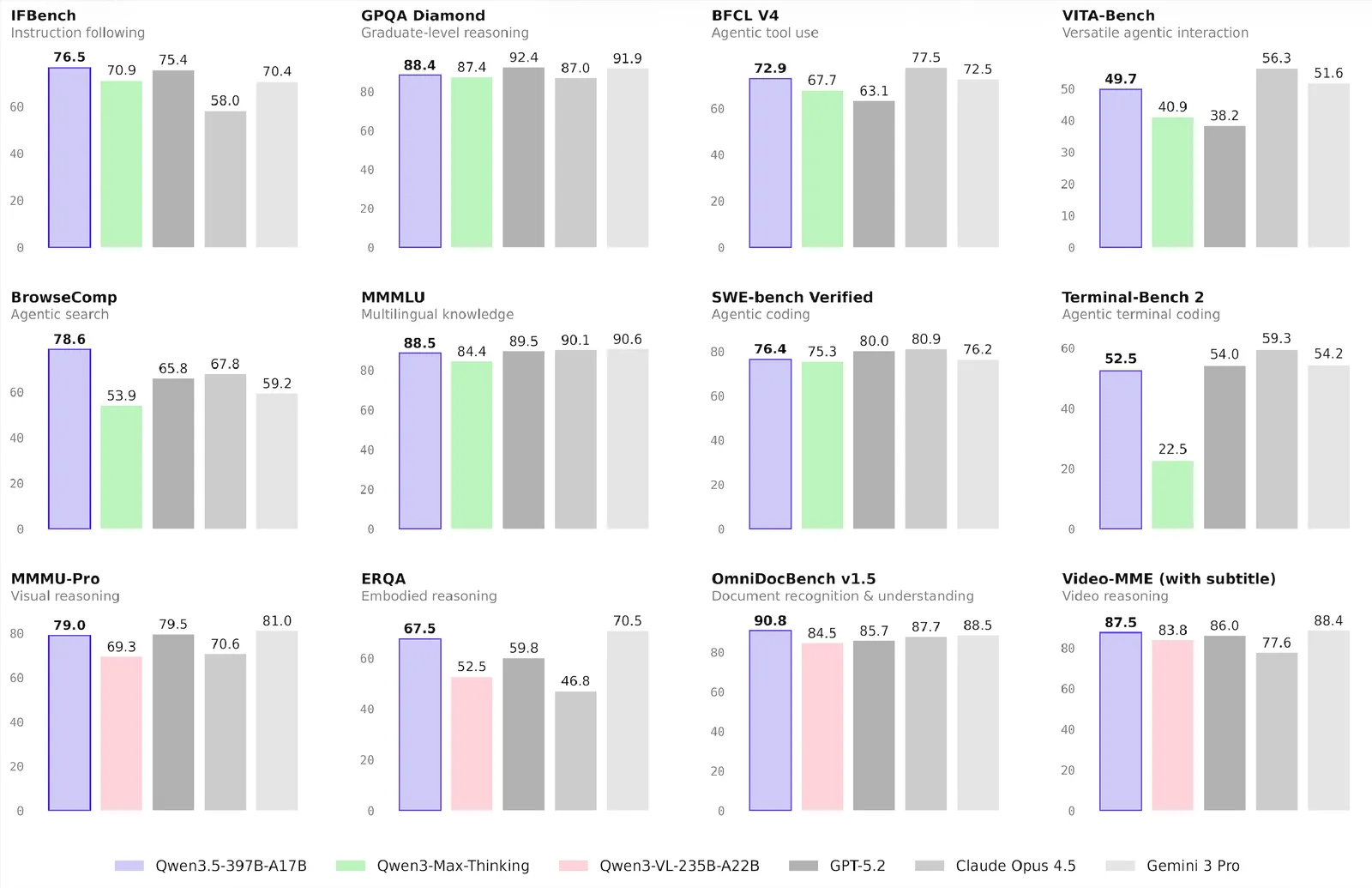
Qwen/Qwen3.5-397B-A17B is a vision-language model in the Qwen series developed by Alibaba. It is a 397B-parameter hybrid MoE model with 17B active parameters. The model repeats Gated DeltaNet and Gated Attention blocks, each paired with a sparse MoE layer that has 512 experts, including 10 routed experts and one active shared expert. Qwen3.5 combines vision and language capabilities, expands multilingual coverage, and improves efficiency. Qwen3.5-397B-A17B shows competitive benchmark performance across knowledge, reasoning, coding, and agent tasks.
This guide describes how to fine-tune Qwen3.5 for a medical visual question answering task using NVIDIA NeMo AutoModel. It covers preparing the dataset, launching training on a Slurm cluster, and inspecting the results.
To set up your environment to run NeMo AutoModel, follow the installation guide.
Prepare the Data
MedPix-VQA Dataset
This guide uses the MedPix-VQA dataset. This medical visual question answering dataset contains radiological images paired with questions and answers for medical image interpretation.
The dataset includes:
- 20,500 total examples (85% training and 15% validation)
- Columns:
image_id,mode,case_id,question,answer
For details about how MedPix-VQA is preprocessed and integrated into NeMo AutoModel, including chat-template conversion and collate functions, see the Multi-Modal Dataset Guide.
Launch Training
A ready-to-use recipe is available at examples/vlm_finetune/qwen3_5_moe/qwen3_5_moe_medpix.yaml. This recipe is configured for 32 nodes with eight NVIDIA H100 GPUs per node.
Long-context Qwen3.5 runs can require prewarming during setup even when later training steps fit in memory. This occurs because first-use CUDA and communicator allocations overlap with the first backward-pass memory peak. The short-context MedPix recipe does not enable prewarming by default. If a longer hybrid-attention MoE run fails only during its first step, see Prewarm One-Time CUDA Initialization. Enable only the warmup that matches the failure signature. This behavior alone does not establish support for a specific context length.
NeMo AutoModel supports several methods for launching training, including the AutoModel CLI with Slurm, interactive sessions, and torchrun. For details about all launch options, including Slurm batch jobs, multi-node configs, and environment variables, see the Run on a Cluster guide.
Standalone Slurm Script
The following example provides a standalone Slurm script for Qwen3.5. Before running it, configure your cluster environment according to the Run on a Cluster guide. Then submit the job:
Before you start:
- Hugging Face applies rate limits on downloads. We recommend cloning the model repository to your local filesystem beforehand.
- Ensure your Hugging Face cache (
HF_HOME) is configured and that the dataset is already cached locally. - To enable Weights & Biases logging, set your
WANDB_API_KEYand configure thewandbsection in the YAML file.
Training Results
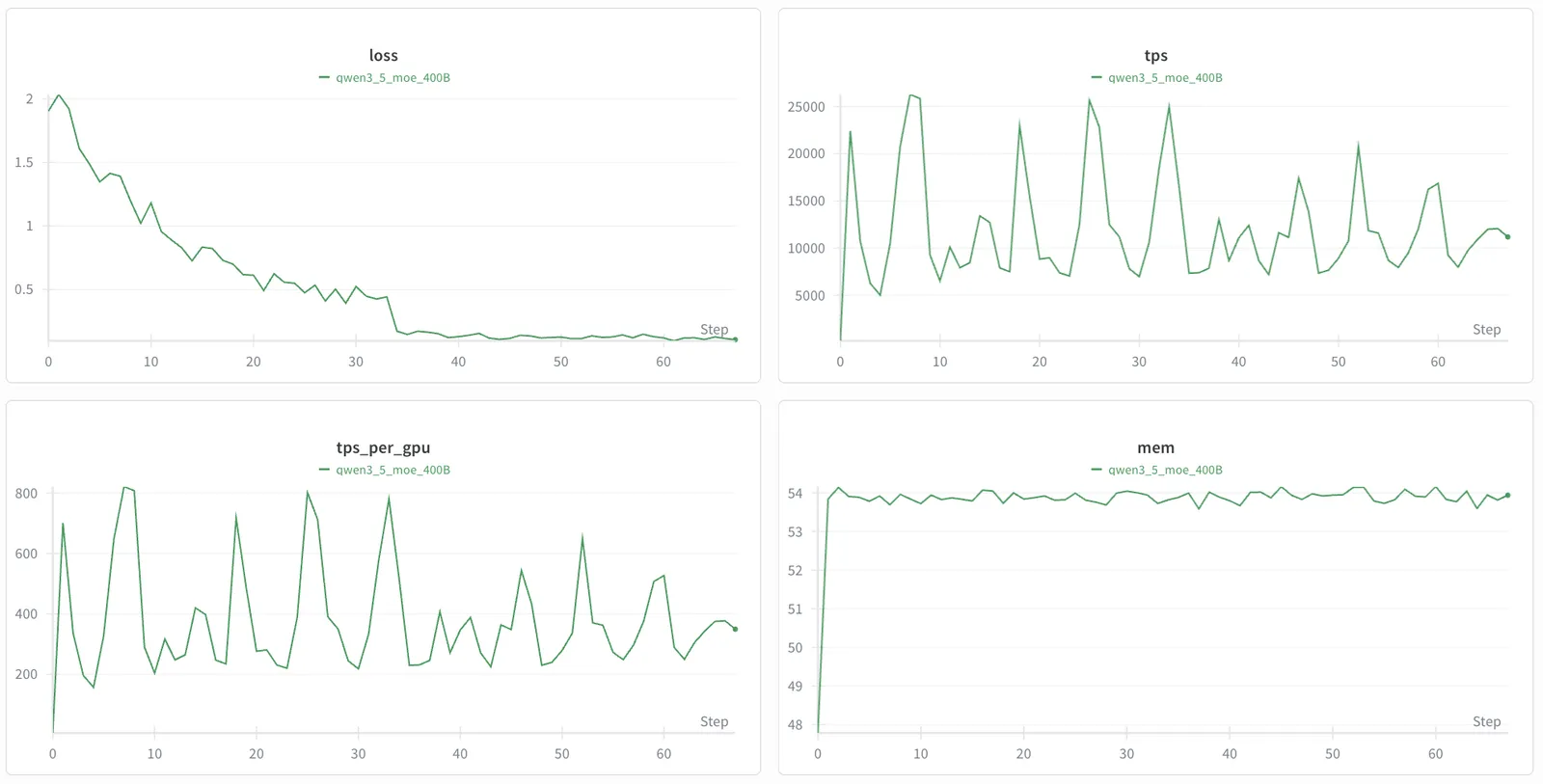
The following figure shows the training loss curves for Qwen3.5-VL fine-tuned on MedPix-VQA.